Nebula HDR screensaver APK
GPU-accelerated HDR nebula fly-through screensaver
Descargar APK v4.12.0 · 205 KB- Versión4.12.0
- Tamaño205 KB
- RequiereAndroid 5.0
- Actualizada29/7/2026
- LicenciaGPL-3.0-only
- PrecioGratis
Acerca de Nebula HDR screensaver
Descripción del desarrollador (en inglés).
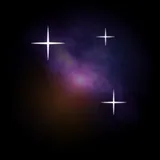
A deep-space nebula rendered in real-time volumetric raymarching on the GPU. The camera flies through translucent clouds of emissive gas, sculpted by a tiling 3D noise field with Worley erosion and lit by gradient relief, shell halos, and ionization-front rims.
The palette centres on deep violet and indigo, with magenta and cool-blue accents. Foreground masses occlude background stars with true depth. Dense star clusters glow as pointillistic distant galaxies, and the brightest stars throw subtle aperiodic HDR flares with four-point diffraction spikes.
A split-resolution pipeline keeps stars pin-sharp at native resolution while the gas runs at an adaptive lower resolution. Each screensaver activation randomises the camera path, nebula formation, and star field so no two sessions look alike.
Features:
- Volumetric raymarching through a 3D noise field
- HDR output with automatic SDR fallback
- Configurable render resolution, frame rate, and zoom speed
- Burn-in safe: every element moves or cross-fades, so no pixel holds a static image
- No network access, no ads, no tracking
Optimized for the NVIDIA Shield and HDR displays, but runs on any Android phone or TV with a sufficiently powerful GPU.
Novedades de la versión 4.12.0
Dust, reflected starlight, and a camera that goes somewhere:
- Dust lanes carve dark channels through the clouds, and dense foreground dust now reaches real opacity, cutting silhouettes out of the star field behind it
- The gas is filamentary instead of billowing — masses gather into streamers and sheets rather than round lumps
- The brightest stars light the gas they sit in, with a blue-white reflection glow that only appears where there is cloud to scatter it
- The camera reads the sky ahead
Información del archivo APK
| Nombre del paquete | com.jordanadema.nebula |
|---|---|
| Versión | 4.12.0 (código 32) |
| Android mínimo | Android 5.0 · diseñada para Android 15 |
| Arquitecturas | Todas (universal) |
| SHA-256 | 923d783c5d3b476ad92b4dfb16bb7a45081bb1d4fad1fb9131afcd7276a169c2 |
| Firma | 878ec6cee21525482bd880c97bde14e1be71a27d581502f7326457daf6693639 |
| Licencia | GPL-3.0-only — licencia libre copyleft: el código es público y las versiones modificadas deben seguir siendo libres |
| Código fuente | github.com/jordanade/Nebula |
Permisos solicitados
Ningún permiso especial.
Versiones anteriores
- Nebula HDR screensaver 4.12.029 de julio de 2026 · 205 KB
- Nebula HDR screensaver 4.11.126 de julio de 2026 · 197 KB
- Nebula HDR screensaver 4.11.023 de julio de 2026 · 121 KB
Cómo instalar Nebula HDR screensaver APK
- Pulsa Descargar APK arriba y abre el archivo cuando termine la descarga.
- Si Android lo pide, permite que tu navegador instale apps desconocidas.
- Pulsa Instalar. Nebula HDR screensaver aparecerá junto a tus otras apps.
→ Cómo instalar un archivo APK en Android (paso a paso)
→ «La aplicación no está instalada»: causas y soluciones
Preguntas frecuentes
¿Nebula HDR screensaver es gratis?
Sí. Nebula HDR screensaver se distribuye con licencia GPL-3.0-only: gratis, sin suscripción y con el código fuente público.
¿Es seguro este archivo APK?
El archivo es el que compila y publica el repositorio F-Droid a partir del código fuente público. Su huella SHA-256 aparece arriba para que puedas compararla tras la descarga. ¿Un APK es peligroso? Cómo verificar un archivo antes de instalarlo
¿Funciona Nebula HDR screensaver en mi teléfono?
Necesitas como mínimo Android 5.0. La app también funciona sin los servicios de Google, así que funciona en los teléfonos Huawei recientes.