
searxist APK
Search with SearXNG and more natively on Android.
APK herunterladen v2026.10.10 · 4,1 MB- Version2026.10.10
- Größe4,1 MB
- BenötigtAndroid 5.0
- Aktualisiert25.10.2026
- LizenzGPL-3.0-or-later
- PreisKostenlos
Über searxist
Beschreibung des Entwicklers (auf Englisch).
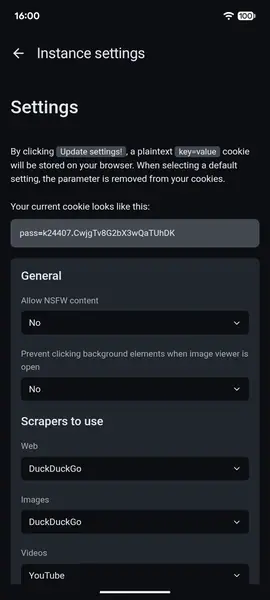
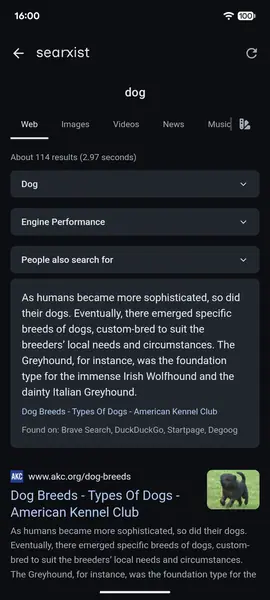
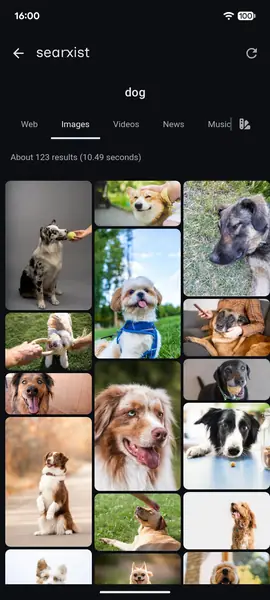
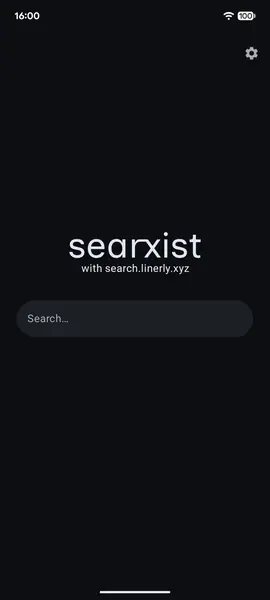
searxist (pronounced: searchist) is a simple Android app to wrap SearXNG and more in a WebView with Material You colors, plus some system integrations.
Features
- 🌙 Material You theming
- 🔍 System search integration (search bar widget, popup text action)
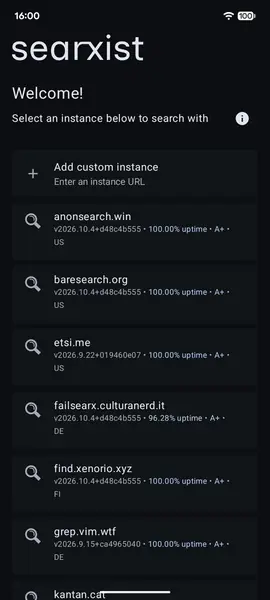
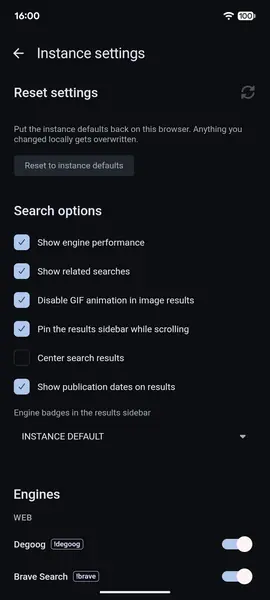
- 🌐 Choose from public SearXNG, 4get, and Degoog instances or add your own
- 🛡️ Privacy-focused (no unnecessary data collection!)
- 📱 Supports Android 5+
Why would I want to use this?
Unlike other search apps, this app uses various free and open-source metasearch engines like SearXNG, 4get, and Degoog. (learn more at https://docs.searxng.org, https://4get.ca/about#what-is-this, and https://degoog-org.github.io/docs)
When you use these metasearch engines, your search queries get proxied before passing them to various search engines. Not only will you get various results, but they also preserve privacy since the searches aren't directly linked to you.
The app provides a list of public instances for you to use. If you have an instance (either that you host yourself or hosted by someone else), you can add it as well.
If you do use your own instance, make sure other people are also using it to blend in. If the instance is used by only one person, search engines can still link the searches back to you.
The app does not collect any information; it only passes search queries to the instance that you use.
Neu in Version 2026.10.10
A quality-of-life update
— Support for 4get and Degoog (searxist/android#16 and searxist/android#18) — Public instances list now only show online instances — Improved search bar behavior and search suggestions (searxist/android#19) — Styling updates (searxist/android#17) — Translation updates
Informationen zur APK-Datei
| Paketname | xyz.linerly.searxist |
|---|---|
| Version | 2026.10.10 (Code 20261010) |
| Mindestens | Android 5.0 · ausgelegt für API 37 |
| Architekturen | arm64-v8a, armeabi-v7a, x86, x86_64 |
| SHA-256 | 02301bc11cfb81d0c25e821d7c0f15f306b0fda3261e71b3427fa3c65e07177d |
| Signatur | 650399c893532c795de4ec20a88b0f88d8ed1ef4843ef13f3f768b4aa0e43031 |
| Lizenz | GPL-3.0-or-later — freie Copyleft-Lizenz: Der Code ist öffentlich und veränderte Versionen müssen frei bleiben |
| Quellcode | codeberg.org/searxist/android |
| Offizielle Website | searxist.linerly.xyz |
Berechtigungen
- Internetzugriff
- Ruhezustand verhindern
- Netzwerkstatus sehen
- Beim Start ausführen
- Im Hintergrund laufen
1 weitere technische Berechtigung(en)
REORDER_TASKS
Ältere Versionen
- searxist 2026.10.1025. Oktober 2026 · 4,1 MB
- searxist 2026.04.302. Mai 2026 · 3,9 MB
- searxist 2026.02.2025. April 2026 · 14,3 MB
So installieren Sie searxist APK
- Tippen Sie oben auf APK herunterladen und öffnen Sie die Datei nach dem Download.
- Wenn Android fragt, erlauben Sie Ihrem Browser, unbekannte Apps zu installieren.
- Tippen Sie auf Installieren. searxist erscheint dann bei Ihren anderen Apps.
→ APK-Datei auf Android installieren (Schritt für Schritt)
→ „App nicht installiert“: Ursachen und Lösungen
Häufige Fragen
Ist searxist kostenlos?
Ja. searxist steht unter der Lizenz GPL-3.0-or-later: kostenlos, ohne Abo, und der Quellcode ist öffentlich.
Ist diese APK-Datei sicher?
Die Datei wurde vom F-Droid-Repository aus dem öffentlichen Quellcode erstellt und veröffentlicht. Ihr SHA-256-Fingerabdruck steht oben, Sie können ihn nach dem Download vergleichen. Ist eine APK gefährlich? So prüfen Sie eine Datei vor der Installation
Läuft searxist auf meinem Handy?
Sie benötigen mindestens Android 5.0. Die App funktioniert auch ohne Google-Dienste, also auch auf aktuellen Huawei-Handys.





