SonicRelay APK
SonicRelay: PC Audio
Listen to your PC audio on your phone with low latency and easy setup.
APK herunterladen v1.10.2 · 38,7 MB- Version1.10.2
- Größe38,7 MB
- BenötigtAndroid 7.0
- Aktualisiert23.11.2026
- LizenzMIT
- PreisKostenlos
Über SonicRelay
Beschreibung des Entwicklers (auf Englisch).
Bring your PC audio to your phone.
SonicRelay lets you listen on your Android device to the audio playing on your Windows PC, with low latency and without complicated setup.
Want to follow a video away from your computer, listen to music, games, calls, or simply use your phone as a convenient way to receive your PC audio? SonicRelay connects your devices and streams audio in real time.
🎧 PC audio directly on your phone
SonicRelay captures the audio playing on Windows and sends it to your Android device using technologies designed for real-time communication.
⚡ Low-latency audio streaming
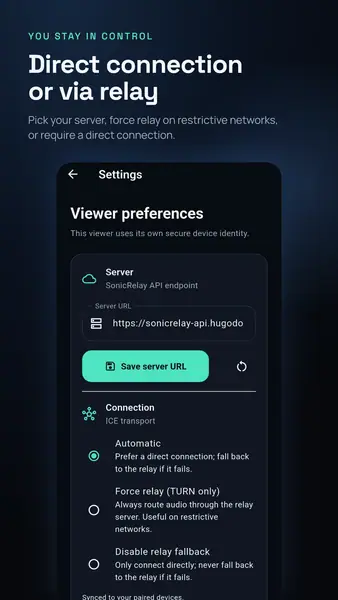
SonicRelay uses WebRTC and the Opus audio codec, establishing a direct connection between devices whenever possible to reduce delay during playback.
🔗 Simple connection
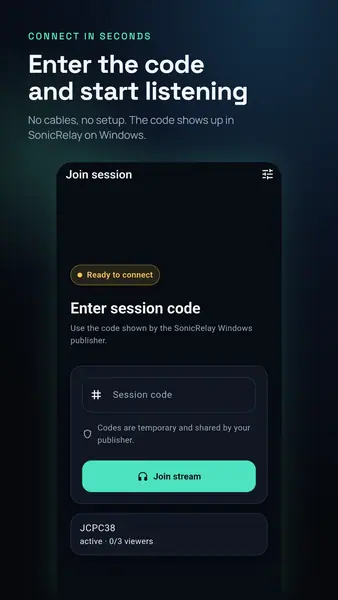
Create a session on your computer, connect your phone, and start listening. SonicRelay handles communication between your devices without requiring complicated network configuration.
📱 Main features
- Stream audio from Windows to Android
- Real-time, low-latency audio
- WebRTC with Opus audio codec
- Direct device-to-device connection when available
- Automatic relay when required by the network
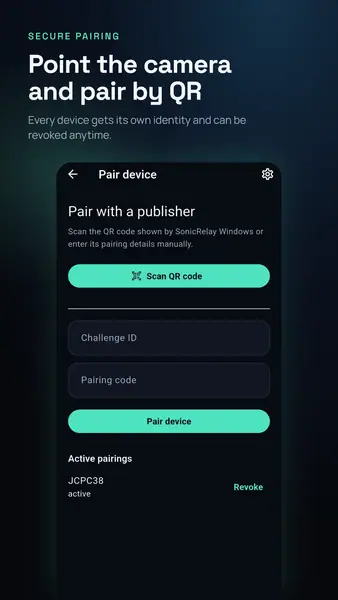
- Secure sessions between devices
- Temporary connection codes
- Support for multiple devices
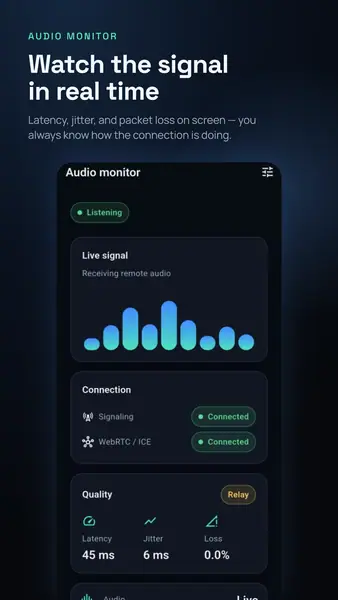
- Connection and session status
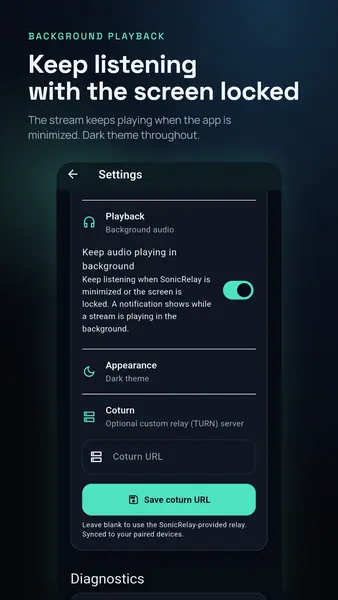
- Automatic reconnection after network interruptions
🖥️ Windows app required
To stream audio, you also need to install SonicRelay for Windows on the computer that will transmit the sound.
The Windows application works as the audio sender, while SonicRelay on Android receives and plays the stream.
Who is SonicRelay for?
SonicRelay is a simple solution for anyone looking to:
- listen to PC audio on a phone
- stream Windows audio to Android
- listen to music, videos, games, or calls away from the computer
- stream audio between devices with low latency
- avoid heavy streaming solutions for a simple task
Your PC plays it. Your phone hears it. SonicRelay connects them.
Informationen zur APK-Datei
| Paketname | com.vitorhugo.sonicrelay.sonic_relay |
|---|---|
| Version | 1.10.2 (Code 1001693) |
| Mindestens | Android 7.0 · ausgelegt für Android 16 |
| Architekturen | x86_64 |
| SHA-256 | 4fbd3367e964fb2ab6e4bacd014a137c2dca2653e7082072c33de0896e3a2fc3 |
| Signatur | 10433809f4fb4d79988d248110470bd6ec3fa667da27f4fbb21faeca34cebc2c |
| Lizenz | MIT — freie, freizügige Lizenz: Der Quellcode ist öffentlich und wiederverwendbar |
| Quellcode | github.com/hugoalves-dev/flutter_mobile-web_SonicRelay |
Berechtigungen
- Internetzugriff
- Netzwerkstatus sehen
- WLAN-Status sehen
- Kamera sensibel
- Im Hintergrund laufen
- Benachrichtigungen anzeigen
- Ruhezustand verhindern
- Bluetooth
2 weitere technische Berechtigung(en)
CHANGE_WIFI_MULTICAST_STATE MODIFY_AUDIO_SETTINGS
Ältere Versionen
- SonicRelay 1.10.223. November 2026 · 38,7 MB
- SonicRelay 1.10.223. November 2026 · 33,4 MB
- SonicRelay 1.10.223. November 2026 · 25,5 MB
So installieren Sie SonicRelay APK
- Tippen Sie oben auf APK herunterladen und öffnen Sie die Datei nach dem Download.
- Wenn Android fragt, erlauben Sie Ihrem Browser, unbekannte Apps zu installieren.
- Tippen Sie auf Installieren. SonicRelay erscheint dann bei Ihren anderen Apps.
→ APK-Datei auf Android installieren (Schritt für Schritt)
→ „App nicht installiert“: Ursachen und Lösungen
Häufige Fragen
Ist SonicRelay kostenlos?
Ja. SonicRelay steht unter der Lizenz MIT: kostenlos, ohne Abo, und der Quellcode ist öffentlich.
Ist diese APK-Datei sicher?
Die Datei wurde vom F-Droid-Repository aus dem öffentlichen Quellcode erstellt und veröffentlicht. Ihr SHA-256-Fingerabdruck steht oben, Sie können ihn nach dem Download vergleichen. Ist eine APK gefährlich? So prüfen Sie eine Datei vor der Installation
Läuft SonicRelay auf meinem Handy?
Sie benötigen mindestens Android 7.0. Die App funktioniert auch ohne Google-Dienste, also auch auf aktuellen Huawei-Handys.





