SonicRelay APK
SonicRelay: PC Audio
Listen to your PC audio on your phone with low latency and easy setup.
Scarica l'APK v1.10.2 · 38,7 MB- Versione1.10.2
- Dimensione38,7 MB
- RichiedeAndroid 7.0
- Aggiornata23/11/2026
- LicenzaMIT
- PrezzoGratis
Informazioni su SonicRelay
Descrizione fornita dallo sviluppatore (in inglese).
Bring your PC audio to your phone.
SonicRelay lets you listen on your Android device to the audio playing on your Windows PC, with low latency and without complicated setup.
Want to follow a video away from your computer, listen to music, games, calls, or simply use your phone as a convenient way to receive your PC audio? SonicRelay connects your devices and streams audio in real time.
🎧 PC audio directly on your phone
SonicRelay captures the audio playing on Windows and sends it to your Android device using technologies designed for real-time communication.
⚡ Low-latency audio streaming
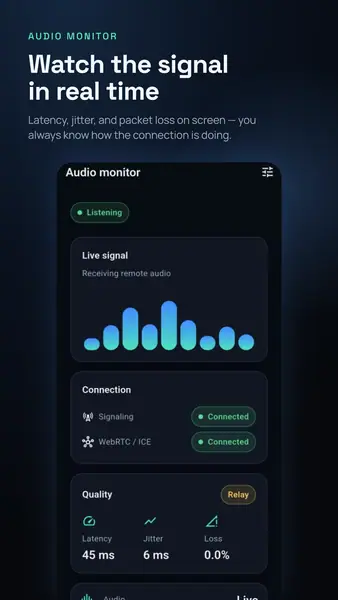
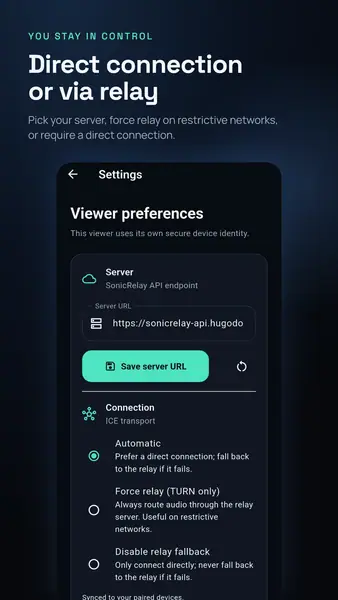
SonicRelay uses WebRTC and the Opus audio codec, establishing a direct connection between devices whenever possible to reduce delay during playback.
🔗 Simple connection
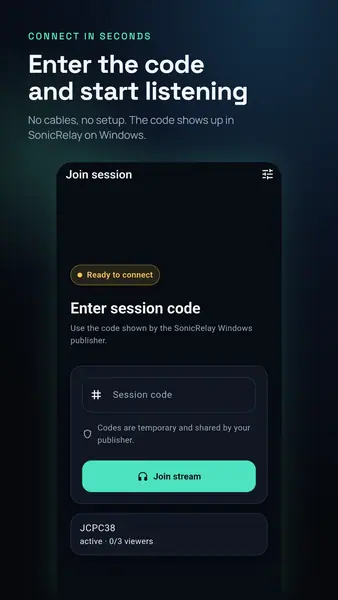
Create a session on your computer, connect your phone, and start listening. SonicRelay handles communication between your devices without requiring complicated network configuration.
📱 Main features
- Stream audio from Windows to Android
- Real-time, low-latency audio
- WebRTC with Opus audio codec
- Direct device-to-device connection when available
- Automatic relay when required by the network
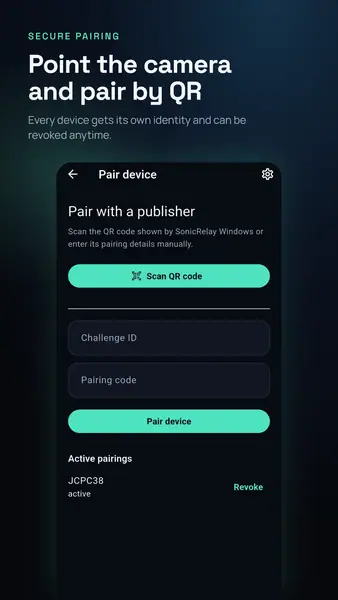
- Secure sessions between devices
- Temporary connection codes
- Support for multiple devices
- Connection and session status
- Automatic reconnection after network interruptions
🖥️ Windows app required
To stream audio, you also need to install SonicRelay for Windows on the computer that will transmit the sound.
The Windows application works as the audio sender, while SonicRelay on Android receives and plays the stream.
Who is SonicRelay for?
SonicRelay is a simple solution for anyone looking to:
- listen to PC audio on a phone
- stream Windows audio to Android
- listen to music, videos, games, or calls away from the computer
- stream audio between devices with low latency
- avoid heavy streaming solutions for a simple task
Your PC plays it. Your phone hears it. SonicRelay connects them.
Informazioni sul file APK
| Nome del pacchetto | com.vitorhugo.sonicrelay.sonic_relay |
|---|---|
| Versione | 1.10.2 (codice 1001693) |
| Android minimo | Android 7.0 · pensata per Android 16 |
| Architetture | x86_64 |
| SHA-256 | 4fbd3367e964fb2ab6e4bacd014a137c2dca2653e7082072c33de0896e3a2fc3 |
| Firma | 10433809f4fb4d79988d248110470bd6ec3fa667da27f4fbb21faeca34cebc2c |
| Licenza | MIT — licenza libera permissiva: il codice sorgente è pubblico e riutilizzabile |
| Codice sorgente | github.com/hugoalves-dev/flutter_mobile-web_SonicRelay |
Autorizzazioni richieste
- Accesso a Internet
- Vedere lo stato della rete
- Vedere lo stato del Wi-Fi
- Fotocamera sensibile
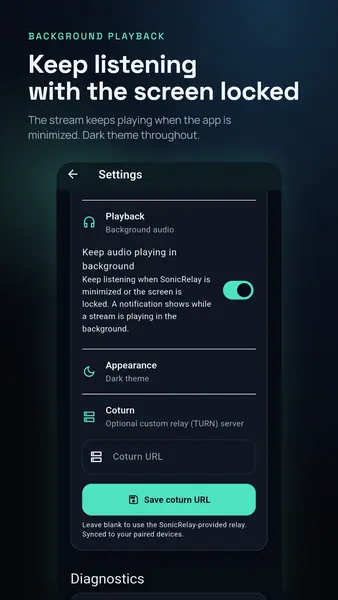
- Funzionare in background
- Mostrare notifiche
- Impedire lo standby
- Bluetooth
Altre 2 autorizzazioni tecniche
CHANGE_WIFI_MULTICAST_STATE MODIFY_AUDIO_SETTINGS
Versioni precedenti
- SonicRelay 1.10.223 novembre 2026 · 38,7 MB
- SonicRelay 1.10.223 novembre 2026 · 33,4 MB
- SonicRelay 1.10.223 novembre 2026 · 25,5 MB
Come installare SonicRelay APK
- Tocca Scarica l'APK qui sopra, poi apri il file al termine del download.
- Se Android lo chiede, consenti al browser di installare app sconosciute.
- Tocca Installa. SonicRelay comparirà insieme alle altre app.
→ Come installare un file APK su Android (passo passo)
→ «App non installata»: cause e soluzioni
Domande frequenti
SonicRelay è gratis?
Sì. SonicRelay è distribuita con licenza MIT: gratuita, senza abbonamento e con codice sorgente pubblico.
Questo file APK è sicuro?
Il file è quello compilato e pubblicato dal repository F-Droid a partire dal codice sorgente pubblico. L'impronta SHA-256 è indicata qui sopra: puoi confrontarla dopo il download. Un APK è pericoloso? Come verificare un file prima di installarlo
SonicRelay funziona sul mio telefono?
Serve almeno Android 7.0. L'app funziona anche senza i servizi Google, quindi anche sui telefoni Huawei recenti.





