
Squircle CE APK
Squircle CE - Code Editor
Fast and powerful code editor & file manager for over 30 programming languages
APK herunterladen v2025.1.3 · 18,7 MB- Version2025.1.3
- Größe18,7 MB
- BenötigtAndroid 7.0
- Aktualisiert18.5.2025
- LizenzApache-2.0
- PreisKostenlos
Über Squircle CE
Beschreibung des Entwicklers (auf Englisch).
Squircle CE is a fast, lightweight code editor and file manager with support for over 30 programming languages, remote file access via SFTP/FTP(S) and Git VCS integration. Whether you're a student, hobbyist, or professional developer, Squircle CE lets you write, manage, and version your source code anywhere, anytime — right on your phone or tablet.
Here are some of the features that help you code more efficiently:
- Multi-language Support
Code in 30+ languages: Java, Kotlin, Python, C/C++, HTML, JavaScript, TypeScript, PHP, Rust, Go, and more.
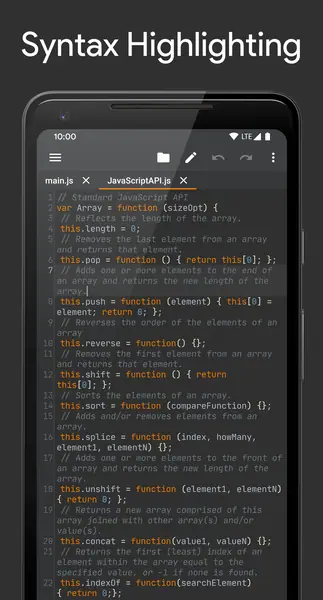
- Syntax Highlighting
Clean and colorful syntax highlighting helps you understand your code at a glance.
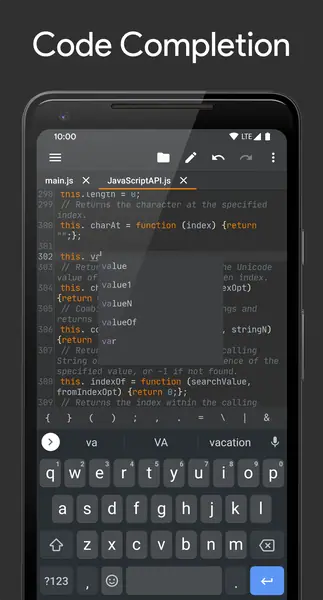
- Code Completion
Speed up coding with smart suggestions for variables, functions, and keywords based on your file content.
- Git Integration
Version control your code directly in the editor. Commit, push, pull, and manage branches with ease.
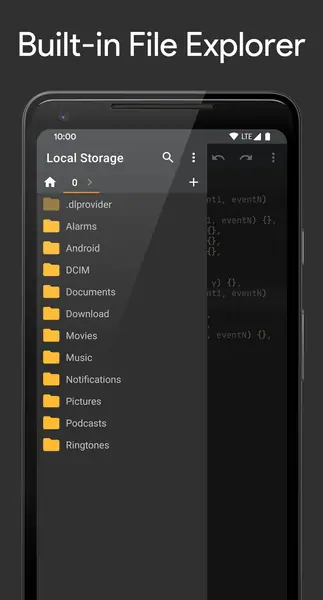
- File Manager
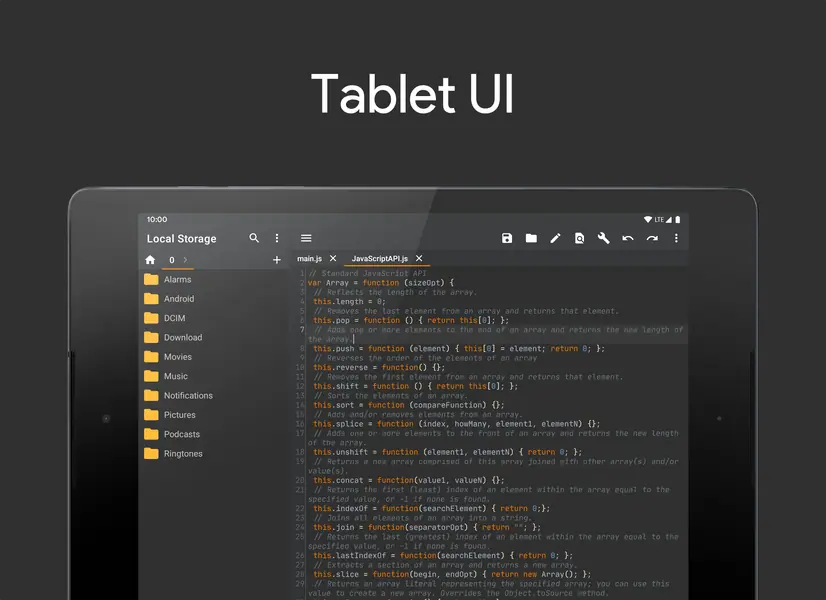
Manage files locally or remotely with SFTP/FTP(S) support - you don't need any other file managing app.
- Cross-session Editing
Never lose your work — all changes are saved automatically, so you can pick up right where you left off.
- Unlimited Undo/Redo
Correct mistakes easily with unlimited undo and redo, even after restarting the app.
- Bracket Matching
Quickly understand code structure with automatic highlighting of matching brackets (), [], and {}.
- Code Style
Write cleaner code with automatic indentation and smart closing of brackets, braces, and quotes.
- Advanced Editing Tools
Easily select, delete, or duplicate lines with convenient editing options.
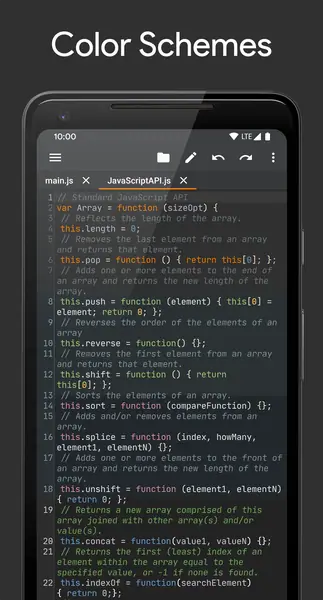
- Color Schemes
Choose from a variety of themes that match your preferred coding environment.
- Open Source
Explore and contribute: https://github.com/massivemadness/Squircle-CE
Neu in Version 2025.1.3
- Added: File icons in the explorer
- Added: Read-only toggle in extended keyboard
- Added: Total line count in “Go to Line” dialog
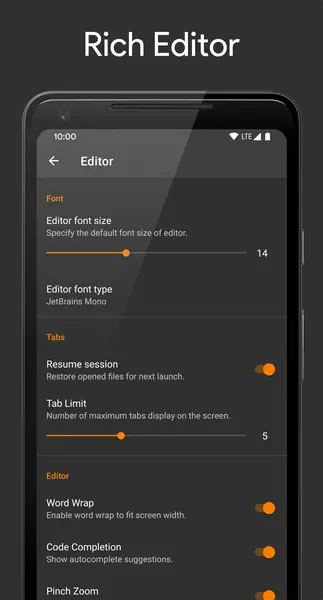
- Added: «Sticky Scroll» in Settings > Editor
- Added: «Recursive Submodules» in Settings > Git
- Added: Support for Batchfile, Dart, F#, Clojure, and Perl
- Fixed: Deleted files now close automatically in the editor
- Improved file extension detection for better syntax highlighting
- Auto-closing pairs now skip closing character if it matches the next character
- «
Informationen zur APK-Datei
| Paketname | com.blacksquircle.ui |
|---|---|
| Version | 2025.1.3 (Code 10028) |
| Mindestens | Android 7.0 · ausgelegt für Android 15 |
| Architekturen | arm64-v8a, armeabi-v7a, x86, x86_64 |
| SHA-256 | 50f2912896b03f12d3a62f7f6532a718a566be8e04cc9046aec6d1f21e9b20bc |
| Signatur | 66d7487269731a390a9fa6bec7569098a5f5be8e971052709ee86196a476fc5a |
| Lizenz | Apache-2.0 — freie, freizügige Lizenz: Der Quellcode ist öffentlich und wiederverwendbar |
| Quellcode | github.com/massivemadness/Squircle-CE |
Berechtigungen
- Internetzugriff
- Benachrichtigungen anzeigen
- Im Hintergrund laufen
- Speicher lesen
- Auf Speicher schreiben
- Zugriff auf alle Dateien sensibel
Ältere Versionen
- Squircle CE 2025.1.318. Mai 2025 · 18,7 MB
- Squircle CE 2025.1.211. Mai 2025 · 18,3 MB
- Squircle CE 2025.1.12. Mai 2025 · 18,2 MB
So installieren Sie Squircle CE APK
- Tippen Sie oben auf APK herunterladen und öffnen Sie die Datei nach dem Download.
- Wenn Android fragt, erlauben Sie Ihrem Browser, unbekannte Apps zu installieren.
- Tippen Sie auf Installieren. Squircle CE erscheint dann bei Ihren anderen Apps.
→ APK-Datei auf Android installieren (Schritt für Schritt)
→ „App nicht installiert“: Ursachen und Lösungen
Häufige Fragen
Ist Squircle CE kostenlos?
Ja. Squircle CE steht unter der Lizenz Apache-2.0: kostenlos, ohne Abo, und der Quellcode ist öffentlich.
Ist diese APK-Datei sicher?
Die Datei wurde vom F-Droid-Repository aus dem öffentlichen Quellcode erstellt und veröffentlicht. Ihr SHA-256-Fingerabdruck steht oben, Sie können ihn nach dem Download vergleichen. Ist eine APK gefährlich? So prüfen Sie eine Datei vor der Installation
Läuft Squircle CE auf meinem Handy?
Sie benötigen mindestens Android 7.0. Die App funktioniert auch ohne Google-Dienste, also auch auf aktuellen Huawei-Handys.