
Squircle CE APK
Squircle CE - Code Editor
Fast and powerful code editor & file manager for over 30 programming languages
Scarica l'APK v2025.1.3 · 18,7 MB- Versione2025.1.3
- Dimensione18,7 MB
- RichiedeAndroid 7.0
- Aggiornata18/05/2025
- LicenzaApache-2.0
- PrezzoGratis
Informazioni su Squircle CE
Descrizione fornita dallo sviluppatore (in inglese).
Squircle CE is a fast, lightweight code editor and file manager with support for over 30 programming languages, remote file access via SFTP/FTP(S) and Git VCS integration. Whether you're a student, hobbyist, or professional developer, Squircle CE lets you write, manage, and version your source code anywhere, anytime — right on your phone or tablet.
Here are some of the features that help you code more efficiently:
- Multi-language Support
Code in 30+ languages: Java, Kotlin, Python, C/C++, HTML, JavaScript, TypeScript, PHP, Rust, Go, and more.
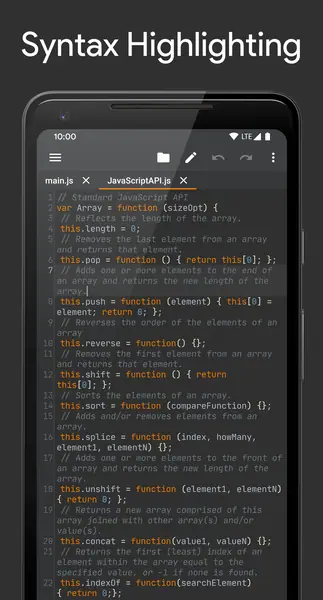
- Syntax Highlighting
Clean and colorful syntax highlighting helps you understand your code at a glance.
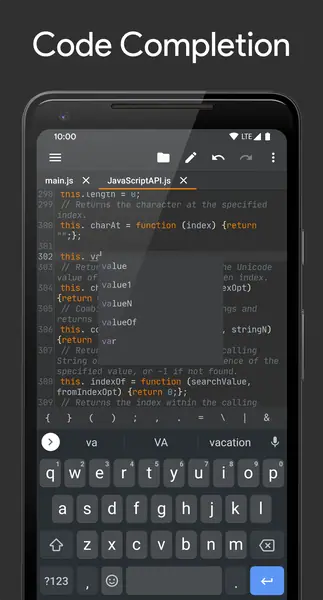
- Code Completion
Speed up coding with smart suggestions for variables, functions, and keywords based on your file content.
- Git Integration
Version control your code directly in the editor. Commit, push, pull, and manage branches with ease.
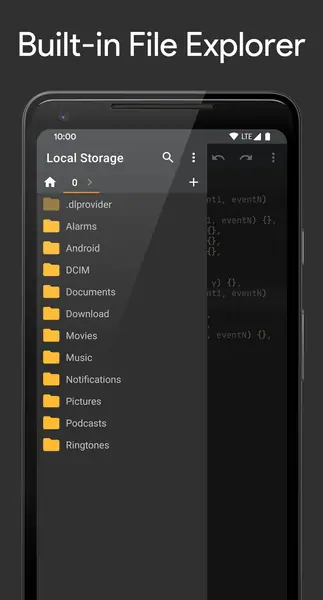
- File Manager
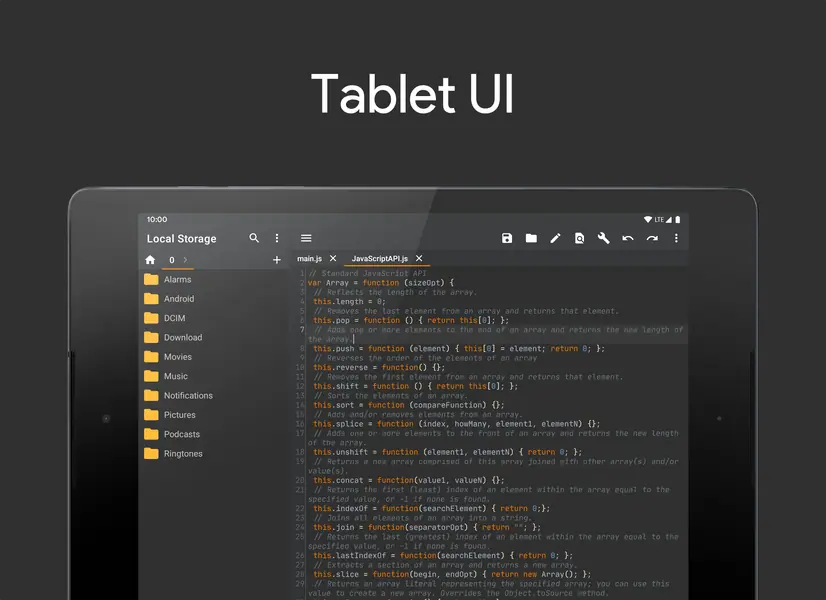
Manage files locally or remotely with SFTP/FTP(S) support - you don't need any other file managing app.
- Cross-session Editing
Never lose your work — all changes are saved automatically, so you can pick up right where you left off.
- Unlimited Undo/Redo
Correct mistakes easily with unlimited undo and redo, even after restarting the app.
- Bracket Matching
Quickly understand code structure with automatic highlighting of matching brackets (), [], and {}.
- Code Style
Write cleaner code with automatic indentation and smart closing of brackets, braces, and quotes.
- Advanced Editing Tools
Easily select, delete, or duplicate lines with convenient editing options.
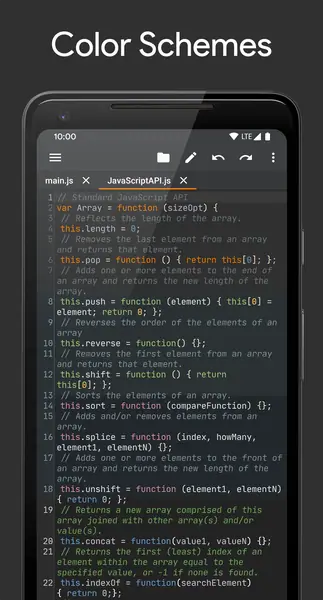
- Color Schemes
Choose from a variety of themes that match your preferred coding environment.
- Open Source
Explore and contribute: https://github.com/massivemadness/Squircle-CE
Novità della versione 2025.1.3
- Added: File icons in the explorer
- Added: Read-only toggle in extended keyboard
- Added: Total line count in “Go to Line” dialog
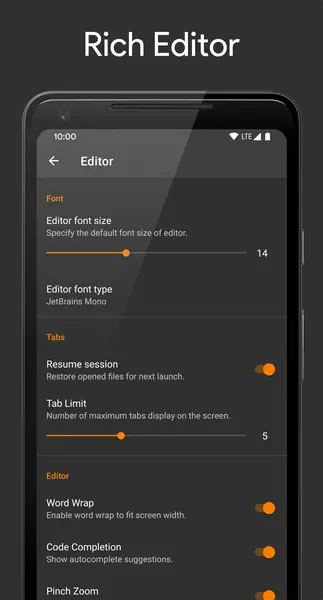
- Added: «Sticky Scroll» in Settings > Editor
- Added: «Recursive Submodules» in Settings > Git
- Added: Support for Batchfile, Dart, F#, Clojure, and Perl
- Fixed: Deleted files now close automatically in the editor
- Improved file extension detection for better syntax highlighting
- Auto-closing pairs now skip closing character if it matches the next character
- «
Informazioni sul file APK
| Nome del pacchetto | com.blacksquircle.ui |
|---|---|
| Versione | 2025.1.3 (codice 10028) |
| Android minimo | Android 7.0 · pensata per Android 15 |
| Architetture | arm64-v8a, armeabi-v7a, x86, x86_64 |
| SHA-256 | 50f2912896b03f12d3a62f7f6532a718a566be8e04cc9046aec6d1f21e9b20bc |
| Firma | 66d7487269731a390a9fa6bec7569098a5f5be8e971052709ee86196a476fc5a |
| Licenza | Apache-2.0 — licenza libera permissiva: il codice sorgente è pubblico e riutilizzabile |
| Codice sorgente | github.com/massivemadness/Squircle-CE |
Autorizzazioni richieste
- Accesso a Internet
- Mostrare notifiche
- Funzionare in background
- Leggere l'archivio
- Scrivere nell'archivio
- Accesso a tutti i file sensibile
Versioni precedenti
- Squircle CE 2025.1.318 maggio 2025 · 18,7 MB
- Squircle CE 2025.1.211 maggio 2025 · 18,3 MB
- Squircle CE 2025.1.12 maggio 2025 · 18,2 MB
Come installare Squircle CE APK
- Tocca Scarica l'APK qui sopra, poi apri il file al termine del download.
- Se Android lo chiede, consenti al browser di installare app sconosciute.
- Tocca Installa. Squircle CE comparirà insieme alle altre app.
→ Come installare un file APK su Android (passo passo)
→ «App non installata»: cause e soluzioni
Domande frequenti
Squircle CE è gratis?
Sì. Squircle CE è distribuita con licenza Apache-2.0: gratuita, senza abbonamento e con codice sorgente pubblico.
Questo file APK è sicuro?
Il file è quello compilato e pubblicato dal repository F-Droid a partire dal codice sorgente pubblico. L'impronta SHA-256 è indicata qui sopra: puoi confrontarla dopo il download. Un APK è pericoloso? Come verificare un file prima di installarlo
Squircle CE funziona sul mio telefono?
Serve almeno Android 7.0. L'app funziona anche senza i servizi Google, quindi anche sui telefoni Huawei recenti.