
Aisleron Shopping List APK
Aisleron: Fly through the shops!
Download APK v2026.6.3 · 4.2 MB- Version2026.6.3
- Size4.2 MB
- RequiresAndroid 7.0
- Updated10/25/2026
- LicenceAGPL-3.0-or-later
- PriceFree
About Aisleron Shopping List
Streamline your shopping with this intuitive, easy-to-use shopping list app. Whether you're preparing for a weekly grocery run or shopping for a special occasion, this app helps you stay organized and efficient.
Key Features
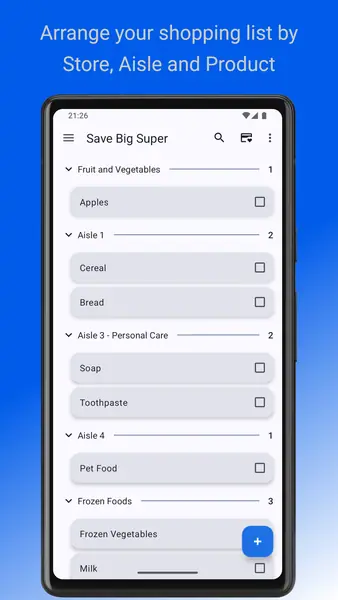
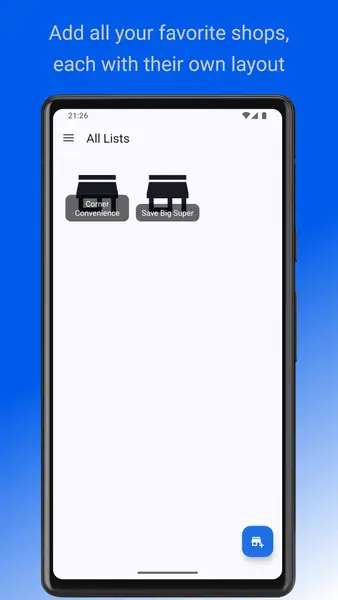
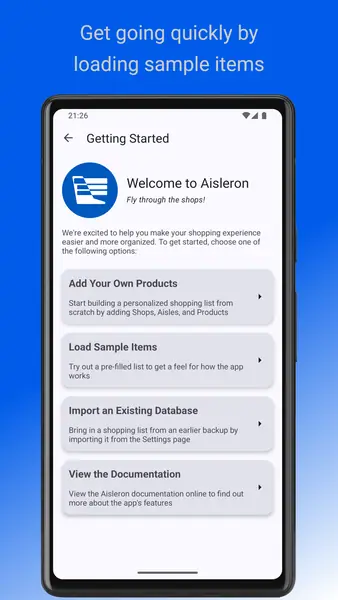
- Create Custom Shops & Aisles: Add your favorite stores, categorize items by aisles, and easily organize your shopping list based on your local layout.
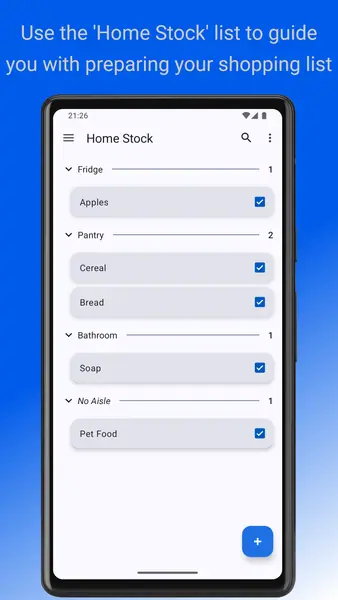
- Smart Product Management: Add products to your list and assign them to the appropriate area in your home. Rearrange products by aisle within each store to match your shopping route.
- Swipe-to-Track: Keep track of your shopping progress with a simple swipe. Swipe left or right to mark items as "Needed" or "In Stock."
- Show on Lock Screen: No need to unlock your screen at the end of each aisle. Your shopping list will be displayed over the lock screen for convenience.
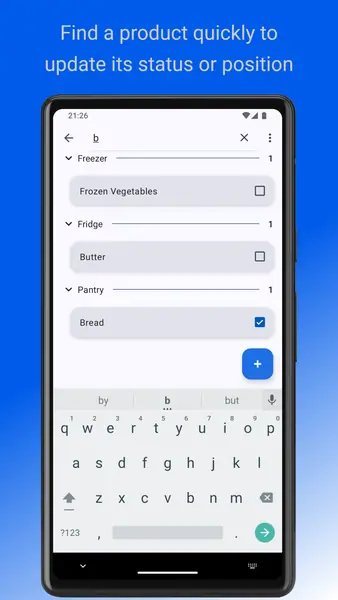
- Easy Editing: Long-press any item to edit or delete it.
- Loyalty Cards: Integrate with Catima — Loyalty Card Wallet to quickly open your store loyalty card.
- Multiple Views: View your shopping list at home, per shop, or across all shops.
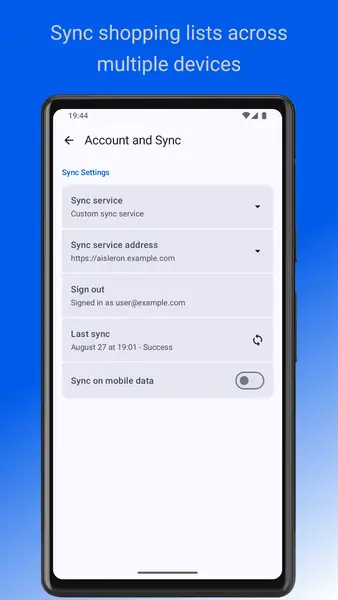
- Multiple Devices: Keep shopping lists up to date across multiple devices using a self-managed sync service.
Why you'll love it
- Free, no ads.
- No location tracking, no telemetry tracking, no sharing of shopping habits.
- Stay organized by shopping smarter.
- Reduce time spent navigating the store.
- Never forget an item again — track everything you need with ease.
- Beautiful Light and Dark themes with dynamic colors and Pure Black modes.
Get started today and make your shopping trips faster and more efficient!
What's new in version 2026.6.3
Enhancements
- Added the ability to keep shopping lists up to date across multiple devices using a self-managed sync service. See the Aisleron Sync Service documentation for details.
- Added Portuguese - Brazil translations.
APK file information
| Package name | com.aisleron |
|---|---|
| Version | 2026.6.3 (code 27) |
| Minimum Android | Android 7.0 · targets Android 16 |
| Architectures | arm64-v8a, armeabi-v7a, x86, x86_64 |
| SHA-256 | b44d264289c7a943d359c0fab081ea37b5378f26242cebd25613b6855d38c7a2 |
| Signature | e1a1725f32b302c6c69aeebd25c5e50741821af7bfec0ae18adfca28705639ea |
| Licence | AGPL-3.0-or-later — copyleft free licence: the code is public and modified versions must stay free |
| Source code | github.com/aisleron/aisleron |
| Official website | aisleron.com |
Permissions
- Internet access
- Keep the device awake
- View network status
- Start at boot
- Run in the background
Older versions
- Aisleron Shopping List 2026.6.3October 25, 2026 · 4.2 MB
- Aisleron Shopping List 2026.5.0June 27, 2026 · 3.0 MB
- Aisleron Shopping List 2026.4.1June 9, 2026 · 2.2 MB
How to install Aisleron Shopping List APK
- Tap Download APK above, then open the file once the download has finished.
- If Android asks, allow your browser to install unknown apps.
- Tap Install. Aisleron Shopping List then appears with your other apps.
Having trouble? Read our guides how to install an APK on Android and "App not installed": how to fix it.
Frequently asked questions
Is Aisleron Shopping List free?
Yes. Aisleron Shopping List is distributed under the AGPL-3.0-or-later licence: free, no subscription, and its source code is public.
Is this APK file safe?
The file is the one built and published by the F-Droid repository from the public source code. Its SHA-256 fingerprint is shown above, so you can compare it after downloading. How to check an APK.
Will Aisleron Shopping List work on my phone?
You need at least Android 7.0. The app also works without Google services, so it runs on recent Huawei phones too.