
Shopping List APK
Shopping list and weekly planner with local sync
Download APK v1.3.6 · 68.0 MB- Version1.3.6
- Size68.0 MB
- RequiresAndroid 7.0
- Updated8/21/2026
- LicenceMIT
- PriceFree
About Shopping List
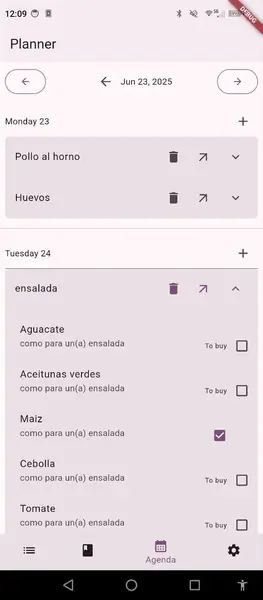
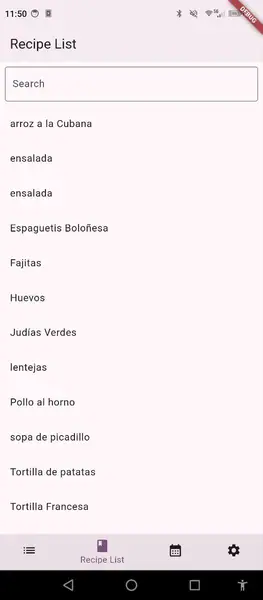
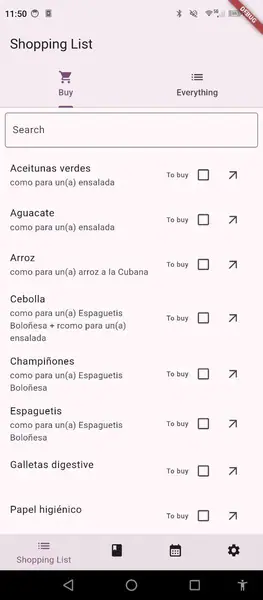
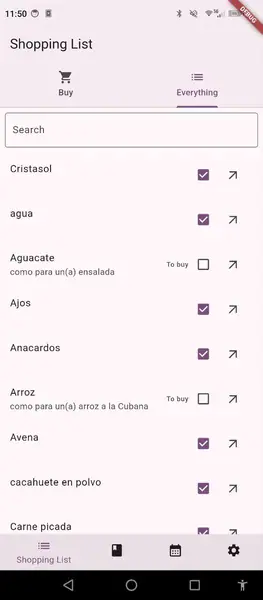
A shopping list app with integrated meal planning.
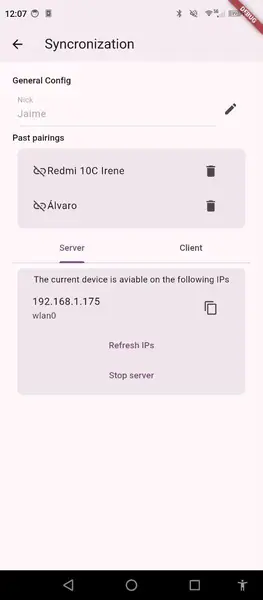
Local syncing between devices allows coordination between users.
APK file information
| Package name | com.jaimegonzalezfabregas.shoppinglist |
|---|---|
| Version | 1.3.6 (code 11) |
| Minimum Android | Android 7.0 · targets Android 16 |
| Architectures | arm64-v8a, armeabi-v7a, x86_64 |
| SHA-256 | f7dc71b0b3c90eb70c6c19941220c54e5f1ca0d2fcf0d7913024524547238b1c |
| Signature | 2d6aca7d7b10a4fd5583a777e967f619127e4c49710cc3bd13c3076840910807 |
| Licence | MIT — permissive free licence: the source code is public and reusable |
| Source code | github.com/jaimegonzalezfabregas/lista_de_la_compra |
Permissions
- Internet access
- Read calendar sensitive
- Edit calendar sensitive
1 other technical permission(s)
CHANGE_WIFI_MULTICAST_STATE
Older versions
- Shopping List 1.3.6August 21, 2026 · 68.0 MB
- Shopping List 1.3.5July 31, 2026 · 67.6 MB
- Shopping List 1.2.5March 18, 2026 · 64.2 MB
How to install Shopping List APK
- Tap Download APK above, then open the file once the download has finished.
- If Android asks, allow your browser to install unknown apps.
- Tap Install. Shopping List then appears with your other apps.
Having trouble? Read our guides how to install an APK on Android and "App not installed": how to fix it.
Frequently asked questions
Is Shopping List free?
Yes. Shopping List is distributed under the MIT licence: free, no subscription, and its source code is public.
Is this APK file safe?
The file is the one built and published by the F-Droid repository from the public source code. Its SHA-256 fingerprint is shown above, so you can compare it after downloading. How to check an APK.
Will Shopping List work on my phone?
You need at least Android 7.0. The app also works without Google services, so it runs on recent Huawei phones too.





