AndCode APK
Run AI coding agents on Android through a native GUI, no terminal needed
Download APK v1.2.29 · 11.8 MB- Version1.2.29
- Size11.8 MB
- RequiresAndroid 8.0
- Updated11/20/2026
- LicenceMIT
- PriceFree
About AndCode
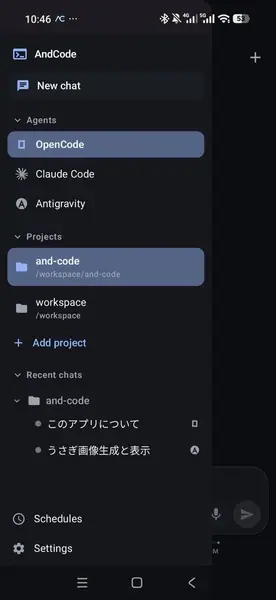
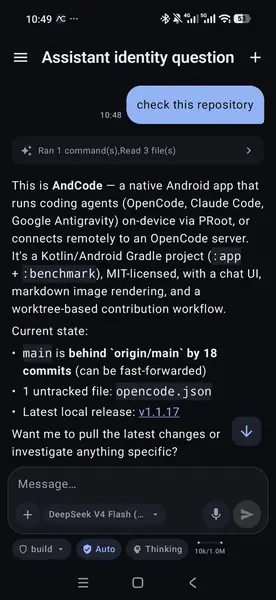
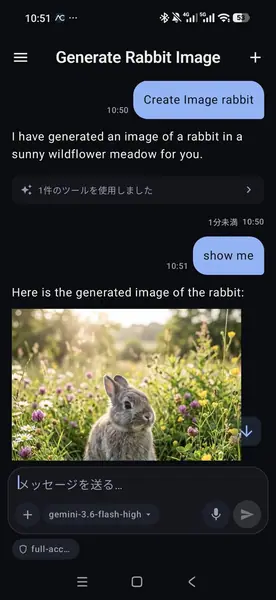
AndCode is a native Android GUI for AI coding agents. Chat with OpenCode, Claude Code and Google Antigravity through a touch-first interface, with no terminal, no SSH and no PC required for on-device use.
The agents run on your own device inside a Linux environment set up through PRoot, or you can connect to an OpenCode server on your PC, Mac or Linux machine.
Features
- Native GUI for coding agents, no CLI needed for day-to-day use
- On-device runtime with Alpine Linux, Git, bash, curl and ripgrep
- Open git repositories, browse the file tree and view files with syntax highlighting
- Review diffs before accepting changes
- Approve or reject dangerous tool operations
- Create, resume, rename and delete sessions
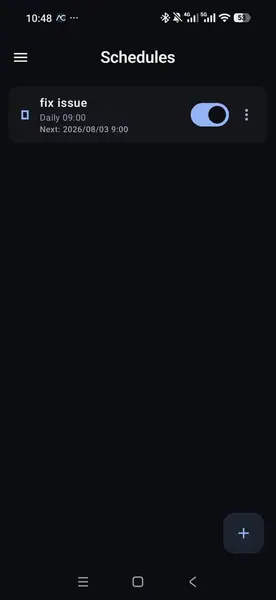
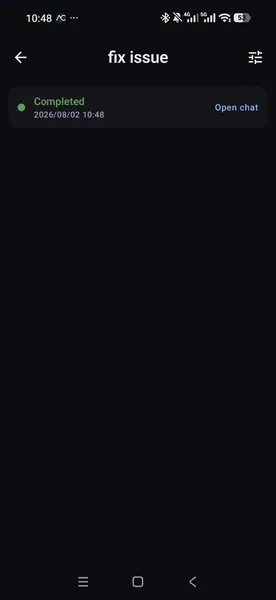
- Scheduled tasks: run prompts once or on a cron schedule, with run history
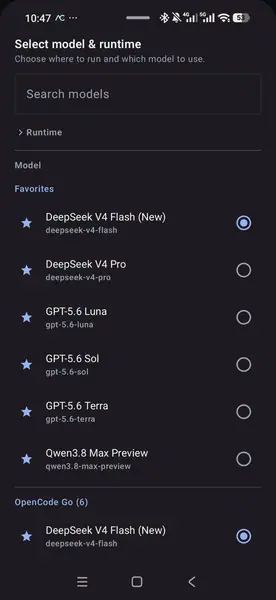
- Live models, providers and agents from your connected agent
- Real-time streaming with collapsible reasoning, tool calls and command output
- Voice input with wake word detection, and text-to-speech
- Digital assistant and home screen widget
- Remote OpenCode over LAN or Tailscale, with mDNS and QR code discovery
- Connection credentials encrypted with the Android Keystore
- Localized in English, Japanese, Chinese (Simplified), Russian, Spanish, French, Portuguese (Brazil) and Arabic
Supported architectures: arm64-v8a and x86_64.
AndCode is an independent open-source project. It does not provide the underlying AI services, subscriptions or model access, and it is not affiliated with OpenCode, Anthropic or Google. Authentication and inference are handled by the official CLI or the provider you configure.
What's new in version 1.2.29
- Copy button on code blocks copies just the command or snippet.
- Terminal lists dev servers started in the shell; tap a chip to open it in the in-app browser.
- Guest browser explains when the system WebView cannot start instead of crashing.
- Code viewer shows very long (minified) lines unstyled instead of freezing; search still works.
- Fixes: launch crash on unusable Keystore, local-runtime start freeze, missed foreground-service starts, OOM on large images.
APK file information
| Package name | com.yugahashimoto.andcode |
|---|---|
| Version | 1.2.29 (code 68) |
| Minimum Android | Android 8.0 · targets Android 15 |
| Architectures | arm64-v8a, x86_64 |
| SHA-256 | 52caf73eb8e9ae3600714602cf90be5ef54ac060ca3e4e375002298a81befa55 |
| Signature | f036e07002d8c2e6a5a64000f1211398d4831ff37cf280456a9a26d2f12617df |
| Licence | MIT — permissive free licence: the source code is public and reusable |
| Source code | github.com/yuga-hashimoto/and-code |
Permissions
- Microphone sensitive
- Internet access
- Access all files sensitive
- Read storage
- Write to storage
- View network status
- View Wi-Fi status
- Run in the background
- Show notifications
- Camera sensitive
- Keep the device awake
- Start at boot
2 other technical permission(s)
CHANGE_WIFI_MULTICAST_STATE SCHEDULE_EXACT_ALARM
Older versions
- AndCode 1.2.29November 20, 2026 · 11.8 MB
- AndCode 1.2.28November 17, 2026 · 11.8 MB
How to install AndCode APK
- Tap Download APK above, then open the file once the download has finished.
- If Android asks, allow your browser to install unknown apps.
- Tap Install. AndCode then appears with your other apps.
Having trouble? Read our guides how to install an APK on Android and "App not installed": how to fix it.
Frequently asked questions
Is AndCode free?
Yes. AndCode is distributed under the MIT licence: free, no subscription, and its source code is public.
Is this APK file safe?
The file is the one built and published by the F-Droid repository from the public source code. Its SHA-256 fingerprint is shown above, so you can compare it after downloading. How to check an APK.
Will AndCode work on my phone?
You need at least Android 8.0. The app also works without Google services, so it runs on recent Huawei phones too.





