
AndrOBD APK
Connect to your car's OBD system
Download APK vV2.7.10 · 2.3 MB- VersionV2.7.10
- Size2.3 MB
- RequiresAndroid 4.2
- Updated7/10/2026
- LicenceGPL-3.0-or-later
- PriceFree
About AndrOBD
Use your phone/tablet to connect to your car's on-board diagnostics system via any ELM327 bluetooth adapter.
OBD connections ---------------
- Bluetooth
- USB
- Wifi
OBD Features ------------
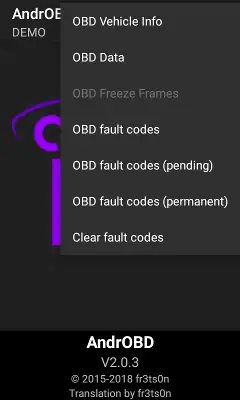
- Read fault codes
- Clear fault codes
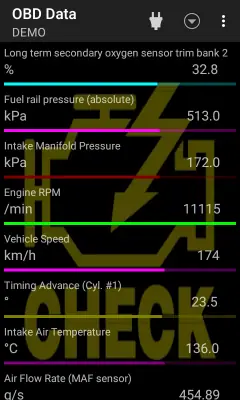
- Read/record live data
- Read freeze frame data
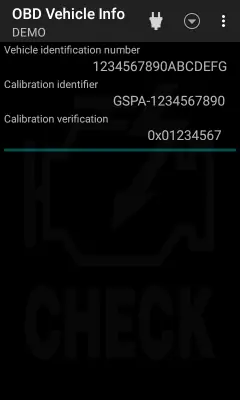
- Read vehicle info data
Additional features -------------------
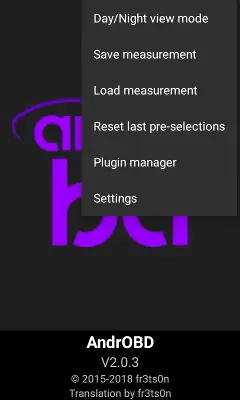
- Day/Night view
- Data charts
- Dashboard
- Head up display
- Save recorded data
- Load recorded data (for analysis)
- CSV export
Customisation of PID data -------------------------
- PID data items
- Data conversions
Plugin extension support ------------------------
- Avalilable Plugins:
- MqttPublisher - Publish OBD readings to MQTT broker for home automation
- GpsProvider - Provide GPS data to AndrOBD
- SensorProvider - Provide Accelerometer sensor data to AndrOBD
Native language support -----------------------
- translatable via weblate.org
- Program dialogs
- Data item descriptions
- Fault code descriptions
.
APK file information
| Package name | com.fr3ts0n.ecu.gui.androbd |
|---|---|
| Version | V2.7.10 (code 20710) |
| Minimum Android | Android 4.2 · targets Android 16 |
| Architectures | All (universal) |
| SHA-256 | 71d3cecd69b644da81682d95fd0030caad4ce90227859236486250d885f2d67e |
| Signature | 60d7575f56e8fe0e268365d0f90a8430721a0288f30f191435b12398ec1a3990 |
| Licence | GPL-3.0-or-later — copyleft free licence: the code is public and modified versions must stay free |
| Source code | github.com/fr3ts0n/AndrOBD |
| Official website | github.com/fr3ts0n/AndrOBD/wiki |
Permissions
- Bluetooth
- Scan for Bluetooth devices
- Connect via Bluetooth
- Approximate location sensitive
- Precise location (GPS) sensitive
- Keep the device awake
- Write to storage
- View network status
- Internet access
- Show notifications
- Run in the background
- Draw over other apps sensitive
- Read storage
1 other technical permission(s)
BLUETOOTH_ADMIN
Older versions
- AndrOBD V2.7.10July 10, 2026 · 2.3 MB
- AndrOBD V2.7.9May 13, 2026 · 2.3 MB
- AndrOBD V2.7.7April 15, 2026 · 2.3 MB
How to install AndrOBD APK
- Tap Download APK above, then open the file once the download has finished.
- If Android asks, allow your browser to install unknown apps.
- Tap Install. AndrOBD then appears with your other apps.
Having trouble? Read our guides how to install an APK on Android and "App not installed": how to fix it.
Frequently asked questions
Is AndrOBD free?
Yes. AndrOBD is distributed under the GPL-3.0-or-later licence: free, no subscription, and its source code is public.
Is this APK file safe?
The file is the one built and published by the F-Droid repository from the public source code. Its SHA-256 fingerprint is shown above, so you can compare it after downloading. How to check an APK.
Will AndrOBD work on my phone?
You need at least Android 4.2. The app also works without Google services, so it runs on recent Huawei phones too.





