
Audio Spectrum Analyzer APK
A handy real-time audio spectrum and spectrogram analyzer
Download APK v3.2 · 1.6 MB- Version3.2
- Size1.6 MB
- RequiresAndroid 4.0
- Updated3/23/2026
- LicenceApache-2.0
- PriceFree
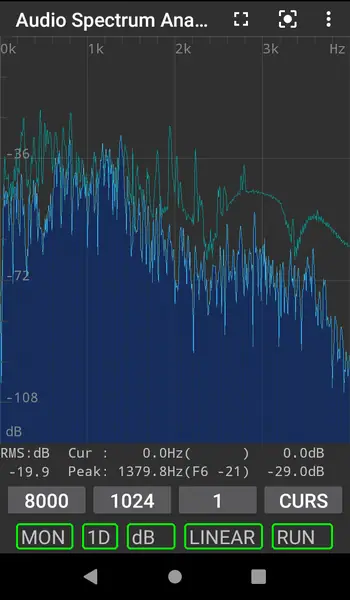
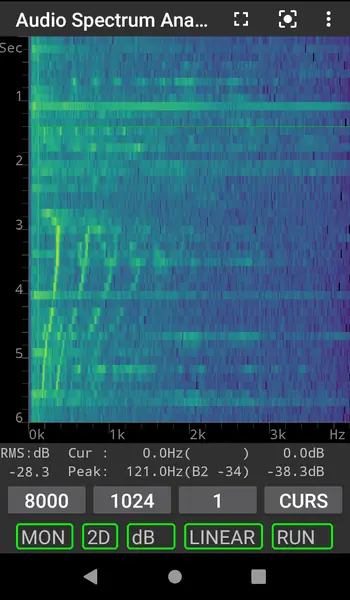
About Audio Spectrum Analyzer
Audio Spectrum Analyzer was designed with accuracy and ease of use in mind. It can be used for monitoring or measuring environmental sound or noise; help tuning instruments; timing short sound events; and educational purpose.
Features:
- No Ads.
- With log or linear frequency axis.
- Can label frequency axis using music pitch note.
- Support all possible sampling rates and almost all recorder sources of your device.
- Graph with nice grid lines and labels, easy to operate.
- FFT sample size range from 64 to 32768. Using half-overlapped (adjustable) time window to increase time resolution.
- Various window functions provided, for different frequency resolution and dynamical range.
- Peak frequency detection (in unit of Hz and note+cent), with a moderate accuracy (FFT + interpolation).
- With dB or A-weighting dB (dBA).
- Can record the audio in wav (PCM) format.
- Pinch to zoom, drag or swipe to move, long-press to place cursor, double touch to reset zoom.
Notes: May need some knowledge of discrete Fourier transform and spectrum analysis to use it well. The actual accuracy mainly depends on your device. No calibration interface provided.
What's new in version 3.2
Translation update
APK file information
| Package name | org.woheller69.audio_analyzer_for_android |
|---|---|
| Version | 3.2 (code 320) |
| Minimum Android | Android 4.0 · targets Android 15 |
| Architectures | All (universal) |
| SHA-256 | 0bed413d2a7a45c5c37c5cbd19efe3e49ab33725740aaf143324cf796ffcfaa9 |
| Signature | df8f63d3063460d7087588977de9b36427d606041b43dbfcf6e24cb44d7acf10 |
| Licence | Apache-2.0 — permissive free licence: the source code is public and reusable |
| Source code | github.com/woheller69/audio-analyzer-for-android |
Permissions
- Microphone sensitive
- Write to storage
- Vibrate
- Read storage
Older versions
- Audio Spectrum Analyzer 3.2March 23, 2026 · 1.6 MB
- Audio Spectrum Analyzer 3.1November 7, 2025 · 1.6 MB
- Audio Spectrum Analyzer 3.0September 10, 2025 · 1.6 MB
How to install Audio Spectrum Analyzer APK
- Tap Download APK above, then open the file once the download has finished.
- If Android asks, allow your browser to install unknown apps.
- Tap Install. Audio Spectrum Analyzer then appears with your other apps.
Having trouble? Read our guides how to install an APK on Android and "App not installed": how to fix it.
Frequently asked questions
Is Audio Spectrum Analyzer free?
Yes. Audio Spectrum Analyzer is distributed under the Apache-2.0 licence: free, no subscription, and its source code is public.
Is this APK file safe?
The file is the one built and published by the F-Droid repository from the public source code. Its SHA-256 fingerprint is shown above, so you can compare it after downloading. How to check an APK.
Will Audio Spectrum Analyzer work on my phone?
You need at least Android 4.0. The app also works without Google services, so it runs on recent Huawei phones too.





