Aurora Store APK
An unofficial FOSS client to Google Play with an elegant design and privacy
Download APK v4.8.4 · 8.9 MB- Version4.8.4
- Size8.9 MB
- RequiresAndroid 6.0
- Updated7/31/2026
- LicenceGPL-3.0-or-later
- PriceFree
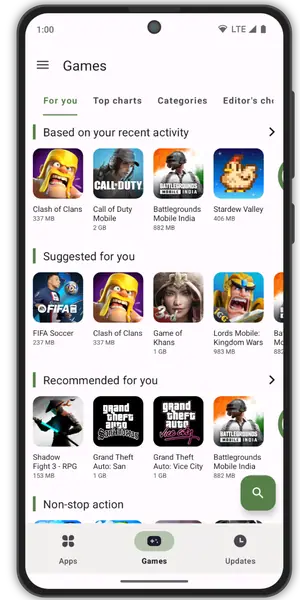
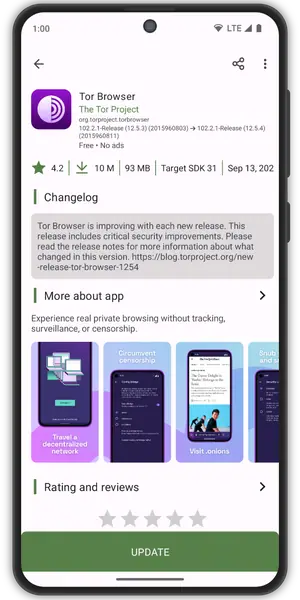
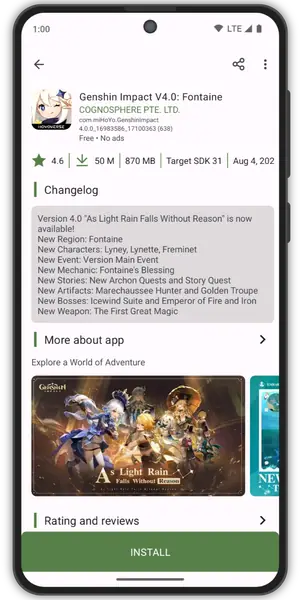
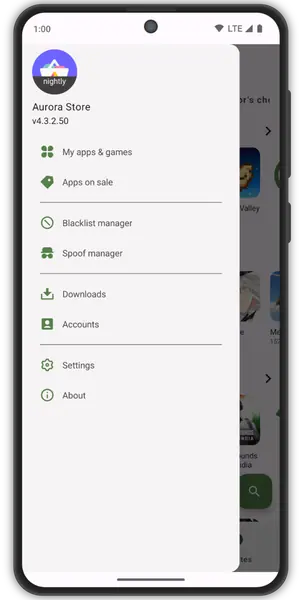
About Aurora Store
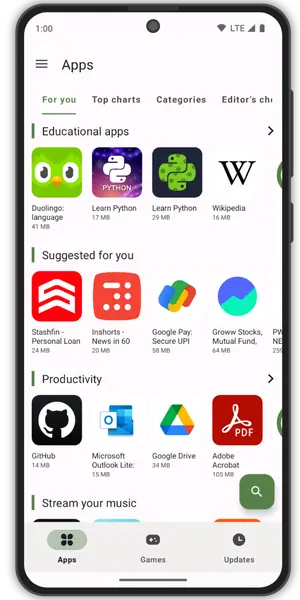
Aurora Store is an unofficial, FOSS client to Google Play with an elegant design. Aurora Store allows users to download, update, and search for apps like the Play Store. It works perfectly fine with or without Google Play Services or microG.
Features:
- FOSS: Has GPLv3 licence
- Beautiful design: Built upon latest Material 3 guidelines
- Account login: You can login with either personal or an anonymous account
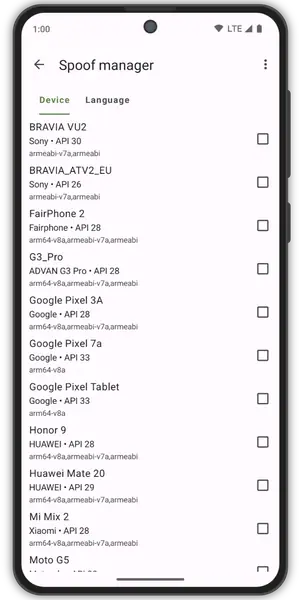
- Device & Locale spoofing: Change your device and/or locale to access geo locked apps
- Exodus Privacy integration: Instantly see trackers in app
- Plexus integration: Instantly see app compatibility without Google Play Services or with microG
- Updates blacklisting: Ignore updates for specific apps
What's new in version 4.8.4
- Rebuilt the interface with modern Jetpack Compose
- Support for multiple Google accounts
- User reviews on the app details screen
- Optional app lock via biometrics or device credentials
- One-click install for favourites and a buy flow for paid apps
- Reworked notifications with grouped summaries and settings
- Revamped updates screen; self-updates now shown in the list
- More reliable downloads/installs and microG installer support
- Bug fixes and translation updates
APK file information
| Package name | com.aurora.store |
|---|---|
| Version | 4.8.4 (code 76) |
| Minimum Android | Android 6.0 · targets API 37 |
| Architectures | arm64-v8a, armeabi-v7a, x86, x86_64 |
| SHA-256 | fd9c75d90d0f4a7c132b9b4a5a2cf1992a45e03b8d8ff988b7dcfbc0db2c4d11 |
| Signature | 5c83c7672b929955dc0a1db89a5e6ae4389e2eae7ec939956041694e5815f532 |
| Licence | GPL-3.0-or-later — copyleft free licence: the code is public and modified versions must stay free |
| Source code | gitlab.com/AuroraOSS/AuroraStore |
| Official website | auroraoss.com |
Permissions
- Internet access
- View network status
- Run in the background
- Access all files sensitive
- Read storage
- Write to storage
- See installed apps sensitive
- Install other apps sensitive
- Show notifications
- Keep the device awake
- Start at boot
- Fingerprint / biometrics
- Fingerprint
5 other technical permission(s)
REQUEST_IGNORE_BATTERY_OPTIMIZATIONS REQUEST_DELETE_PACKAGES ENFORCE_UPDATE_OWNERSHIP UPDATE_PACKAGES_WITHOUT_USER_ACTION USE_CREDENTIALS
Older versions
- Aurora Store 4.8.4July 31, 2026 · 8.9 MB
- Aurora Store 4.8.3May 17, 2026 · 8.5 MB
- Aurora Store 4.8.1February 20, 2026 · 8.6 MB
How to install Aurora Store APK
- Tap Download APK above, then open the file once the download has finished.
- If Android asks, allow your browser to install unknown apps.
- Tap Install. Aurora Store then appears with your other apps.
Having trouble? Read our guides how to install an APK on Android and "App not installed": how to fix it.
Frequently asked questions
Is Aurora Store free?
Yes. Aurora Store is distributed under the GPL-3.0-or-later licence: free, no subscription, and its source code is public.
Is this APK file safe?
The file is the one built and published by the F-Droid repository from the public source code. Its SHA-256 fingerprint is shown above, so you can compare it after downloading. How to check an APK.
Will Aurora Store work on my phone?
You need at least Android 6.0. The app also works without Google services, so it runs on recent Huawei phones too.