F-Droid APK
The app store that respects freedom and privacy
Download APK v2.0.3 · 12.2 MB- Version2.0.3
- Size12.2 MB
- RequiresAndroid 7.0
- Updated11/6/2026
- LicenceGPL-3.0-or-later
- PriceFree
About F-Droid
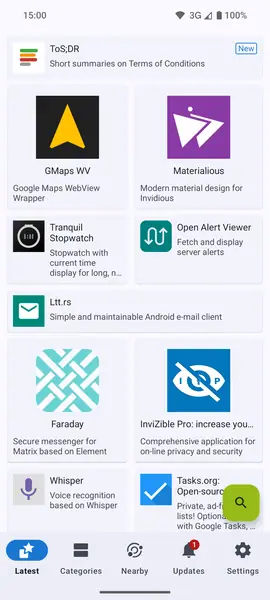
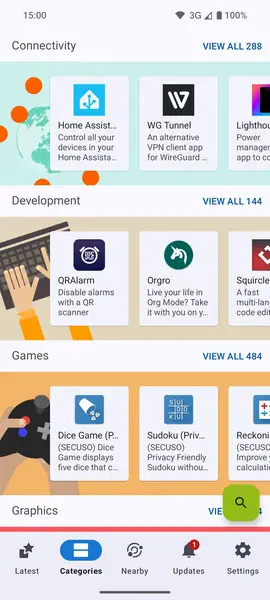
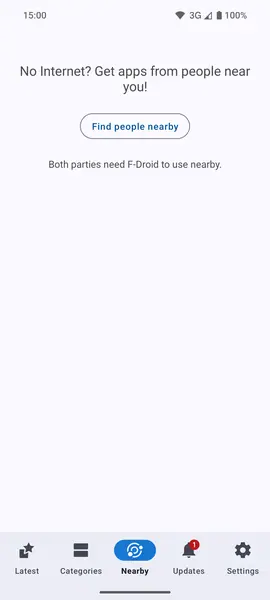
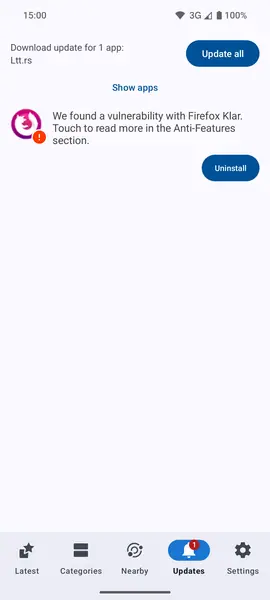
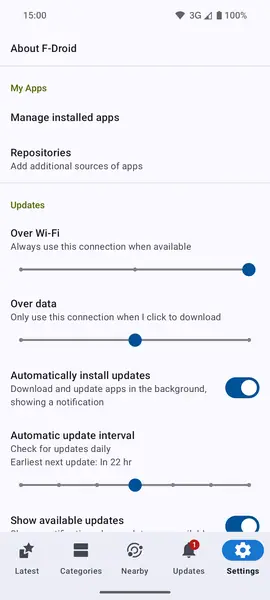
F-Droid is an installable catalogue of libre software apps for Android. The F-Droid client app makes it easy to browse, install, and keep track of updates on your device.
It connects to any F-Droid compatible repositories. The default repo is hosted at f-droid.org, which contains only bona fide libre software.
Android itself is open in the sense that you are free to install APKs from anywhere you wish, but there are many good reasons for using F-Droid as your libre software app manager:
- Get notified when updates are available
- Optionally download and install updates automatically
- Keep track of older and beta versions
- Filter out apps incompatible with the device
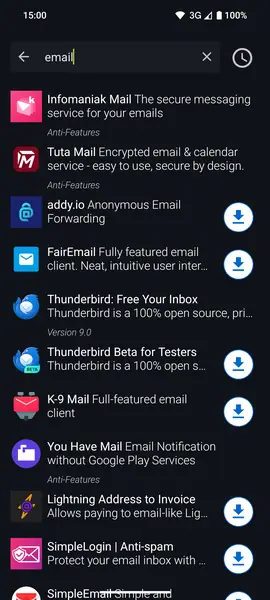
- Find apps via categories and searchable descriptions
- Access associated URLs for donations, source code etc.
- Stay safe by checking repo index signatures and APK hashes
What's new in version 2.0.3
- UI rewritten from scratch with Kotlin compose
- improved search, also searching in descriptions and translations
- easier to discover new apps, also highlighting the most downloaded ones
- installation approval *before* downloading
- multiple updates/downloads at the same time
- notifying user of issues with apps (e.g. signing key changed)
- optional Material You color theme
- improved filtering of lists
APK file information
| Package name | org.fdroid.fdroid |
|---|---|
| Version | 2.0.3 (code 2000053) |
| Minimum Android | Android 7.0 · targets API 37 |
| Architectures | arm64-v8a, armeabi-v7a, x86, x86_64 |
| SHA-256 | dac55a0d17b1edf7e7286b48cfbd70c7c52fbb32a00af062c68830a437c47959 |
| Signature | 43238d512c1e5eb2d6569f4a3afbf5523418b82e0a3ed1552770abb9a9c9ccab |
| Licence | GPL-3.0-or-later — copyleft free licence: the code is public and modified versions must stay free |
| Source code | gitlab.com/fdroid/fdroidclient |
| Official website | f-droid.org |
Permissions
- View Wi-Fi status
- Change Wi-Fi
- Bluetooth
- Connect via Bluetooth
- Scan for Bluetooth devices
- Start at boot
- Read storage
- Write to storage
- Access all files sensitive
- Run in the background
- Keep the device awake
- Internet access
- View network status
- Show notifications
- Install other apps sensitive
- See installed apps sensitive
- Camera sensitive
9 other technical permission(s)
CHANGE_WIFI_MULTICAST_STATE CHANGE_NETWORK_STATE BLUETOOTH_ADMIN BLUETOOTH_ADVERTISE WRITE_SETTINGS ACCESS_LOCAL_NETWORK REQUEST_DELETE_PACKAGES ENFORCE_UPDATE_OWNERSHIP UPDATE_PACKAGES_WITHOUT_USER_ACTION
Older versions
- F-Droid 2.0.3November 6, 2026 · 12.2 MB
- F-Droid 2.0.2October 12, 2026 · 12.0 MB
- F-Droid 2.0.1September 29, 2026 · 12.0 MB
How to install F-Droid APK
- Tap Download APK above, then open the file once the download has finished.
- If Android asks, allow your browser to install unknown apps.
- Tap Install. F-Droid then appears with your other apps.
Having trouble? Read our guides how to install an APK on Android and "App not installed": how to fix it.
Frequently asked questions
Is F-Droid free?
Yes. F-Droid is distributed under the GPL-3.0-or-later licence: free, no subscription, and its source code is public.
Is this APK file safe?
The file is the one built and published by the F-Droid repository from the public source code. Its SHA-256 fingerprint is shown above, so you can compare it after downloading. How to check an APK.
Will F-Droid work on my phone?
You need at least Android 7.0. The app also works without Google services, so it runs on recent Huawei phones too.