
Auxio APK
A simple, rational music player
Download APK v4.1.5 · 10.7 MB- Version4.1.5
- Size10.7 MB
- RequiresAndroid 7.0
- Updated8/5/2026
- LicenceGPL-3.0-only
- PriceFree
About Auxio
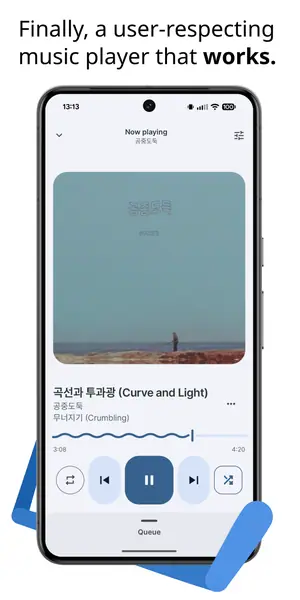
Auxio is a local music player with a fast, reliable UI/UX without the many useless features present in other music players. Built off of modern media playback libraries, Auxio has superior library support and listening quality compared to other apps that use outdated Android functionality. In short, It plays music.
Features
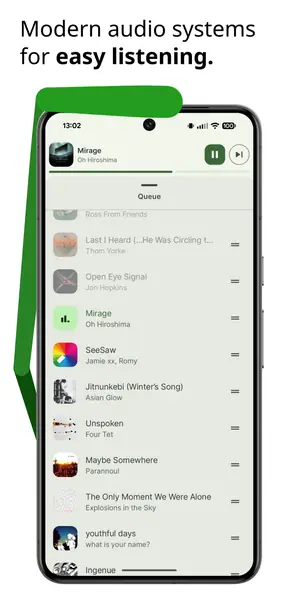
- Playback based on Media3 ExoPlayer
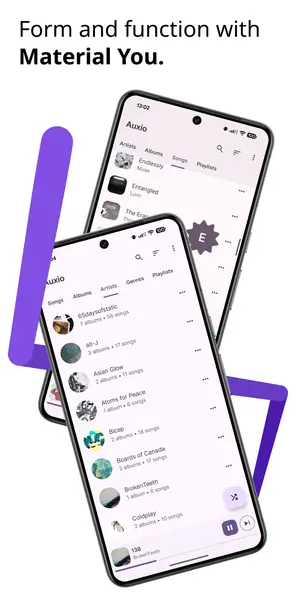
- Snappy UI derived from the latest Material Design guidelines
- Opinionated UX that prioritizes ease of use over edge cases
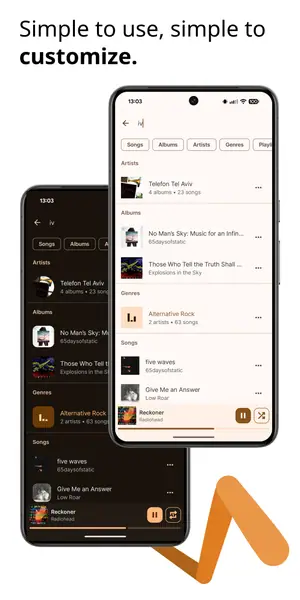
- Customizable behavior
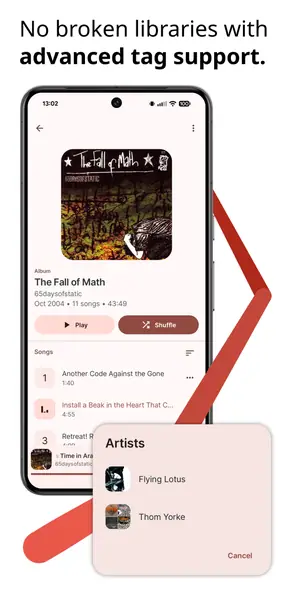
- Support for disc numbers, multiple artists, release types, precise/original dates, sort tags, and more
- Advanced artist system that unifies artists and album artists
- SD Card-aware folder management
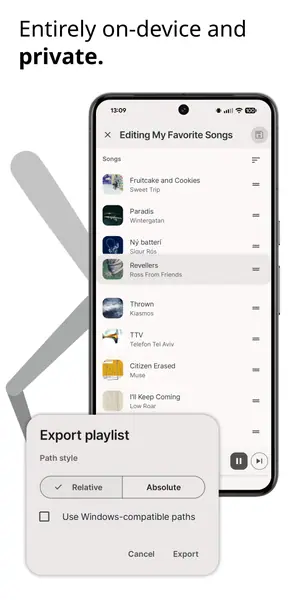
- Reliable playlisting functionality
- Playback state persistence
- Android Auto support
- Automatic gapless playback
- Full ReplayGain support (On MP3, FLAC, OGG, OPUS, and MP4 files)
- External equalizer support (ex. Wavelet)
- Edge-to-edge
- Embedded covers support
- Search functionality
- Headset autoplay
- Stylish widgets that automatically adapt to their size
- Completely private and offline
- No rounded album covers (if you want them)
What's new in version 4.1.5
Auxio v4.1.0 refreshes the UI to align with Material 3 Expressive, improves the playback user experience, and adds a variety of general quality-of-life improvements. This patch fixes a critical issue where playlist edits would not persist between app starts.
For more information, see https://github.com/OxygenCobalt/Auxio/releases/tag/v4.1.5.
APK file information
| Package name | org.oxycblt.auxio |
|---|---|
| Version | 4.1.5 (code 75) |
| Minimum Android | Android 7.0 · targets Android 16 |
| Architectures | arm64-v8a, armeabi-v7a, x86, x86_64 |
| SHA-256 | c2053d36c28dbe74de40eadcd8978ec874c465ed3352bba655d4b2b364780b45 |
| Signature | 65b3e62a2b57bf73235be6d2d42ae546fcb02fd17f62cd14500d1c412a285972 |
| Licence | GPL-3.0-only — copyleft free licence: the code is public and modified versions must stay free |
| Source code | github.com/OxygenCobalt/Auxio |
| Official website | github.com/OxygenCobalt/Auxio |
Permissions
- Read music
- Read storage
- Run in the background
- Keep the device awake
- Show notifications
Older versions
- Auxio 4.1.5August 5, 2026 · 10.7 MB
- Auxio 4.1.4July 31, 2026 · 10.7 MB
- Auxio 4.1.3July 11, 2026 · 10.7 MB
How to install Auxio APK
- Tap Download APK above, then open the file once the download has finished.
- If Android asks, allow your browser to install unknown apps.
- Tap Install. Auxio then appears with your other apps.
Having trouble? Read our guides how to install an APK on Android and "App not installed": how to fix it.
Frequently asked questions
Is Auxio free?
Yes. Auxio is distributed under the GPL-3.0-only licence: free, no subscription, and its source code is public.
Is this APK file safe?
The file is the one built and published by the F-Droid repository from the public source code. Its SHA-256 fingerprint is shown above, so you can compare it after downloading. How to check an APK.
Will Auxio work on my phone?
You need at least Android 7.0. The app also works without Google services, so it runs on recent Huawei phones too.