VLC APK
The best video and music player. Fast and “just works”, plays any file
Download APK v3.7.2 · 49.1 MB- Version3.7.2
- Size49.1 MB
- RequiresAndroid 4.2
- Updated10/16/2026
- LicenceGPL-3.0-only
- PriceFree
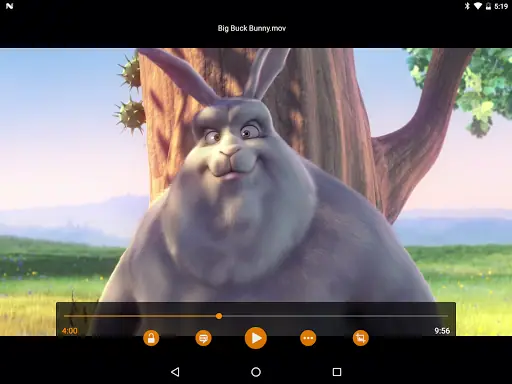
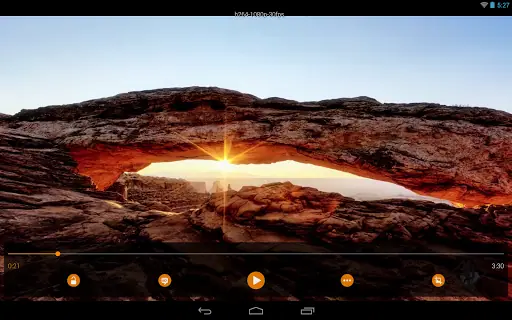
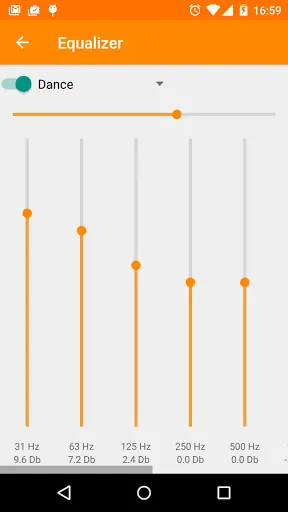
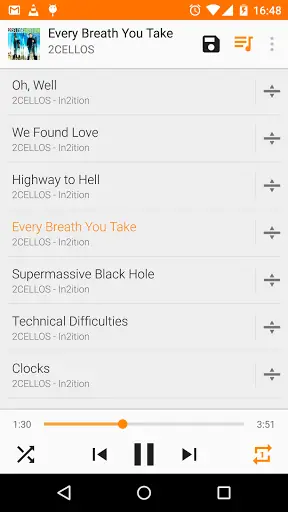
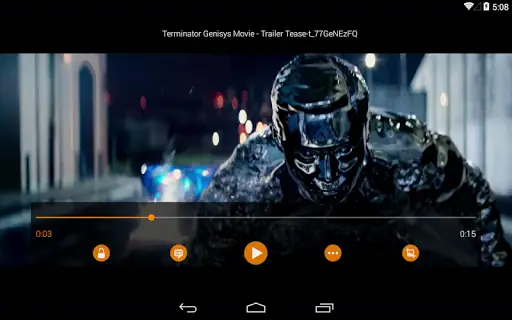
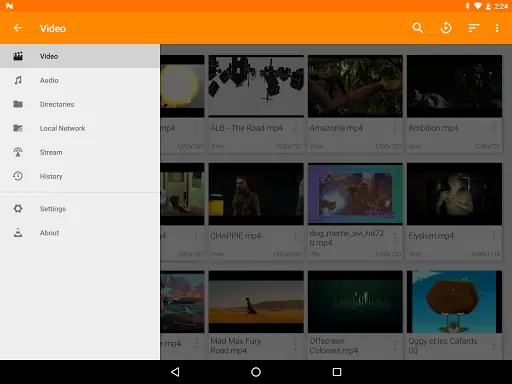
About VLC
Video and audio player that supports a wide range of formats, for both local and remote playback.
Audio:
- Adaptive Transform Acoustic Coding (ATRAC1, ATRAC3, ATRAC3Plus and ATRAC9) and PSX ADPCM
- Adobe SWF ADPCM and Nellymoser Asao
- ALAC
- AMR-NB, AMR-WB (a.k.a. G.722.2)
- DK ADPCM Audio 3/4, On2 AVC and iLBC
- DSS-SP
- DTS Coherent Acoustics (a.k.a. DTS or DCA), DTS Extended Surround (a.k.a. DTS-ES), DTS 96/24, DTS-HD High Resolution Audio, DTS Express (a.k.a. DTS-HD LBR), DTS-HD Master Audio, QDesign Music Codec 1 and 2
- DVI4 audio codec
- Full Rate (GSM 06.10), AC-3 (Dolby Digital), Enhanced AC-3 (Dolby Digital Plus) and DTS Coherent Acoustics (a.k.a. DTS or DCA)
- iLBC, Opus and Comfort noise
- IMA ADPCM
- MLP / Dolby TrueHD
- MP1, MP2, MP3, AAC, HE-AAC, MPEG-4 ALS, G.711 µ-law, G.711 A-law, G.721 (a.k.a. G.726 32k), G.722, G.722.2 (a.k.a. AMR-WB), G.723 (a.k.a. G.726 24k and 40k), G.723.1, G.726, G.729, G.729D, IEC DV audio and Direct Stream Transfer
- QCELP-8 (a.k.a. SmartRate or IS-96C), QCELP-13 (a.k.a. PureVoice or IS-733) and Enhanced Variable Rate Codec (EVRC. a.k.a. IS-127)
- RealAudio v1 – v10
- SMPTE 302M
- Speex, Vorbis, Opus and FLAC
- Truespeech
- TwinVQ
- Windows Media Audio (WMA1, WMA2, WMA Pro and WMA Lossless), XMA (XMA1 and XMA2), MS-GSM and MS-ADPCM
Containers and muxers:
- 3GP (.3gp)
- AIFF (.asf, .wmv)
- ASF (.asf, .wmv)
- AU (.au)
- AVI (.avi)
- DivX (.divx)
- FLV (.flv)
- MOV (.mov)
- MP4 (.mp4)
- OGG (.ogm, .ogg)
- MKV (.mkv, .mka)
- MPEG-2 / TS (.ts, .mpg)
- MPEG-2 / ES, PS, PVA, MP3 (.mpg, .mp3, .mp2)
- NSC (.nsc)
- NSV (.nsv)
- Nut (.nut)
- Real (.ra, .ram, .rm, .rv , .rmbv)
- Raw (a52, dts, aac, flac, .dv, .vid) (.a52, .dts, .aac, .flac, .dv, .vid)
- True Audio Codec (.tta, .tac)
- Ty Tivo (.ty)
- Wav (.wav, .dts)
- WebM (.webm)
- Xa (.xa)
Video:
- Animated GIF
- APNG
- ASUS V1/V2 codec
- ATI VCR1/VCR2
- Autodesk Animator Studio Codec and FLIC
- Avid 1:1x, Avid Meridien, Avid DNxHD and DNxHR
- AVS video
- Cinepak (Apple Compact Video), ProRes, Sorenson 3 Codec, QuickTime Animation (Apple Animation), QuickTime Graphics (Apple Graphics), Apple Video, Apple Intermediate Codec and Pixlet
- Divx, DIV1, DIV2, DIV3, mp41, mp42, MPG4, MPG3
- Duck TrueMotion 1, Duck TrueMotion 2, Duck TrueMotion 2.0 Real Time, VP3, VP5, and animated WebP
- HQ, HQA, HQX and Lossless
- IBM UltiMotion
- Matrox Uncompressed SD (M101) / HD (M102)
- Microsoft RLE, Microsoft Video 1, Cinepak, Indeo (v2, v3 and v5), Microsoft MPEG-4 v1, v2 and v3, Windows Media Video (WMV1, WMV2, WMV3/VC-1), WMV Screen and Mimic codec
- MPEG-1 Part 2, H.261 (Px64), (MPEG-H Part 2), Motion JPEG, IEC DV video and CD+G
- RealVideo Fractal Codec (a.k.a. Iterated Systems ClearVideo), 1, 2, 3 and 4
- RTV 2.1 (Intel Indeo 2)
- Screen video, Screen video 2, Sorenson Spark and VP6
- Silicon Graphics RLE 8-bit video, Silicon Graphics MVC1/2
- Smacker video and Bink video
- SMPTE 314M (a.k.a. DVCAM and DVCPRO), SMPTE 370M (a.k.a. DVCPRO HD), VC-1 (a.k.a. WMV3), VC-2 (a.k.a. Dirac Pro), VC-3 (a.k.a. AVID DNxHD)
- SpeedHQ
- Theora
- TXD
- AV1
APK file information
| Package name | org.videolan.vlc |
|---|---|
| Version | 3.7.2 (code 13070208) |
| Minimum Android | Android 4.2 · targets Android 16 |
| Architectures | x86_64 |
| SHA-256 | 727693d59c4d678c046386812a103209a25423460c9d22e38e12460f12402ab6 |
| Signature | 80535be61eedb9a03b0476a6f493d496c3498770404339ea7a8000f5e61d22c0 |
| Licence | GPL-3.0-only — copyleft free licence: the code is public and modified versions must stay free |
| Source code | code.videolan.org/videolan/vlc-android |
| Official website | www.videolan.org/vlc/download-android.html |
Permissions
- Run in the background
- Connect via Bluetooth
- Access all files sensitive
- Vibrate
- Read storage
- Write to storage
- Internet access
- Start at boot
- Microphone sensitive
- Read music
- Read videos
- Read photos
- View network status
- Keep the device awake
- Bluetooth
- Draw over other apps sensitive
- Show notifications
4 other technical permission(s)
READ_LOGS WRITE_SETTINGS CHANGE_NETWORK_STATE MODIFY_AUDIO_SETTINGS
Older versions
- VLC 3.7.2October 16, 2026 · 49.1 MB
- VLC 3.7.2October 16, 2026 · 47.3 MB
- VLC 3.7.2October 16, 2026 · 47.3 MB
- VLC 3.7.2October 16, 2026 · 45.8 MB
- VLC 3.7.1May 10, 2026 · 47.2 MB
- VLC 3.7.1May 10, 2026 · 45.9 MB
- VLC 3.7.1May 10, 2026 · 45.8 MB
- VLC 3.7.1May 10, 2026 · 44.9 MB
- VLC 3.7.0February 24, 2026 · 49.0 MB
- VLC 3.7.0February 24, 2026 · 46.0 MB
- VLC 3.7.0February 24, 2026 · 47.6 MB
- VLC 3.7.0February 24, 2026 · 45.0 MB
How to install VLC APK
- Tap Download APK above, then open the file once the download has finished.
- If Android asks, allow your browser to install unknown apps.
- Tap Install. VLC then appears with your other apps.
Having trouble? Read our guides how to install an APK on Android and "App not installed": how to fix it.
Frequently asked questions
Is VLC free?
Yes. VLC is distributed under the GPL-3.0-only licence: free, no subscription, and its source code is public.
Is this APK file safe?
The file is the one built and published by the F-Droid repository from the public source code. Its SHA-256 fingerprint is shown above, so you can compare it after downloading. How to check an APK.
Will VLC work on my phone?
You need at least Android 4.2. The app also works without Google services, so it runs on recent Huawei phones too.