
Baby Touch Lock APK
Block accidental touches, gestures and buttons while your kid watches videos
Download APK v1.1.0 · 4.9 MB- Version1.1.0
- Size4.9 MB
- RequiresAndroid 8.0
- Updated11/23/2026
- LicenceGPL-3.0-or-later
- PriceFree
About Baby Touch Lock
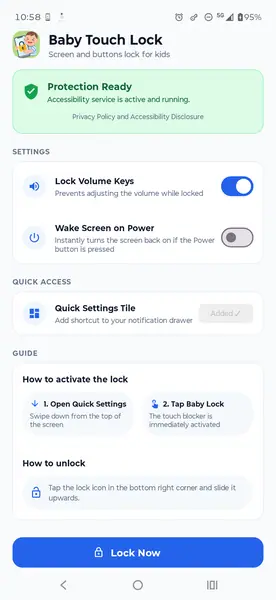
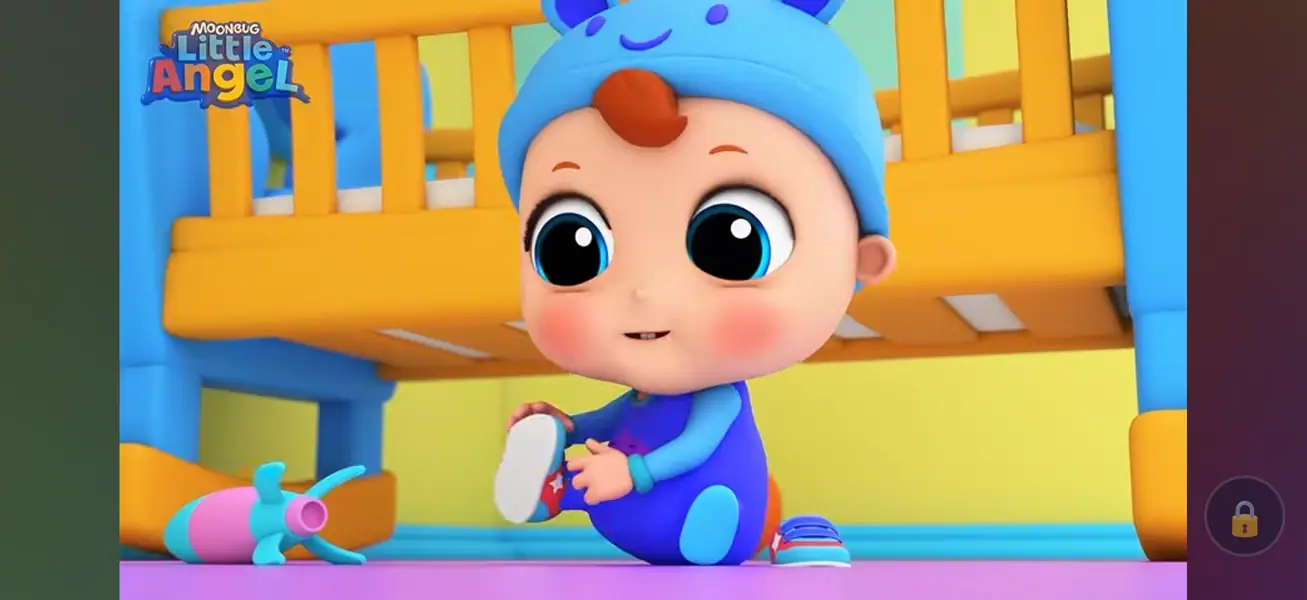
Baby Touch Lock is a simple, lightweight parental tool designed to keep videos and apps playing uninterrupted by blocking accidental screen touches and navigation gestures.
Key Features:
- Blocks screen touches and multi-touch interactions.
- Prevents navigation bar gestures (Back, Home, App Switch).
- Keeps the notification drawer and Quick Settings closed.
- Optional lock for physical volume keys.
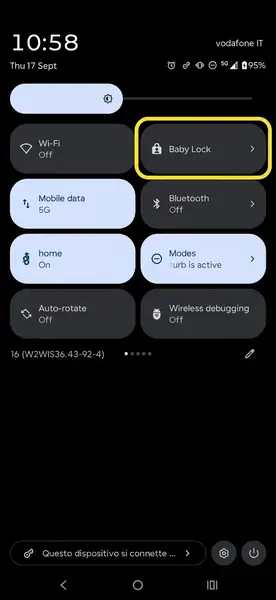
- Quick Settings tile for convenient 1-tap activation.
- Disengages with an intuitive, child-resistant slide-to-unlock widget.
- 100% offline: No internet permission, no advertisements, and zero tracking.
Accessibility Service Usage: Baby Touch Lock uses Android's AccessibilityService API exclusively to detect and block touch inputs and physical button presses when the lock overlay is active. The service does not inspect or read any on-screen text or private data.
What's new in version 1.1.0
- Optional PIN protection after unlock slider
- Configurable PIN length (3 to 8 digits)
- Brute-force lockout and 12-second auto-dismiss on inactivity
- Updated translations and Ukrainian language support
- Updated Gradle build tools
APK file information
| Package name | com.babytouchlock |
|---|---|
| Version | 1.1.0 (code 4) |
| Minimum Android | Android 8.0 · targets Android 16 |
| Architectures | All (universal) |
| SHA-256 | 9954c653a8e05cb96ba3ac15817eb7a76b9c0519a4fa51454dc9247d4c0d5577 |
| Signature | aa8d13334cb6cdb0a69446740d85a4cacc594696841d07dc47c85dfac42aaf59 |
| Licence | GPL-3.0-or-later — copyleft free licence: the code is public and modified versions must stay free |
| Source code | github.com/dmici/baby-touch-lock |
Permissions
- Vibrate
- Keep the device awake
1 other technical permission(s)
EXPAND_STATUS_BAR
Older versions
- Baby Touch Lock 1.1.0November 23, 2026 · 4.9 MB
- Baby Touch Lock 1.0.2November 6, 2026 · 4.9 MB
- Baby Touch Lock 1.0.1September 23, 2026 · 4.9 MB
How to install Baby Touch Lock APK
- Tap Download APK above, then open the file once the download has finished.
- If Android asks, allow your browser to install unknown apps.
- Tap Install. Baby Touch Lock then appears with your other apps.
Having trouble? Read our guides how to install an APK on Android and "App not installed": how to fix it.
Frequently asked questions
Is Baby Touch Lock free?
Yes. Baby Touch Lock is distributed under the GPL-3.0-or-later licence: free, no subscription, and its source code is public.
Is this APK file safe?
The file is the one built and published by the F-Droid repository from the public source code. Its SHA-256 fingerprint is shown above, so you can compare it after downloading. How to check an APK.
Will Baby Touch Lock work on my phone?
You need at least Android 8.0. The app also works without Google services, so it runs on recent Huawei phones too.





