
BeatBridge APK
BeatBridge: Bluetooth Music
Auto-play music when your Bluetooth car, headphones, or speakers connect.
Download APK v1.0.86 · 1.6 MB- Version1.0.86
- Size1.6 MB
- RequiresAndroid 8.0
- Updated11/20/2026
- LicenceGPL-3.0-only
- PriceFree
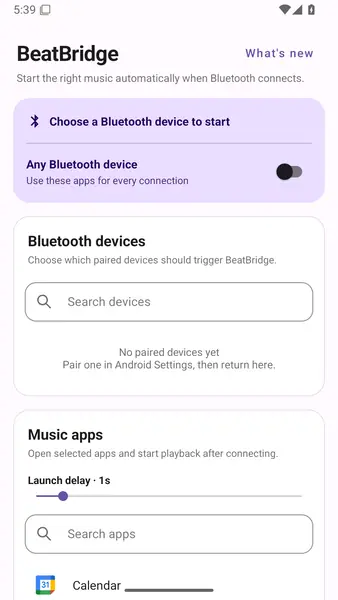
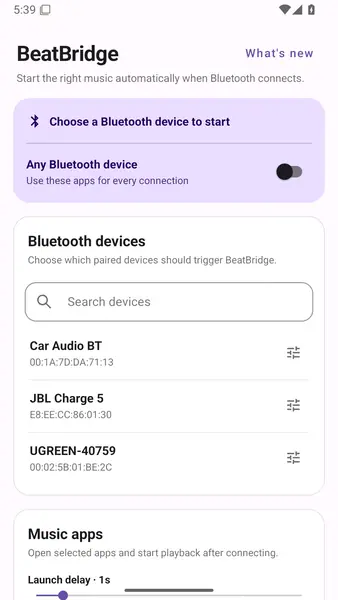
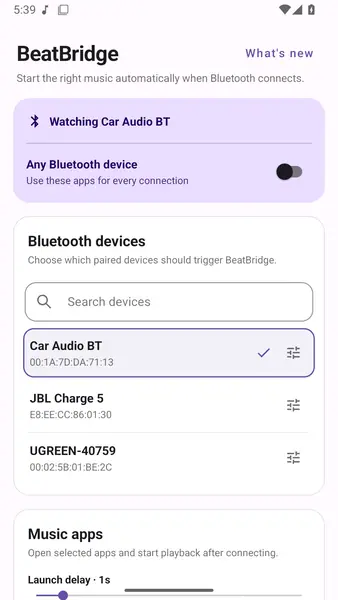
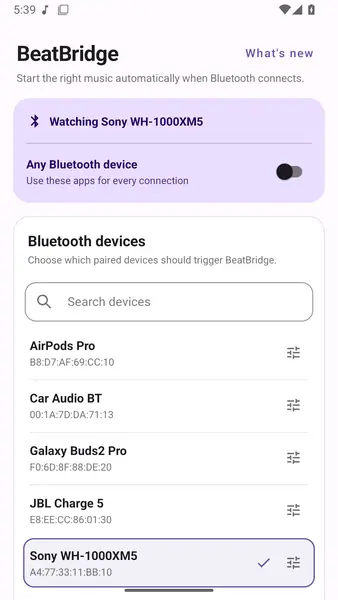
About BeatBridge
Make Bluetooth music playback feel automatic.
BeatBridge resumes music when the Bluetooth device you choose connects. Use it with your car, headphones, speakers, or any paired Bluetooth device, then carry on listening in the media app you already use.
HOW IT WORKS
Choose a paired Bluetooth device and enable monitoring. When that device connects, BeatBridge sends Android's standard media play command to the active media session. Compatible music, podcast, and audiobook apps can then resume playback.
KEY FEATURES
- Auto-play music when a selected Bluetooth device connects
- Works with Android media controls used by many music, podcast, and audiobook apps
- Choose between automatic playback or an “Ask on connect” notification
- Open your media app or audio settings directly from the connection notification
- Create a per-device equalizer profile
- Keep monitoring active in the background with a lightweight foreground service
- Designed for efficient Bluetooth connection events, without constant polling
PRIVATE BY DESIGN
BeatBridge works offline. It has no accounts, ads, analytics, or network access. Your selected devices and preferences stay on your device.
PERMISSIONS
Bluetooth access lets BeatBridge list paired devices and detect connections. A foreground service keeps monitoring active in the background, and notifications show its connection status and optional actions.
BeatBridge is open-source software licensed under GPLv3.
APK file information
| Package name | com.beatbridge |
|---|---|
| Version | 1.0.86 (code 8604) |
| Minimum Android | Android 8.0 · targets Android 16 |
| Architectures | All (universal) |
| SHA-256 | 30512285bb777ff29dda931c96c32d0ffc7345a9d0fabd22ef10bbb53a894ea4 |
| Signature | 011ee1a6e4e5ecd675f67fbf3d78ad82614a7a7a3f24ed71cc9c417154a0f0fd |
| Licence | GPL-3.0-only — copyleft free licence: the code is public and modified versions must stay free |
| Source code | github.com/brandonp2412/BeatBridge |
Permissions
- Bluetooth
- Connect via Bluetooth
- Run in the background
- Show notifications
- Draw over other apps sensitive
- Start at boot
- See installed apps sensitive
5 other technical permission(s)
BLUETOOTH_ADMIN REQUEST_COMPANION_RUN_IN_BACKGROUND REQUEST_COMPANION_START_FOREGROUND_SERVICES_FROM_BACKGROUND REQUEST_OBSERVE_COMPANION_DEVICE_PRESENCE MODIFY_AUDIO_SETTINGS
Older versions
- BeatBridge 1.0.86November 20, 2026 · 1.6 MB
- BeatBridge 1.0.86November 20, 2026 · 1.6 MB
- BeatBridge 1.0.86November 20, 2026 · 1.6 MB
- BeatBridge 1.0.86November 20, 2026 · 1.6 MB
- BeatBridge 1.0.85November 11, 2026 · 1.6 MB
- BeatBridge 1.0.85November 11, 2026 · 1.6 MB
- BeatBridge 1.0.85November 11, 2026 · 1.6 MB
- BeatBridge 1.0.85November 11, 2026 · 1.6 MB
- BeatBridge 1.0.84November 6, 2026 · 5.6 MB
- BeatBridge 1.0.84November 6, 2026 · 5.6 MB
- BeatBridge 1.0.84November 6, 2026 · 5.6 MB
- BeatBridge 1.0.84November 6, 2026 · 5.6 MB
How to install BeatBridge APK
- Tap Download APK above, then open the file once the download has finished.
- If Android asks, allow your browser to install unknown apps.
- Tap Install. BeatBridge then appears with your other apps.
Having trouble? Read our guides how to install an APK on Android and "App not installed": how to fix it.
Frequently asked questions
Is BeatBridge free?
Yes. BeatBridge is distributed under the GPL-3.0-only licence: free, no subscription, and its source code is public.
Is this APK file safe?
The file is the one built and published by the F-Droid repository from the public source code. Its SHA-256 fingerprint is shown above, so you can compare it after downloading. How to check an APK.
Will BeatBridge work on my phone?
You need at least Android 8.0. The app also works without Google services, so it runs on recent Huawei phones too.





