
Blue Line Console APK
Keyboard based launcher
Download APK v1.2.26 · 1.1 MB- Version1.2.26
- Size1.1 MB
- RequiresAndroid 6.0
- Updated11/4/2026
- LicenceApache-2.0
- PriceFree
About Blue Line Console
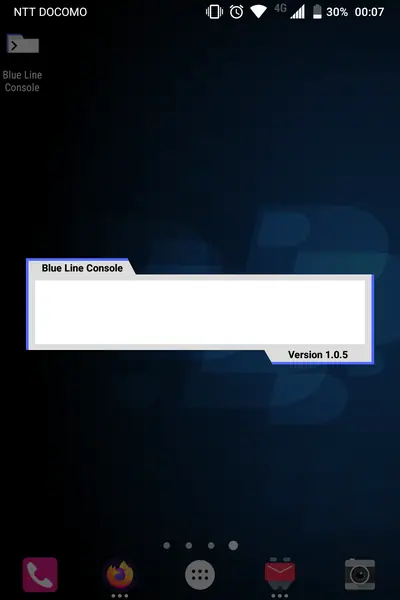
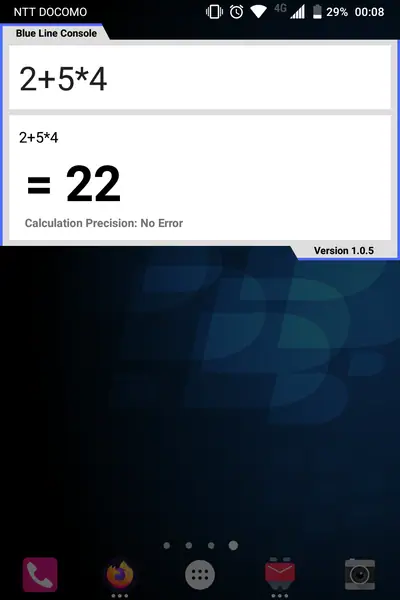
Blue Line Console launches your apps, web search engines, and built in calculator via keyboard.
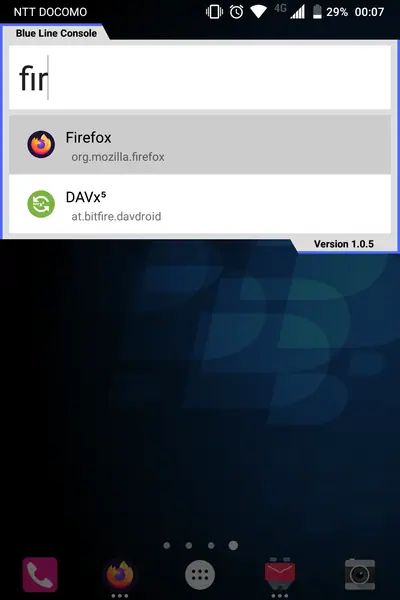
You can launch the desired app quickly with your keyboard everywhere. Just type 2 or 3 characters, and likely you can find the desired app on top of list. You need no configuration to do it (although I prepared some configuration for more comfortable usage).
You can start Blue Line Console by pressing once you set this app to default Assist App of Android. You can also start from notification bar, available everywhere (find this option in configuration screen, opened with config command).
You can input one of below list to search apps or commands.
- Part of application name (e.g. Blue Line Console)
- Part of package name (e.g. net.nhiroki.bluelineconsole)
- URL
- Calculation formula (e.g. 2+3*5, 1inch in cm, 1m+1inch, 1m+1inch in cm)
- One of commands below (e.g. help)
Available commands:
- help
- config
- date
- bing QUERY
- duckduckgo QUERY
- google QUERY
- wikipedia QUERY
- yahoo QUERY
- ping HOST
- ping6 HOST
Source code: https://github.com/nhirokinet/bluelineconsole
APK file information
| Package name | net.nhiroki.bluelineconsole |
|---|---|
| Version | 1.2.26 (code 45) |
| Minimum Android | Android 6.0 · targets API 37 |
| Architectures | All (universal) |
| SHA-256 | 502e1f9c26c3da265121ca5e8b6b46ac4a636f7c53628faa4d53d67c2b978a88 |
| Signature | 949cb72d7ee164fac8c23de021b5ac7b6b6a8029f89d2eced1ffe2f918ad6c87 |
| Licence | Apache-2.0 — permissive free licence: the source code is public and reusable |
| Source code | github.com/nhirokinet/bluelineconsole |
Permissions
- Internet access
- Start at boot
- Read contacts sensitive
- See installed apps sensitive
- Show notifications
1 other technical permission(s)
BIND_APPWIDGET
Older versions
- Blue Line Console 1.2.26November 4, 2026 · 1.1 MB
- Blue Line Console 1.2.25March 9, 2026 · 1.1 MB
- Blue Line Console 1.2.24February 18, 2026 · 1.1 MB
How to install Blue Line Console APK
- Tap Download APK above, then open the file once the download has finished.
- If Android asks, allow your browser to install unknown apps.
- Tap Install. Blue Line Console then appears with your other apps.
Having trouble? Read our guides how to install an APK on Android and "App not installed": how to fix it.
Frequently asked questions
Is Blue Line Console free?
Yes. Blue Line Console is distributed under the Apache-2.0 licence: free, no subscription, and its source code is public.
Is this APK file safe?
The file is the one built and published by the F-Droid repository from the public source code. Its SHA-256 fingerprint is shown above, so you can compare it after downloading. How to check an APK.
Will Blue Line Console work on my phone?
You need at least Android 6.0. The app also works without Google services, so it runs on recent Huawei phones too.





