
Copy SMS Code APK
Copy SMS Code - OTP Helper
an open-source app that can detect and copy any code for you
Download APK v1.20.7 · 3.2 MB- Version1.20.7
- Size3.2 MB
- RequiresAndroid 7.0
- Updated11/4/2026
- LicenceAGPL-3.0-only
- PriceFree
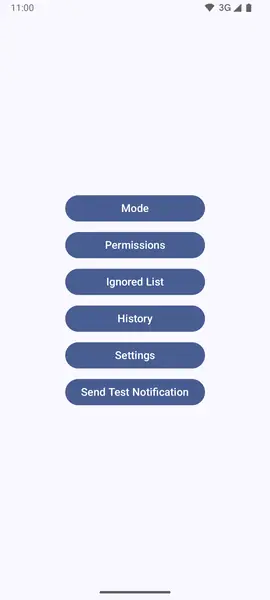
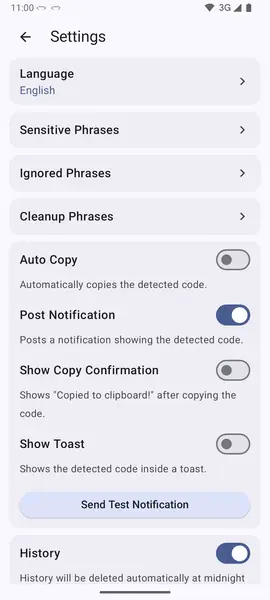
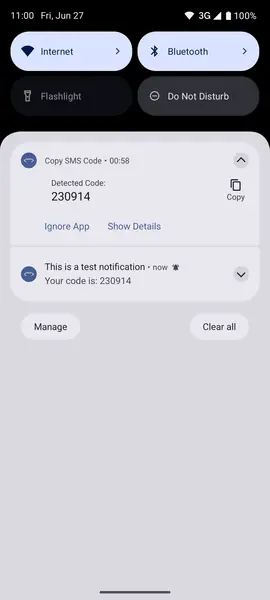
About Copy SMS Code
An open-source application that allows you to copy OTP and codes from SMS and notifications automatically by reading all of your notifications.
The application works completely offline and without internet permission. So you can be rest assured that your data does not leave your device.
If you have any problems or suggestions, submit them in our GitHub repository: https://github.com/jd1378/otphelper/issues
What's new in version 1.20.7
- Fixed apps, notifications and SMS senders in the ignored list still being marked as read or dismissed automatically
- Fixed email addresses in notifications (like the account address shown by Gmail) being detected as the code
- Added Turkish phrase "şifreniz"
- The email and Turkish changes apply to new installs. On an existing install, reset your cleanup phrases and sensitive phrases back to default to get them
APK file information
| Package name | io.github.jd1378.otphelper |
|---|---|
| Version | 1.20.7 (code 55000) |
| Minimum Android | Android 7.0 · targets Android 16 |
| Architectures | arm64-v8a, armeabi-v7a, x86, x86_64 |
| SHA-256 | 456c11810f4134fbacb00514836701b5dced8dc32e19dc87220884ef592b06f0 |
| Signature | 832d24302aea8812205217aea781eb5a28435d8ad3bece92b4c6940b1ee6a4db |
| Licence | AGPL-3.0-only — copyleft free licence: the code is public and modified versions must stay free |
| Source code | github.com/jd1378/otphelper |
Permissions
- Receive SMS sensitive
- Read SMS sensitive
- See installed apps sensitive
- Show notifications
- Start at boot
- Keep the device awake
- Run in the background
Older versions
- Copy SMS Code 1.20.7November 4, 2026 · 3.2 MB
- Copy SMS Code 1.20.6August 27, 2026 · 3.2 MB
- Copy SMS Code 1.20.5June 23, 2026 · 3.2 MB
How to install Copy SMS Code APK
- Tap Download APK above, then open the file once the download has finished.
- If Android asks, allow your browser to install unknown apps.
- Tap Install. Copy SMS Code then appears with your other apps.
Having trouble? Read our guides how to install an APK on Android and "App not installed": how to fix it.
Frequently asked questions
Is Copy SMS Code free?
Yes. Copy SMS Code is distributed under the AGPL-3.0-only licence: free, no subscription, and its source code is public.
Is this APK file safe?
The file is the one built and published by the F-Droid repository from the public source code. Its SHA-256 fingerprint is shown above, so you can compare it after downloading. How to check an APK.
Will Copy SMS Code work on my phone?
You need at least Android 7.0. The app also works without Google services, so it runs on recent Huawei phones too.