
Flash Alert (Calls & SMS) APK
Blink the terminal when receiving a call, SMS or an application notification
Download APK v3.0.3 · 2.5 MB- Version3.0.3
- Size2.5 MB
- RequiresAndroid 7.0
- Updated11/9/2026
- LicenceGPL-3.0-only
- PriceFree
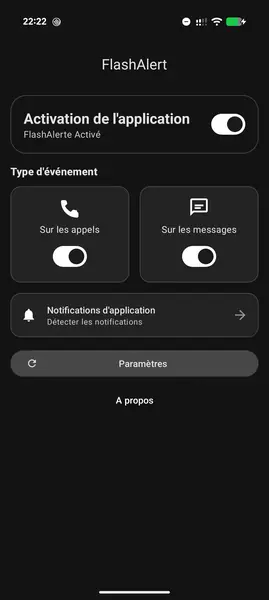
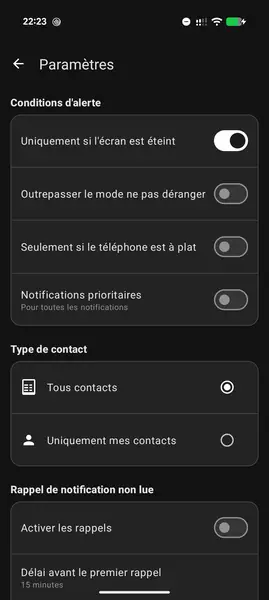
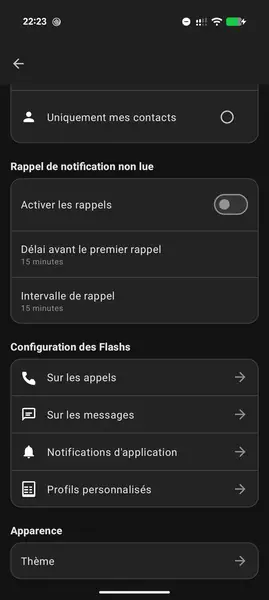
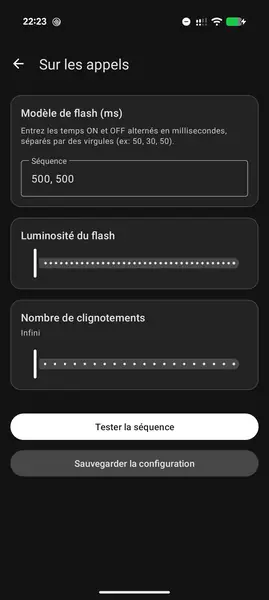
About Flash Alert (Calls & SMS)
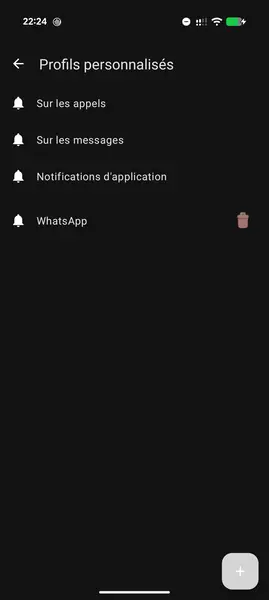
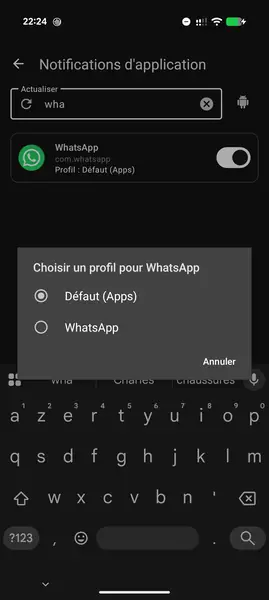
Flash Alert turns your camera flash into a powerful visual indicator whenever you receive a call, SMS/MMS, or notification from another app (WhatsApp, social media, etc.).
Key Features:
- Customizable flash alerts for calls, messages, and apps.
- Contact filtering: enable the flash only for your contacts.
- Battery-saver mode: smart deactivation if the phone is face down or if the screen is already on.
- Night mode and "Do Not Disturb" override options.
- Ambient noise detection (for compatible Android versions).
A lightweight app, privacy-friendly, and completely ad-free.
What's new in version 3.0.3
- Automatically stop infinite flash when the screen is unlocked (#102).
- Immediately stop infinite flash when the notification is dismissed or swiped away (#102).
- Grace period to prevent spurious cancellations on devices without a lock screen.
APK file information
| Package name | fr.jnda.android.flashalert |
|---|---|
| Version | 3.0.3 (code 23384379) |
| Minimum Android | Android 7.0 · targets API 37 |
| Architectures | All (universal) |
| SHA-256 | 324771032cce222b56fb17814a5cffbf390e4cb84608c0b56a2d9f7e057968c4 |
| Signature | c299eb213ccd7dd454fd6fc2369570fcd35e24fe2da8df3ec2891400402a9a83 |
| Licence | GPL-3.0-only — copyleft free licence: the code is public and modified versions must stay free |
| Source code | gitlab.com/jnda/FlashAlert |
Permissions
- Camera sensitive
- Receive SMS sensitive
- Phone status sensitive
- Read contacts sensitive
- Call log sensitive
- Keep the device awake
- Vibrate
- Draw over other apps sensitive
- Show notifications
- View network status
- Start at boot
- Run in the background
4 other technical permission(s)
FLASHLIGHT RECEIVE_MMS USE_EXACT_ALARM SCHEDULE_EXACT_ALARM
Older versions
- Flash Alert (Calls & SMS) 3.0.3November 9, 2026 · 2.5 MB
- Flash Alert (Calls & SMS) 3.0.2October 14, 2026 · 2.5 MB
- Flash Alert (Calls & SMS) 2.9.1September 2, 2026 · 2.4 MB
How to install Flash Alert (Calls & SMS) APK
- Tap Download APK above, then open the file once the download has finished.
- If Android asks, allow your browser to install unknown apps.
- Tap Install. Flash Alert (Calls & SMS) then appears with your other apps.
Having trouble? Read our guides how to install an APK on Android and "App not installed": how to fix it.
Frequently asked questions
Is Flash Alert (Calls & SMS) free?
Yes. Flash Alert (Calls & SMS) is distributed under the GPL-3.0-only licence: free, no subscription, and its source code is public.
Is this APK file safe?
The file is the one built and published by the F-Droid repository from the public source code. Its SHA-256 fingerprint is shown above, so you can compare it after downloading. How to check an APK.
Will Flash Alert (Calls & SMS) work on my phone?
You need at least Android 7.0. The app also works without Google services, so it runs on recent Huawei phones too.




