Device Connect APK
Yet another tool to connect Android phone with desktop
Download APK v0.12.1 · 2.7 MB- Version0.12.1
- Size2.7 MB
- RequiresAndroid 6.0
- Updated7/2/2026
- LicenceMIT
- PriceFree
About Device Connect
Device Connect
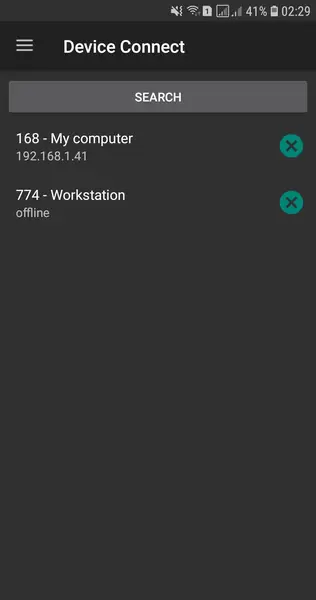
Yet another tool to connect Android phone with desktop similar to KDE Connect.
Features:
- Lightweight and fast
- AES-256 encryption with password
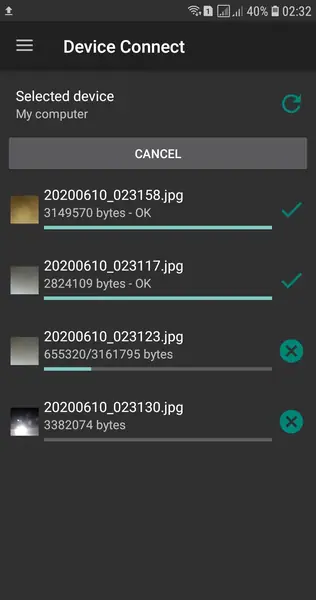
- Upload files from phone to desktop
- Open files and web URLs from phone on desktop
- Download files from pre-defined directories at desktop to phone
- Show phone notification on desktop
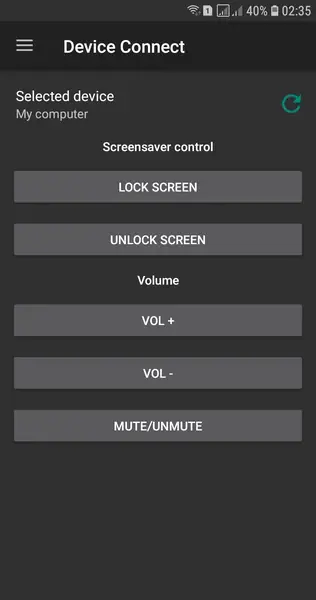
- Execute pre-defined commands on desktop
- Periodically running sync tasks (directories, contacts, SMS, clipboard)
What's new in version 0.12.1
- Simplified clipboard sync
- Fixes for Android 15+ support
- Minor UI fixes
APK file information
| Package name | net.dcnnt |
|---|---|
| Version | 0.12.1 (code 28) |
| Minimum Android | Android 6.0 · targets API 37 |
| Architectures | All (universal) |
| SHA-256 | 0f120a1dd8c7d1c0b51fc2425cf873681457664e0613d3d1ee536be69deaa31e |
| Signature | b0f1d644cf7da55d07e3876204ca500c20755e3f314bc03ca8af81b4ffcf771a |
| Licence | MIT — permissive free licence: the source code is public and reusable |
| Source code | github.com/cyanomiko/dcnnt-android |
Permissions
- Internet access
- View network status
- View Wi-Fi status
- Show notifications
- Write to storage
- See installed apps sensitive
- Read contacts sensitive
- Read SMS sensitive
- Run in the background
- Keep the device awake
- Start at boot
- Read storage
3 other technical permission(s)
CHANGE_WIFI_MULTICAST_STATE BIND_NOTIFICATION_LISTENER_SERVICE REORDER_TASKS
Older versions
- Device Connect 0.12.1July 2, 2026 · 2.7 MB
- Device Connect 0.12.0February 28, 2024 · 2.5 MB
- Device Connect 0.11.1January 13, 2023 · 2.2 MB
How to install Device Connect APK
- Tap Download APK above, then open the file once the download has finished.
- If Android asks, allow your browser to install unknown apps.
- Tap Install. Device Connect then appears with your other apps.
Having trouble? Read our guides how to install an APK on Android and "App not installed": how to fix it.
Frequently asked questions
Is Device Connect free?
Yes. Device Connect is distributed under the MIT licence: free, no subscription, and its source code is public.
Is this APK file safe?
The file is the one built and published by the F-Droid repository from the public source code. Its SHA-256 fingerprint is shown above, so you can compare it after downloading. How to check an APK.
Will Device Connect work on my phone?
You need at least Android 6.0. The app also works without Google services, so it runs on recent Huawei phones too.





