
Discreet Launcher APK
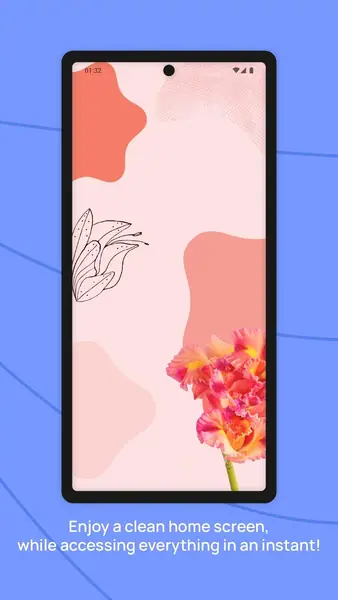
Enjoy a clean home screen while accessing everything in an instant
Download APK vv7.8.4 · 1.4 MB- Versionv7.8.4
- Size1.4 MB
- RequiresAndroid 5.0
- Updated4/13/2026
- LicenceGPL-3.0-only
- PriceFree
About Discreet Launcher
Discreet Launcher provides you a distraction-free home screen, allowing you to fully enjoy your wallpaper.
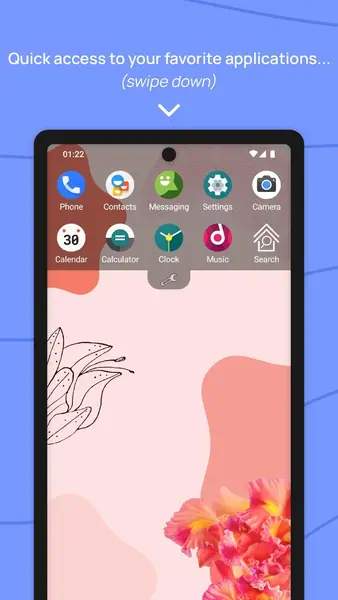
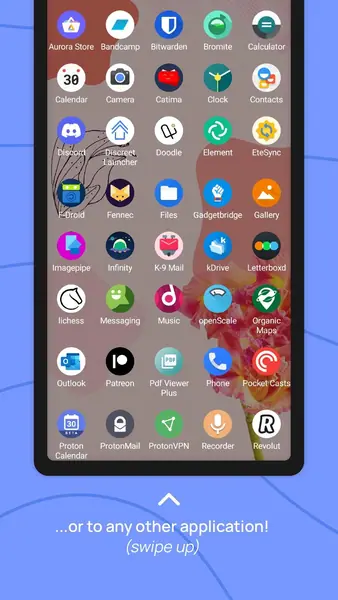
From this clean home screen, simply slide your finger down to display your favorites applications, or up to see the complete list of applications.
If you hold your finger a few moments on an application, you will be offered to access its system settings and its page in the store.
Discreet Launcher is open source, doesn't require any unnecessary permission, works completely offline and doesn't include any advertisements.
1/ Other features
- Folders
- Search
- Rename and hide apps
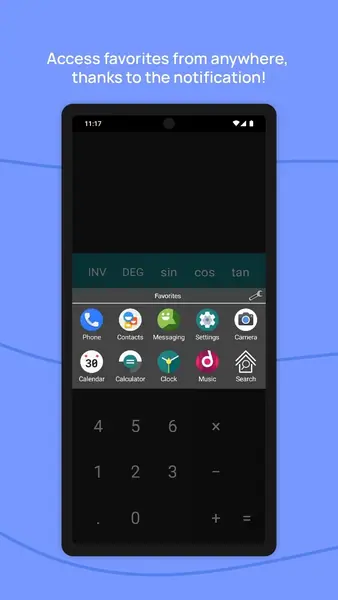
- Notification for access to favorites
- Horizontal swipe or double-tap to open app
- Shortcuts support (web apps)
- Export and import settings
- Help and changelog
2/ Customization options
- Theme and colors
- Forced orientation
- Transparent status bar
- No system bars (immersive mode)
- Customizable clock
- Touch targets (accessibility)
- Always show favorites
- Reversed interface
- No menu button
- No app drawer
- No app names
- Icon packs support
What's new in version v7.8.4
v7.8.4 (72) - 12/04/2026 IMPROVEMENTS
- Allow web shortcuts renaming (@m.dagostino)
APK file information
| Package name | com.vincent_falzon.discreetlauncher |
|---|---|
| Version | v7.8.4 (code 72) |
| Minimum Android | Android 5.0 · targets Android 14 |
| Architectures | All (universal) |
| SHA-256 | d5aacf3d66f6b12b051e76b574be5d7658670f9a95d9372f08de3c4f14f09538 |
| Signature | 02ea695b7edda6ecb7c6ca111eaad7030843e0aaf7d040a214e232e7c3e27b2f |
| Licence | GPL-3.0-only — copyleft free licence: the code is public and modified versions must stay free |
| Source code | github.com/falzonv/discreet-launcher |
| Official website | falzonv.github.io/discreet-launcher |
Permissions
- See installed apps sensitive
- Show notifications
Older versions
- Discreet Launcher v7.8.4April 13, 2026 · 1.4 MB
- Discreet Launcher v7.8.3November 1, 2025 · 1.4 MB
- Discreet Launcher v7.8.2October 16, 2025 · 1.4 MB
How to install Discreet Launcher APK
- Tap Download APK above, then open the file once the download has finished.
- If Android asks, allow your browser to install unknown apps.
- Tap Install. Discreet Launcher then appears with your other apps.
Having trouble? Read our guides how to install an APK on Android and "App not installed": how to fix it.
Frequently asked questions
Is Discreet Launcher free?
Yes. Discreet Launcher is distributed under the GPL-3.0-only licence: free, no subscription, and its source code is public.
Is this APK file safe?
The file is the one built and published by the F-Droid repository from the public source code. Its SHA-256 fingerprint is shown above, so you can compare it after downloading. How to check an APK.
Will Discreet Launcher work on my phone?
You need at least Android 5.0. The app also works without Google services, so it runs on recent Huawei phones too.





