
DNS Toggle APK
Easily toggle and automate Private DNS through the Quick Settings panel.
Download APK v3.1.0 · 2.1 MB- Version3.1.0
- Size2.1 MB
- RequiresAndroid 9
- Updated11/11/2026
- LicenceMIT
- PriceFree
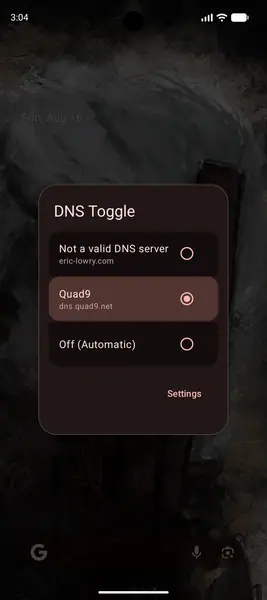
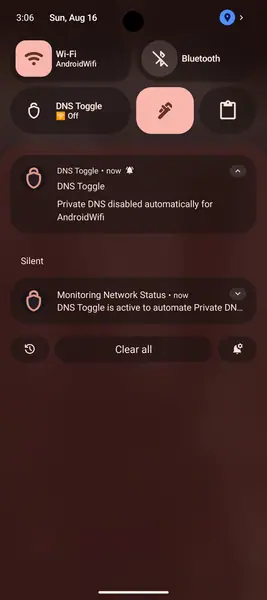
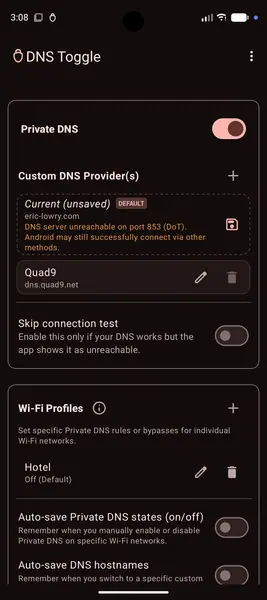
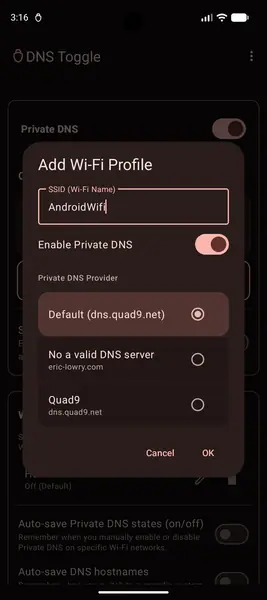
About DNS Toggle
DNS Toggle is a small Android app that allows you to easily toggle and automate your phone's Private DNS through the Quick Settings panel.
IMPORTANT: To modify Private DNS system settings, this app requires the WRITE_SECURE_SETTINGS permission. You must either have a rooted device, use Shizuku, or manually grant it via ADB:  adb shell pm grant com.ericlowry.dnstoggle android.permission.WRITE_SECURE_SETTINGS
Features
- Quick Settings Tile: Toggle Private DNS on/off directly from the Quick Settings panel.
- Custom DNS Providers: Define one or more preferred hostnames (e.g., dns.nextdns.io) and seamlessly switch between them.
- Wi-Fi Filtering: Automatically disable Private DNS when connected to specific Wi-Fi networks.
- Automatic Blocking: Automatically blacklists the current Wi-Fi SSID when Private DNS causes connectivity issues.
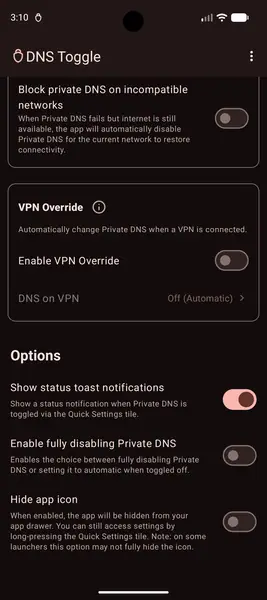
- VPN Override: Automatically enforce a specific DNS hostname or disable Private DNS entirely whenever a VPN is active on your device.
- Backup & Restore: Export and import your configuration via password-encrypted files.
- Dynamic Tile Labeling: Rename the Quick Settings tile.
- Hide App Icon: Keep your home screen clean while maintaining access via the Quick Settings tile.
Privacy & Permissions
- No tracking, no ads, and no data collection.
- Location permissions are optional, and only used to identify Wi-Fi network names for the SSID Filter feature. They are never used to track your physical location.
What's new in version 3.1.0
- Added backup encryption system in case of broken or unavailable Android Keystore
APK file information
| Package name | com.ericlowry.dnstoggle |
|---|---|
| Version | 3.1.0 (code 37) |
| Minimum Android | Android 9 · targets API 37 |
| Architectures | All (universal) |
| SHA-256 | 76e672e0b16cce3f7fd492be8a2bbcd88006ba588956fd15d3a186bb596817fb |
| Signature | a2fc0ad31958329b9df09fcab9e618ff67f23bee0b46267c632ac97f9600f283 |
| Licence | MIT — permissive free licence: the source code is public and reusable |
| Source code | github.com/ELowry/DNSToggle |
| Official website | github.com/ELowry/DNSToggle |
Permissions
- Internet access
- View Wi-Fi status
- View network status
- Precise location (GPS) sensitive
- Approximate location sensitive
- Background location sensitive
- Show notifications
- Run in the background
- Start at boot
- Fingerprint / biometrics
- Fingerprint
3 other technical permission(s)
WRITE_SECURE_SETTINGS NEARBY_WIFI_DEVICES REQUEST_IGNORE_BATTERY_OPTIMIZATIONS
Older versions
- DNS Toggle 3.1.0November 11, 2026 · 2.1 MB
- DNS Toggle 3.0.8November 4, 2026 · 2.1 MB
- DNS Toggle 3.0.7November 1, 2026 · 2.1 MB
How to install DNS Toggle APK
- Tap Download APK above, then open the file once the download has finished.
- If Android asks, allow your browser to install unknown apps.
- Tap Install. DNS Toggle then appears with your other apps.
Having trouble? Read our guides how to install an APK on Android and "App not installed": how to fix it.
Frequently asked questions
Is DNS Toggle free?
Yes. DNS Toggle is distributed under the MIT licence: free, no subscription, and its source code is public.
Is this APK file safe?
The file is the one built and published by the F-Droid repository from the public source code. Its SHA-256 fingerprint is shown above, so you can compare it after downloading. How to check an APK.
Will DNS Toggle work on my phone?
You need at least Android 9. The app also works without Google services, so it runs on recent Huawei phones too.





