
Do It APK
A modern to-do app built with Jetpack Compose and Material Design 3.
Download APK v1.7 · 3.2 MB- Version1.7
- Size3.2 MB
- RequiresAndroid 8.0
- Updated5/27/2026
- LicenceApache-2.0
- PriceFree
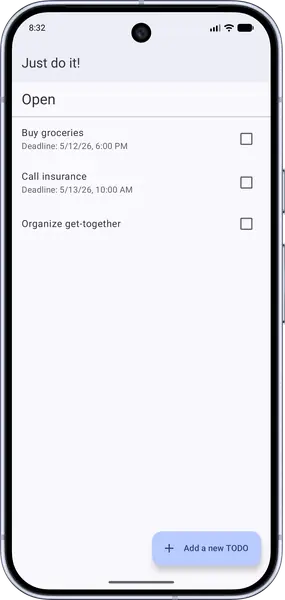
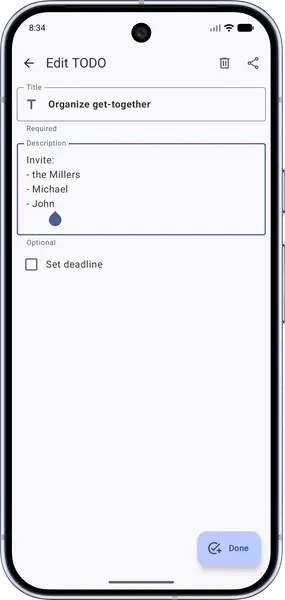
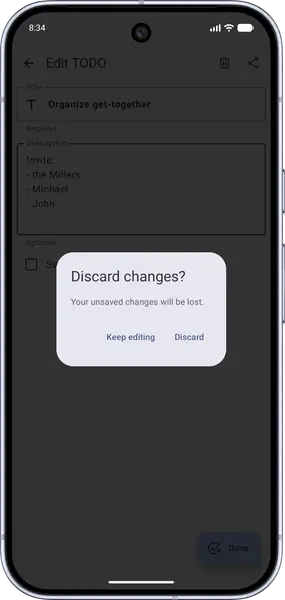
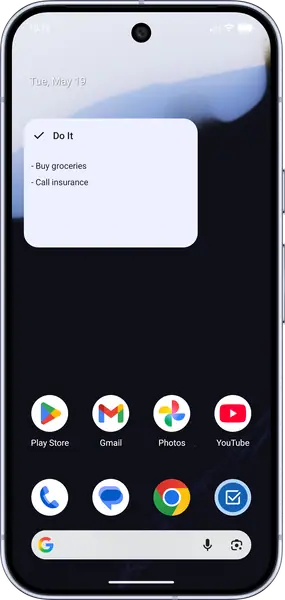
About Do It
Do-It is a clean, distraction-free to-do app that helps you stay on top of your tasks.
Features
- View open and completed todos in separate sections
- Add and edit todos with a title, optional description, and optional deadline
- Mark todos complete or incomplete with a single tap
- Multi-select todos via long-press, then bulk-delete or select all
- Overdue todos are highlighted so nothing slips through the cracks
- Home screen widget to see your open todos at a glance
- Home screen shortcut to create a new todo instantly
- Deadline notifications so you never miss a due date
- Choose how far in advance you get notified in Settings
- In-app theme selection (light, dark, or system default)
- In-app language selection
- Motivational empty-state messages when the list is empty or everything is done
- Edge-to-edge UI following Material Design 3 guidelines
Open Source
Do-It is free and open-source software, licensed under the Apache License 2.0. No ads, no tracking, no accounts required.
What's new in version 1.7
- Get notified before a todo's deadline is due
- Choose how far in advance you receive deadline reminders in Settings
- You'll now be prompted to add the home screen widget after completing your first todo
- Various bug fixes and improvements
APK file information
| Package name | at.co.schwaerzler.maximilian.doit |
|---|---|
| Version | 1.7 (code 9) |
| Minimum Android | Android 8.0 · targets Android 16 |
| Architectures | arm64-v8a, armeabi-v7a, x86, x86_64 |
| SHA-256 | f3db673c53628636ce74ab71f7575891b533c5f4e3fd5f5e7492133bdb719867 |
| Signature | 44789c86f1954cd3e9c4d181af09459db7f89ed2eab7243a20b2efbd4bcecc42 |
| Licence | Apache-2.0 — permissive free licence: the source code is public and reusable |
| Source code | github.com/maximilian-schwaerzler/Do-It |
Permissions
- Show notifications
- Keep the device awake
- View network status
- Start at boot
- Run in the background
Older versions
- Do It 1.7May 27, 2026 · 3.2 MB
- Do It 1.6.1May 23, 2026 · 3.1 MB
- Do It 1.6May 21, 2026 · 3.1 MB
How to install Do It APK
- Tap Download APK above, then open the file once the download has finished.
- If Android asks, allow your browser to install unknown apps.
- Tap Install. Do It then appears with your other apps.
Having trouble? Read our guides how to install an APK on Android and "App not installed": how to fix it.
Frequently asked questions
Is Do It free?
Yes. Do It is distributed under the Apache-2.0 licence: free, no subscription, and its source code is public.
Is this APK file safe?
The file is the one built and published by the F-Droid repository from the public source code. Its SHA-256 fingerprint is shown above, so you can compare it after downloading. How to check an APK.
Will Do It work on my phone?
You need at least Android 8.0. The app also works without Google services, so it runs on recent Huawei phones too.