
droidVNC-NG APK
VNC server app that does not require root privileges.
Download APK v2.22.3 · 6.3 MB- Version2.22.3
- Size6.3 MB
- RequiresAndroid 7.0
- Updated11/17/2026
- LicenceGPL-2.0-only
- PriceFree
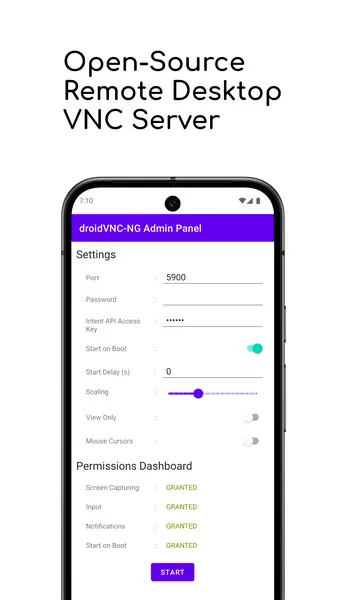
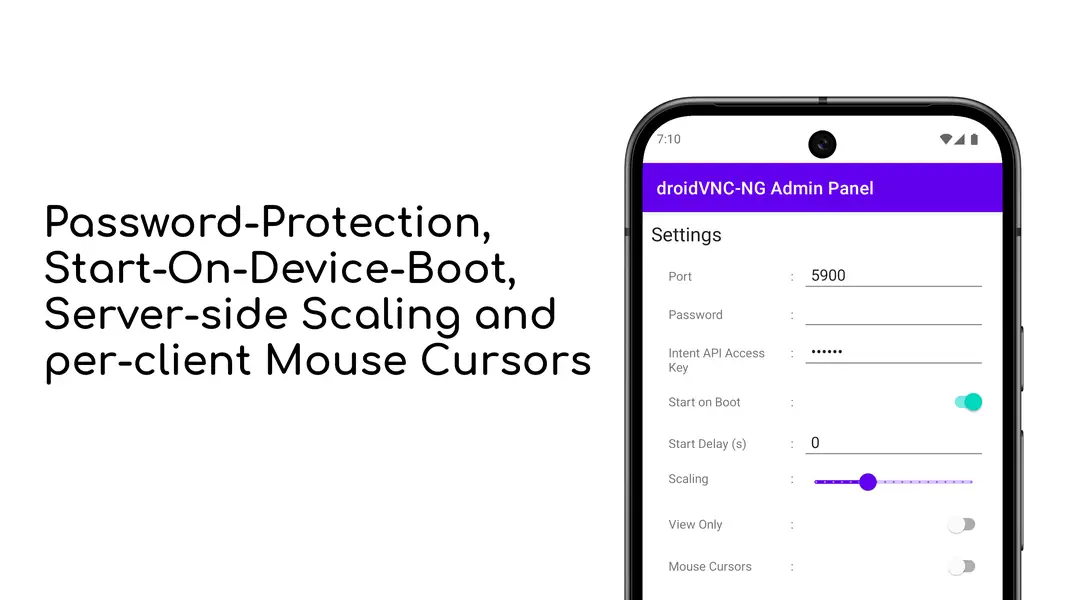
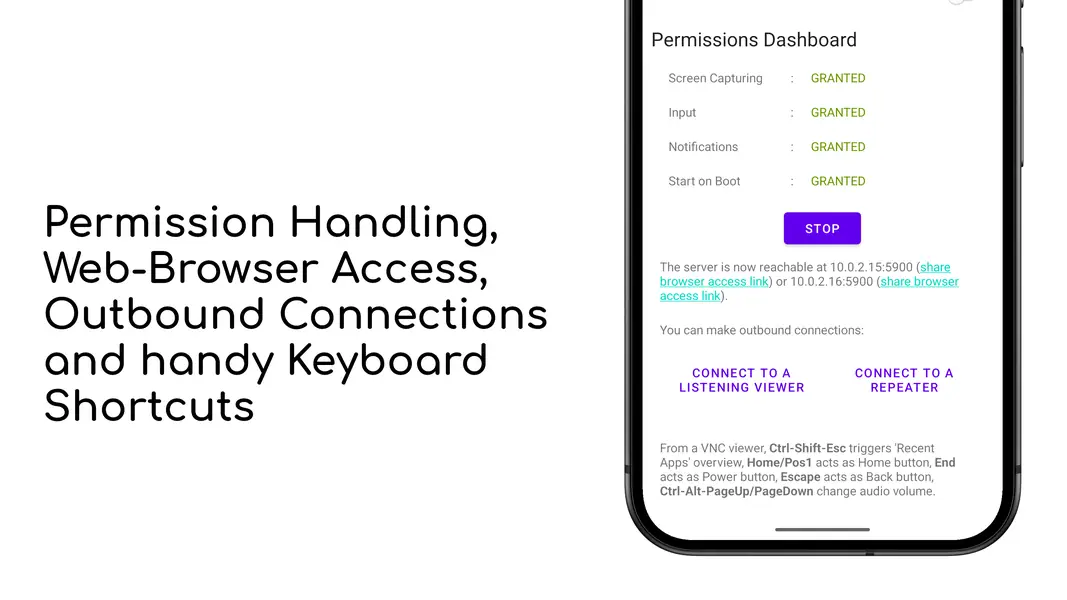
About droidVNC-NG
Turn your Android device into a remote-controlled workstation with droidVNC-NG, a powerful, open-source VNC server designed for local networks. This app offers a versatile solution for remote access.
💻 Remote Control & Interaction
- Screen Sharing: Share your device's screen over the network, with optional scaling on the server side for better performance.
- Remote Control: Use your VNC client to control your device, including mouse and keyboard input. To enable this, you need to activate the AccessibilityService for the app on your device.
- Special Key Functions: Remotely trigger key functions like 'Recent Apps,' Home button, Back button, Power and volume controls.
- Text Copy & Paste: Support for copying and pasting text from your device to the VNC client. Note that server-to-client copy & paste works automatically for text selected in editable text fields or manually by sharing text to droidVNC-NG via Android's Share-To functionality.
- Multiple Mouse Pointers: Display different mouse pointers for each connected client on your device.
🌴 Comfort Features
- Web Browser Access: Control your device’s shared screen directly from a web browser, without needing a separate VNC client.
- Auto-Discovery: droidVNC-NG uses Zeroconf/Bonjour for easy discovery by native clients.
🔐 Security & Configuration
- Password Protection: Protect your VNC connection with a password. Note that setting a password is mandatory in case you want to access the server using MacOS's built-in Screen Sharing app.
- Custom Port Settings: Choose which port the VNC server uses for connections.
- Startup on Boot: Automatically start the VNC service when your device boots up. On Android 11 and newer this also works with kiosk-mode launchers and lock task mode.
- Default Configuration: Load a default configuration from a JSON file or Mobile Device Management.
🚀 Advanced VNC Features
- Reverse VNC: Allow your device to initiate the VNC connection to a client without opening ports on your router.
- Repeater Support: Connect to a repeater that supports UltraVNC-style Mode-2 for more flexible networking.
Please note that more features are still being added to droidVNC-NG. Please report any issues and feature requests at https://github.com/bk138/droidVNC-NG
APK file information
| Package name | net.christianbeier.droidvnc_ng |
|---|---|
| Version | 2.22.3 (code 68) |
| Minimum Android | Android 7.0 · targets Android 16 |
| Architectures | arm64-v8a, armeabi-v7a, x86, x86_64 |
| SHA-256 | 5b3f3eabecfb328d311711e9dc54d7e8967df838123597043a1a07701ee966ee |
| Signature | f8efc0a7d5f9d8ba88edf082f2dc2c2131b754ba8fedb4916ac2eb2acc52190d |
| Licence | GPL-2.0-only — copyleft free licence: the code is public and modified versions must stay free |
| Source code | github.com/bk138/droidVNC-NG |
Permissions
- Internet access
- Start at boot
- Write to storage
- Run in the background
- Keep the device awake
- Show notifications
- View network status
- View Wi-Fi status
- Read storage
1 other technical permission(s)
CHANGE_NETWORK_STATE
Older versions
- droidVNC-NG 2.22.3November 17, 2026 · 6.3 MB
- droidVNC-NG 2.22.2November 1, 2026 · 6.3 MB
- droidVNC-NG 2.22.1October 22, 2026 · 6.3 MB
How to install droidVNC-NG APK
- Tap Download APK above, then open the file once the download has finished.
- If Android asks, allow your browser to install unknown apps.
- Tap Install. droidVNC-NG then appears with your other apps.
Having trouble? Read our guides how to install an APK on Android and "App not installed": how to fix it.
Frequently asked questions
Is droidVNC-NG free?
Yes. droidVNC-NG is distributed under the GPL-2.0-only licence: free, no subscription, and its source code is public.
Is this APK file safe?
The file is the one built and published by the F-Droid repository from the public source code. Its SHA-256 fingerprint is shown above, so you can compare it after downloading. How to check an APK.
Will droidVNC-NG work on my phone?
You need at least Android 7.0. The app also works without Google services, so it runs on recent Huawei phones too.





