
Encly APK
Encly: Encrypted Offline Notes
Secure notepad with a PIN lock: notes & tasks. No account, no internet, no ads.
Download APK v2.3.1 · 11.5 MB- Version2.3.1
- Size11.5 MB
- RequiresAndroid 8.0
- Updated10/31/2026
- LicenceApache-2.0
- PriceFree
About Encly
Encly is an encrypted notes app for private notes and tasks that never leave your phone. Offline notes with a PIN lock: no account, no cloud, no ads, and no internet permission at all.
Most note apps want an account and a server. Encly has neither. Your encrypted notes live in one place: your phone.
Use it as a password-protected notepad, a private diary or journal, or a safe place to hide notes from anyone who picks up your phone.
PRIVATE BY DESIGN
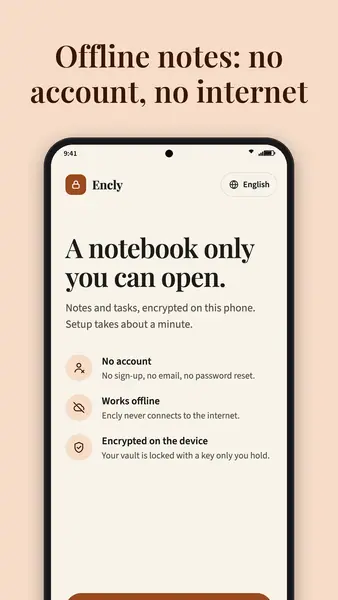
- No account, no sign-up, no analytics, no ads, no in-app purchases.
- Truly offline: Encly does not request the INTERNET permission, so it cannot send your notes anywhere.
- Encrypted notes at rest: a SQLCipher (AES-256) database under a random 256-bit key.
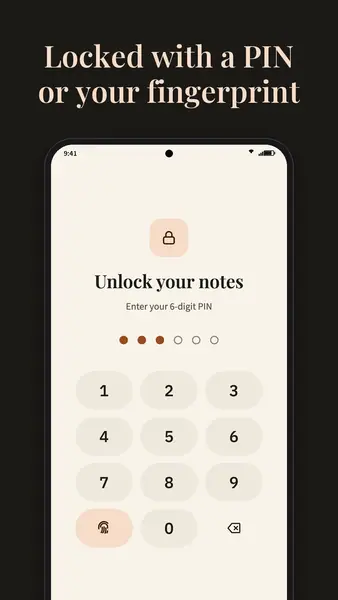
- PIN lock: a 6-digit PIN tied to your phone's secure hardware, plus optional fingerprint or face unlock (strong biometrics only).
- Locks itself: after you leave (15 seconds by default, or immediately) or the moment the screen turns off, the database is closed and the key is wiped from memory.
- Screenshots, screen recording and recent-apps previews are blocked. Android cloud backup is off.
RECOVERY PHRASE AND ENCRYPTED BACKUPS
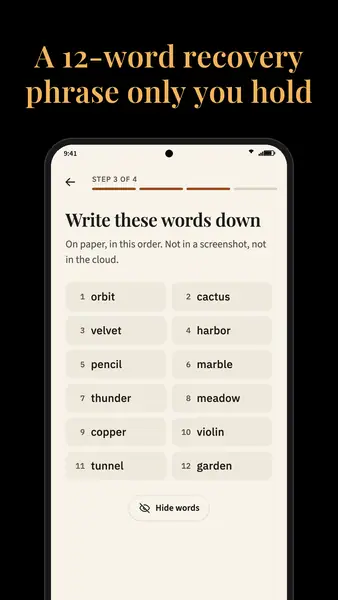
- Optional 12-word recovery phrase: forgot your PIN? The phrase unlocks your vault and lets you set a new one.
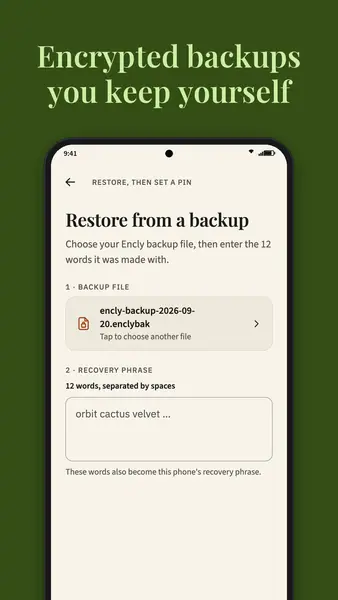
- Export all notes, tasks and tags to one encrypted file (AES-256-GCM) and save it wherever you choose: a folder, a USB stick, your own cloud drive. Encly never uploads it.
- Restore on a new phone with the same 12 words, or merge a backup into an existing vault.
- Nobody can recover your notes for you, not even the developer. Keep the words on paper.
A SECURE NOTEPAD THAT IS PLEASANT TO WRITE IN
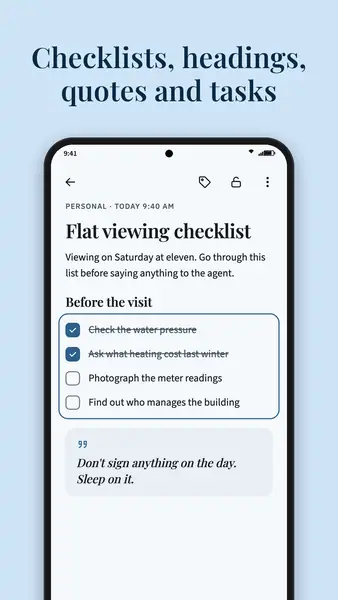
- Block editor: text, headings, quotes, checklists, bulleted and numbered lists, links and separators.
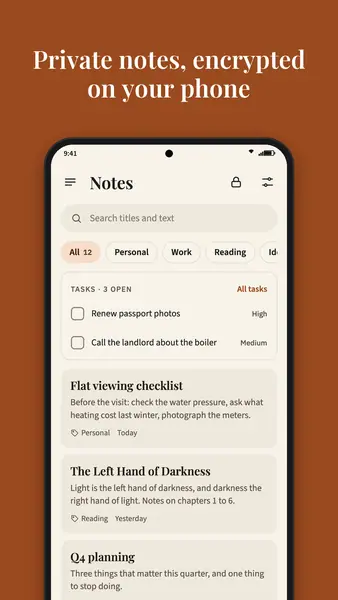
- Tags, search, list or grid view, several sort orders.
- Tasks with priorities, right next to your notes.
- Trash with restore.
- Five themes (Paper, Forest, Ocean, Graphite, Midnight), light, dark or system mode, dynamic color on Android 12+, and three font sets bundled in the app.
OPEN SOURCE
- Encly is open source (Apache-2.0): anyone can check what it does.
- Works without Google Play Services. Android 8.0 or newer.
- 9 languages: English, Ukrainian, German, French, Spanish, Italian, Polish, Portuguese and Dutch. Pick one for Encly alone in Settings → Language.
Encly: encrypted notes that stay yours.
Privacy policy: https://pasichdev.xyz/apps/encly/privacy-policy/
What's new in version 2.3.1
Encly 2.3.1 Fixes from your feedback on the editor:
- Checklist boxes stay aligned on long items; new items no longer jump.
- Undo and redo put the cursor back where the change was.
- Holding delete crosses empty lines; the keyboard stays open for list buttons, undo and redo.
- Checked items stay struck through while typing; tap below a note to write at its end.
- New: copy a note as Markdown; long-press any button to see what it does.
APK file information
| Package name | com.pasich.encly |
|---|---|
| Version | 2.3.1 (code 20301) |
| Minimum Android | Android 8.0 · targets Android 16 |
| Architectures | arm64-v8a, armeabi-v7a, x86, x86_64 |
| SHA-256 | 73af31decba9bc999a8ff7515496d39524e2e8e75c27e352e0a06520a0ffb20b |
| Signature | 6884c693354964276231e6d0336b965f690bf3f15a0707bb59505c208e5e7554 |
| Licence | Apache-2.0 — permissive free licence: the source code is public and reusable |
| Source code | github.com/pasichDev/Encly |
| Official website | pasichdev.xyz/apps/encly/ |
Permissions
- Fingerprint / biometrics
- Fingerprint
1 other technical permission(s)
HIDE_OVERLAY_WINDOWS
Older versions
- Encly 2.3.1October 31, 2026 · 11.5 MB
- Encly 2.3.0October 29, 2026 · 11.5 MB
- Encly 2.2.1October 22, 2026 · 11.4 MB
How to install Encly APK
- Tap Download APK above, then open the file once the download has finished.
- If Android asks, allow your browser to install unknown apps.
- Tap Install. Encly then appears with your other apps.
Having trouble? Read our guides how to install an APK on Android and "App not installed": how to fix it.
Frequently asked questions
Is Encly free?
Yes. Encly is distributed under the Apache-2.0 licence: free, no subscription, and its source code is public.
Is this APK file safe?
The file is the one built and published by the F-Droid repository from the public source code. Its SHA-256 fingerprint is shown above, so you can compare it after downloading. How to check an APK.
Will Encly work on my phone?
You need at least Android 8.0. The app also works without Google services, so it runs on recent Huawei phones too.





