Butterfly APK
Take notes, draw freely, and organize ideas across an endless workspace
Download APK v2.6.3 · 127.9 MB- Version2.6.3
- Size127.9 MB
- RequiresAndroid 7.0
- Updated11/23/2026
- LicenceAGPL-3.0-only
- PriceFree
About Butterfly
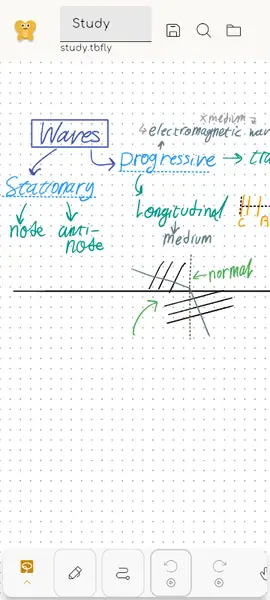
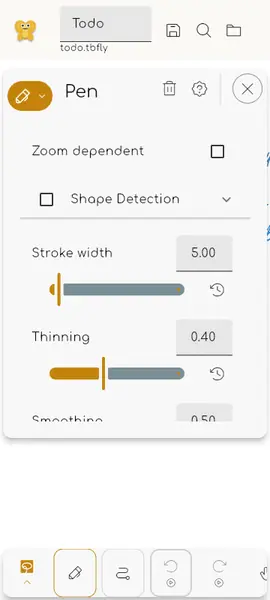
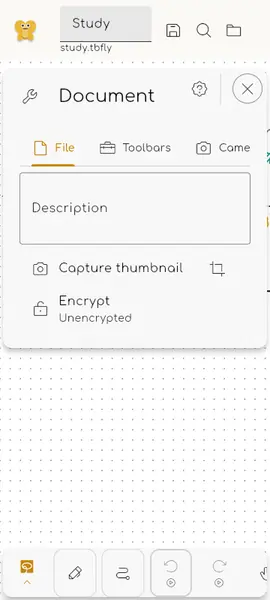
Butterfly is an open-source app for people who think better with space around their ideas. Instead of writing everything from top to bottom on a fixed page, you get an endless workspace where you can place notes, sketches, diagrams, images, and documents wherever they make sense.
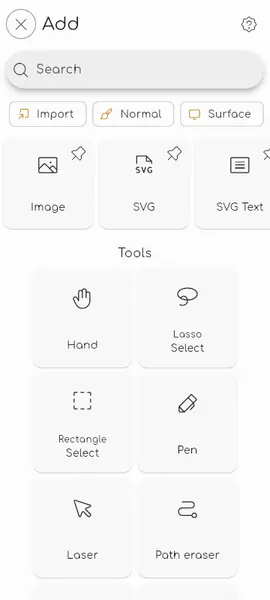
Use it for class notes, meeting notes, research, math, worksheets, planning, whiteboarding, storyboards, product sketches, or any project that starts messy and needs room to grow. Write by hand with a stylus, touch, or mouse, type text and Markdown, add shapes and lines, place images and photos, import PDFs, SVGs, and image files, then export your work as PDF, SVG, images, or portable Butterfly files.
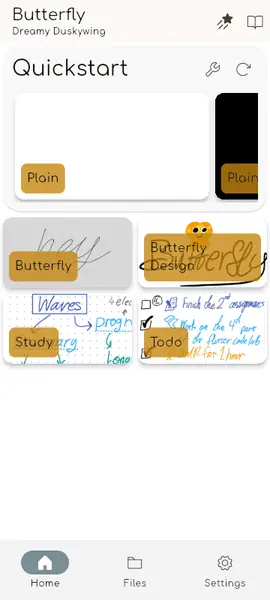
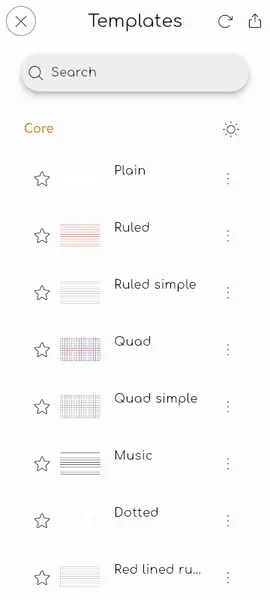
Butterfly tries to stay out of your way while you work. Recent files, quick-start templates, search, folders, imports, page navigation, and tool settings are close when you need them, but the document stays at the center. You can begin with a plain page, ruled paper, a grid, dotted paper, music paper, or your own template.
As your document grows, Butterfly gives you ways to keep it understandable. Split work into pages and page folders, use layers, mark important places with areas and waypoints, save reusable parts in packs, and keep palettes and text styles ready for the next document. Almost everything you add remains editable, so you can move, resize, recolor, reorder, and refine your work later instead of starting over.
Your files stay under your control. Work offline, store documents on your device, choose a different data directory, or connect WebDAV and Nextcloud if you want your own sync setup. There is no required account, no required subscription, and no required proprietary cloud.
Butterfly is free, community translated, available on phones, tablets, desktops, and the web, and developed in public under the AGPL-3.0 license.
What's new in version 2.6.3
This is a stable release, it includes all the changes from the 2.6.3 nightly releases. Read more here: https://linwood.dev/butterfly/2.6.3
APK file information
| Package name | dev.linwood.butterfly |
|---|---|
| Version | 2.6.3 (code 207) |
| Minimum Android | Android 7.0 · targets Android 16 |
| Architectures | arm64-v8a, armeabi-v7a, x86_64 |
| SHA-256 | 2efbfe991efdaa4195eb61be264cbc6bea18453cac6c7566e110b2b146ff089c |
| Signature | 1a8841e90912769969891b600b3850e7b25b792e6e315b66ec51f986bd6144a9 |
| Licence | AGPL-3.0-only — copyleft free licence: the code is public and modified versions must stay free |
| Source code | github.com/LinwoodDev/Butterfly |
Permissions
- Internet access
- Write to storage
- Camera sensitive
- Microphone sensitive
- Read storage
- View network status
- View Wi-Fi status
Older versions
- Butterfly 2.6.3November 23, 2026 · 127.9 MB
- Butterfly 2.6.2October 31, 2026 · 124.4 MB
- Butterfly 2.6.1October 18, 2026 · 123.0 MB
How to install Butterfly APK
- Tap Download APK above, then open the file once the download has finished.
- If Android asks, allow your browser to install unknown apps.
- Tap Install. Butterfly then appears with your other apps.
Having trouble? Read our guides how to install an APK on Android and "App not installed": how to fix it.
Frequently asked questions
Is Butterfly free?
Yes. Butterfly is distributed under the AGPL-3.0-only licence: free, no subscription, and its source code is public.
Is this APK file safe?
The file is the one built and published by the F-Droid repository from the public source code. Its SHA-256 fingerprint is shown above, so you can compare it after downloading. How to check an APK.
Will Butterfly work on my phone?
You need at least Android 7.0. The app also works without Google services, so it runs on recent Huawei phones too.