Garage APK
Garage: Car Maintenance & Fuel Log
Track car maintenance, fuel, EV charging & costs – offline, private, no ads
Download APK v1.4.3 · 8.4 MB- Version1.4.3
- Size8.4 MB
- RequiresAndroid 13
- Updated11/23/2026
- LicenceMIT
- PriceFree
About Garage
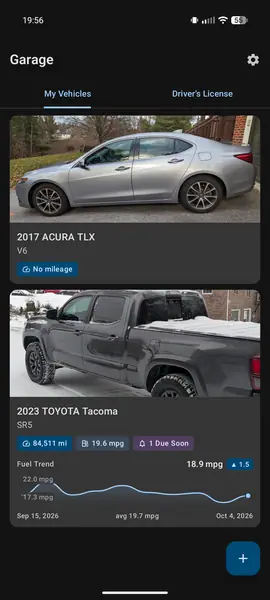
Garage is a privacy-focused vehicle management app for Android. Track maintenance, fuel and EV charging, costs, modifications, documents, and trips for all your vehicles in one place. It has no ads, no trackers, and no account, and it works fully offline.
Vehicles
- Manage multiple vehicles: cars, trucks, motorcycles, EVs, and plug-in hybrids
- Scan the VIN barcode with your camera and decode specs automatically (NHTSA vPIC)
- Editable spec sheet with your own custom fields
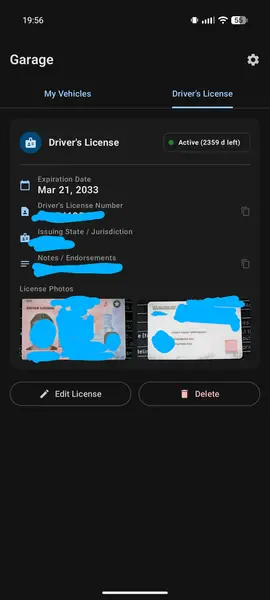
- Registration and insurance details with expiration reminders
- Store parts info, notes, and custom documents with photo attachments
Maintenance
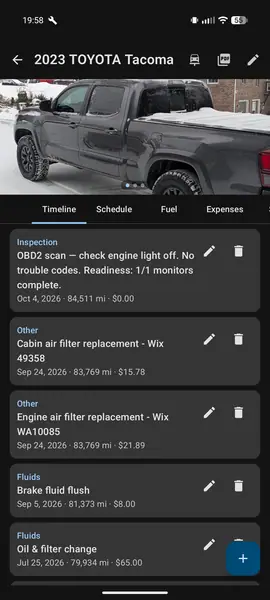
- Full service history timeline with filtering by category and date range
- Smart maintenance suggestions based on mileage and time intervals
- Built-in schedule templates plus your own custom rules
- Export service history to PDF, useful when you sell the vehicle
Fuel and charging
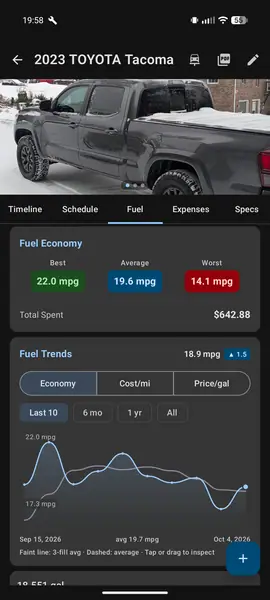
- Log fill-ups with fuel grade, and calculate fuel economy
- Log EV charging sessions with charger speed and efficiency stats
- Trend charts for economy, price, and spending
Costs and analytics
- Total cost of ownership across fuel, maintenance, modifications, and insurance
- Cost per mile or kilometer
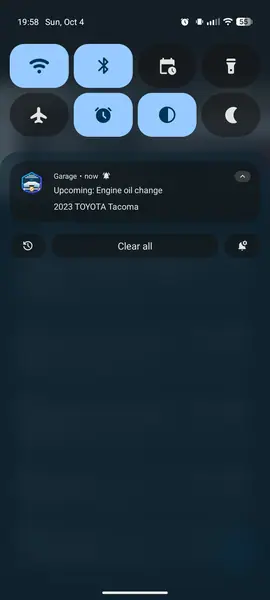
- Dashboard with fleet summary, recent activity, and upcoming service
More tools
- Track aftermarket modifications and upgrades with their costs
- Knowledge base for torque specs, fluid capacities, and reference notes
- Trip logger (manual or GPS) for business and personal mileage
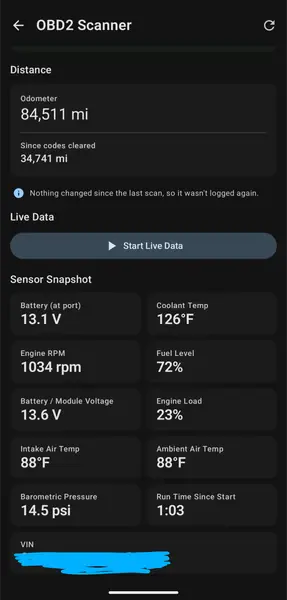
- OBD-II diagnostics over Bluetooth or Wi-Fi: live sensor data, and reading and clearing trouble codes
- Safety recall checks (NHTSA, US vehicles)
- Home screen widgets and Quick Settings tiles for logging fuel and updating the odometer
Your data, your control
- All data is stored locally on your device
- Manual and automatic backups and restore
- Optional sync to your own WebDAV server (Nextcloud, ownCloud, and others)
- Optional two-way sync with a self-hosted LubeLogger instance
- Network access is used only for VIN decoding, recall lookups, and servers you configure yourself
Personalize
- Material You design with theme palettes, plus light and dark modes
- Imperial or metric units, and many currencies
- Available in English, German, French, Spanish, Italian, Portuguese, Dutch, Polish, Russian, Turkish, and Simplified Chinese
Garage is 100% free and open source software under the MIT license. If you find it useful, you can support development through Buy Me a Coffee.
What's new in version 1.4.3
New: Parts & Supplies tab to track parts and fluids you've bought. LubeLogger now syncs supplies, notes and purchase info. Urdu translation and the Pakistani Rupee. Fixed: editing a synced record no longer wipes its notes, tags or attachments on the LubeLogger server; syncs no longer restart midway; records logged at the same visit and same-model vehicles are no longer linked to the wrong match.
APK file information
| Package name | com.fearmikey.garage |
|---|---|
| Version | 1.4.3 (code 36) |
| Minimum Android | Android 13 · targets API 37 |
| Architectures | arm64-v8a, armeabi-v7a, x86, x86_64 |
| SHA-256 | a7da85f6ab031fcc79bd117f2d3db12d25a9a2ab873d22745efc4a968a8c2940 |
| Signature | 4171af965565fe07585f8fd7d2f936f5724d8d9fabe70f1d9a6c7cee8a8a327b |
| Licence | MIT — permissive free licence: the source code is public and reusable |
| Source code | github.com/fearmikey/Garage |
Permissions
- Internet access
- Show notifications
- Camera sensitive
- Approximate location sensitive
- Precise location (GPS) sensitive
- Run in the background
- Bluetooth
- Connect via Bluetooth
- Scan for Bluetooth devices
- View network status
- Keep the device awake
- Start at boot
1 other technical permission(s)
BLUETOOTH_ADMIN
Older versions
- Garage 1.4.3November 23, 2026 · 8.4 MB
- Garage 1.3.9November 13, 2026 · 7.9 MB
- Garage 1.3.7November 9, 2026 · 8.3 MB
How to install Garage APK
- Tap Download APK above, then open the file once the download has finished.
- If Android asks, allow your browser to install unknown apps.
- Tap Install. Garage then appears with your other apps.
Having trouble? Read our guides how to install an APK on Android and "App not installed": how to fix it.
Frequently asked questions
Is Garage free?
Yes. Garage is distributed under the MIT licence: free, no subscription, and its source code is public.
Is this APK file safe?
The file is the one built and published by the F-Droid repository from the public source code. Its SHA-256 fingerprint is shown above, so you can compare it after downloading. How to check an APK.
Will Garage work on my phone?
You need at least Android 13. The app also works without Google services, so it runs on recent Huawei phones too.