Hammer APK
A simple tool for building stories.
Download APK v3.12.1 · 14.6 MB- Version3.12.1
- Size14.6 MB
- RequiresAndroid 9
- Updated10/27/2026
- LicenceMIT
- PriceFree
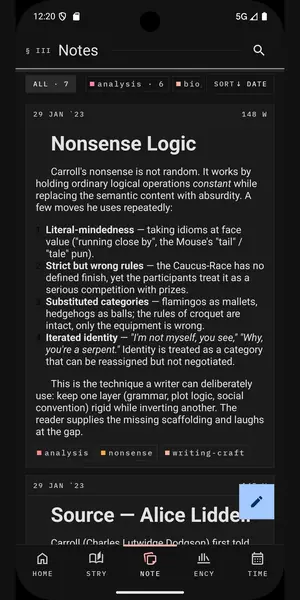
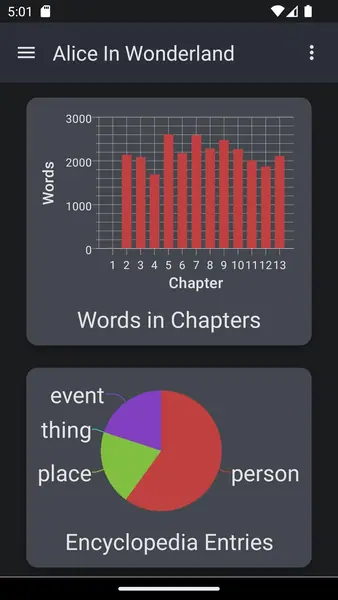
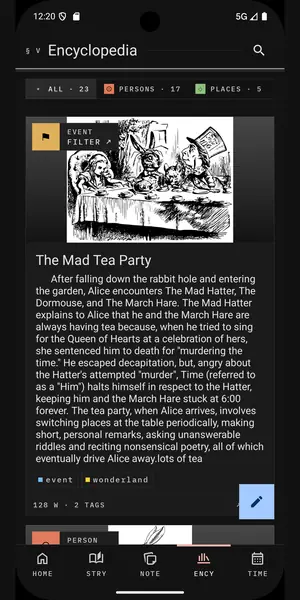
About Hammer
Please join our Discord to report issues! https://discord.gg/GTmgjZcupk
Multi-platform
This app is where ever you are. Your phone, tablet, desktop, laptop, this program can be installed and run, not simply a website-in-a-box, but instead using native client side technologies to provide the best experience possible.
Offline first
I was frustrated with most of the story writing software I was finding as they were using web technologies (aka: Web Page in a box) which always seems to run into problems while being used offline for long periods of time. Hammer is designed from the ground up to be entirely local, no internet connection required, ever.
Transparent Data
Your data is yours. It's not stored in the cloud, or some opaque database. It is stored in simple, human readable files, just using files and folders to define the project structure. You can open your OSes file browser and take a look for your self. If this program went away today you would be able to easily interact with your data.
Intelligent Syncing between devices
Your data can be synchronized between devices allowing you to work on your story from anywhere, and have no fear of a change on one device, overwriting a change on another device.
Optional and Self hosted Syncing
Syncing is entirely optional, you can install the client and use it on one device, or you can install the server and sync your data between devices.
Wear OS companion
Capture notes and story ideas from your wrist with the Wear OS app, then pick them up on your other devices. Dictate or type a quick note and file it under a project. Add the Capture tile to start a note or story idea in a single tap, or put the Hammer complication on your watch face to open a new note. The watch app syncs through your Hammer sync server.
What's new in version 3.12.1
- Fix crash with syncthing conflict files
- Fixed several crashes in text editor
- Improved text editor format buttons
Full changelog: https://github.com/Darkrock-Studios/hammer-editor/releases/tag/v3.12.1
APK file information
| Package name | com.darkrockstudios.apps.hammer.android |
|---|---|
| Version | 3.12.1 (code 312020000) |
| Minimum Android | Android 9 · targets API 37 |
| Architectures | arm64-v8a, armeabi-v7a, x86, x86_64 |
| SHA-256 | 4095794f5be6351bfd09607677b1682da29d1944fe1f80a39b33af875228ed5c |
| Signature | bc937a21521595d1246f5ba3041547a9214ee8c87ceb27b0666ee5442c06bae5 |
| Licence | MIT — permissive free licence: the source code is public and reusable |
| Source code | github.com/Darkrock-Studios/hammer-editor |
Permissions
- Internet access
- View network status
- Access all files sensitive
- Write to storage
- Read storage
- Keep the device awake
- Start at boot
- Run in the background
2 other technical permission(s)
ACCESS_NOTIFICATION_POLICY ACCESS_LOCAL_NETWORK
Older versions
- Hammer 3.12.1October 27, 2026 · 14.6 MB
- Hammer 3.12.0October 25, 2026 · 14.5 MB
- Hammer 3.9.4August 26, 2026 · 15.1 MB
How to install Hammer APK
- Tap Download APK above, then open the file once the download has finished.
- If Android asks, allow your browser to install unknown apps.
- Tap Install. Hammer then appears with your other apps.
Having trouble? Read our guides how to install an APK on Android and "App not installed": how to fix it.
Frequently asked questions
Is Hammer free?
Yes. Hammer is distributed under the MIT licence: free, no subscription, and its source code is public.
Is this APK file safe?
The file is the one built and published by the F-Droid repository from the public source code. Its SHA-256 fingerprint is shown above, so you can compare it after downloading. How to check an APK.
Will Hammer work on my phone?
You need at least Android 9. The app also works without Google services, so it runs on recent Huawei phones too.





