Homer Audio Player for Seniors APK
Audiobooks and podcasts: simple player managed by a caregiver
Download APK v1.5.14 · 4.3 MB- Version1.5.14
- Size4.3 MB
- RequiresAndroid 6.0
- Updated10/27/2026
- LicenceMIT
- PriceFree
About Homer Audio Player for Seniors
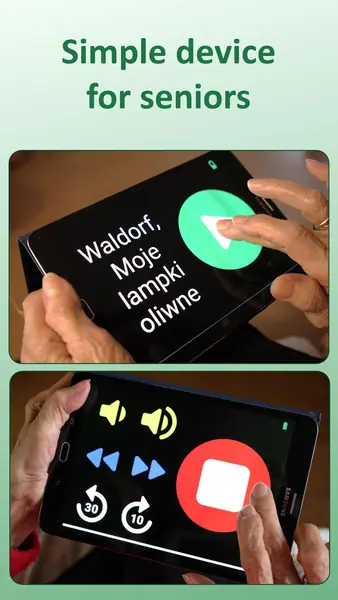
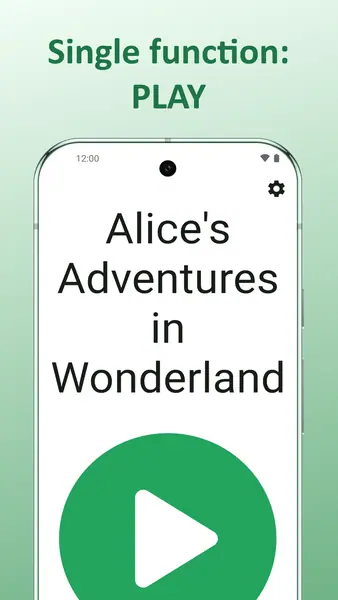
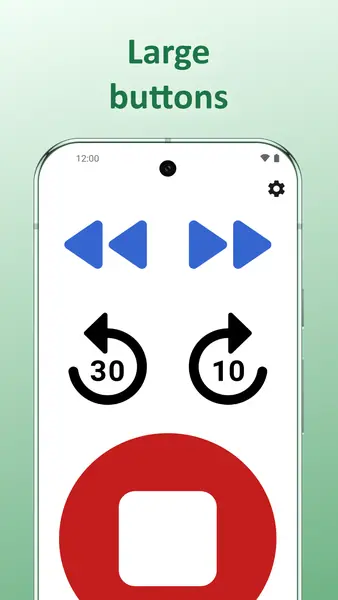
Audiobook and podcast player built for seniors, visually impaired and non-tech-savvy listeners who need an easy way to play audio. Instead of complex menus and unnecessary features, Homer offers a clear, minimal interface focused on one thing: easy audiobook and podcast playback.
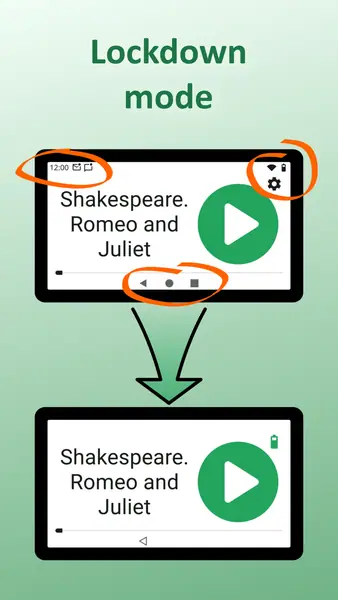
Use the special "lockdown mode" to turn an Android tablet into a dedicated, single-purpose audiobook and podcast device.
Designed for:
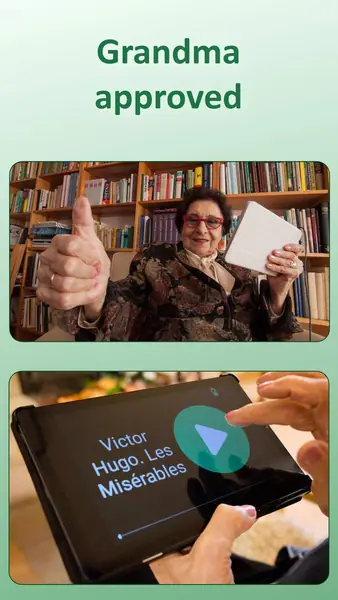
- Elderly who want simple, independent listening
- Visually impaired users who benefit from large controls and spoken titles
- Non-tech-savvy users who find standard apps overwhelming
- People with cognitive challenges who need basic functionality
Easy to use:
- Large, easy-to-tap buttons
- Simple navigation with swipe left/right
- Flat content structure (no deep nested folders)
- No ads, no pop-ups, no distracting clutter
- Optional title read-aloud for accessibility
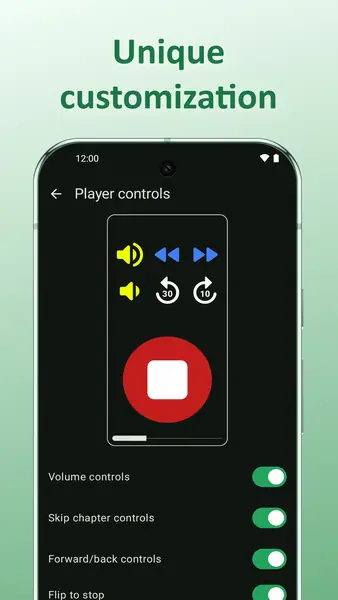
- Flip-to-stop: place device screen-down to pause playback
Lockdown mode:
- only playback functionality
- blocks exiting the app
- hides settings
- no access to other apps, notifications nor settings
Audiobooks:
- Play DRM-free audiobooks from device storage
- Resume position saved separately for each book
Podcasts:
- Automatically updates to show the latest 1-5 episodes
- Downloads full episodes for reliable offline playback
Caregiver-managed setup (secondary role):
- A caregiver configures content and settings in advance
- Optional lockdown mode hides all apps and functionality except the player
- Device is prepared once, then used independently by the listener
Additional features:
- High-contrast light and dark themes
- Customizable controls: volume, chapter skip, forward, rewind
- Adjustable playback speed
- Sleep timer with shake-to-continue
How it works:
- Install Homer on an Android 7+ phone or tablet.
- Add audiobooks/podcasts and adjust the interface as needed.
- Optionally lock or hide settings.
- Hand the device to the listener for simple, independent daily use.
Homer makes audiobook and podcast listening accessible for people who cannot comfortably use standard smartphone apps.
What's new in version 1.5.14
Fix crash when displaying battery indication and language is set to Chinese. Update OkHttp library to mitigate risk of recently compromised certificates.
APK file information
| Package name | com.studio4plus.homerplayer2 |
|---|---|
| Version | 1.5.14 (code 49) |
| Minimum Android | Android 6.0 · targets Android 16 |
| Architectures | arm64-v8a, armeabi-v7a, x86, x86_64 |
| SHA-256 | 53daf15a9e32b0d1e28abe5d97527b06ff8c025512d59f9ae1e5a604a7d4dc7a |
| Signature | 3aac6b64194159612aa5d5d179a3ff6813473a207a34a47e0bb8d185a2f896d7 |
| Licence | MIT — permissive free licence: the source code is public and reusable |
| Source code | github.com/msimonides/homerplayer2 |
| Official website | homeraudioplayer.app |
Permissions
- Run in the background
- Internet access
- Vibrate
- Keep the device awake
- View network status
- Start at boot
1 other technical permission(s)
WRITE_SECURE_SETTINGS
Older versions
- Homer Audio Player for Seniors 1.5.14October 27, 2026 · 4.3 MB
- Homer Audio Player for Seniors 1.5.13September 21, 2026 · 4.3 MB
- Homer Audio Player for Seniors 1.5.12July 14, 2026 · 4.2 MB
How to install Homer Audio Player for Seniors APK
- Tap Download APK above, then open the file once the download has finished.
- If Android asks, allow your browser to install unknown apps.
- Tap Install. Homer Audio Player for Seniors then appears with your other apps.
Having trouble? Read our guides how to install an APK on Android and "App not installed": how to fix it.
Frequently asked questions
Is Homer Audio Player for Seniors free?
Yes. Homer Audio Player for Seniors is distributed under the MIT licence: free, no subscription, and its source code is public.
Is this APK file safe?
The file is the one built and published by the F-Droid repository from the public source code. Its SHA-256 fingerprint is shown above, so you can compare it after downloading. How to check an APK.
Will Homer Audio Player for Seniors work on my phone?
You need at least Android 6.0. The app also works without Google services, so it runs on recent Huawei phones too.