KDE Connect APK
KDE Connect integrates your smartphone and computer
Download APK v1.37.3 · 7.0 MB- Version1.37.3
- Size7.0 MB
- RequiresAndroid 6.0
- Updated11/17/2026
- LicenceGPL-3.0-only
- PriceFree
About KDE Connect
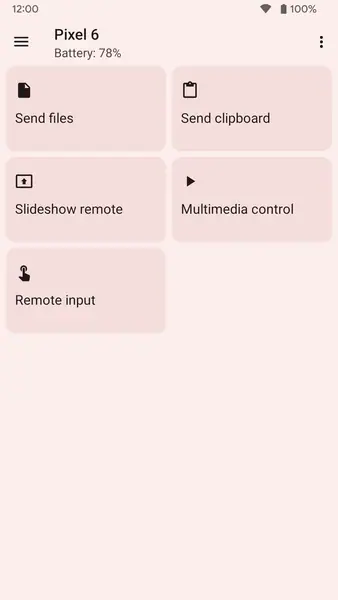
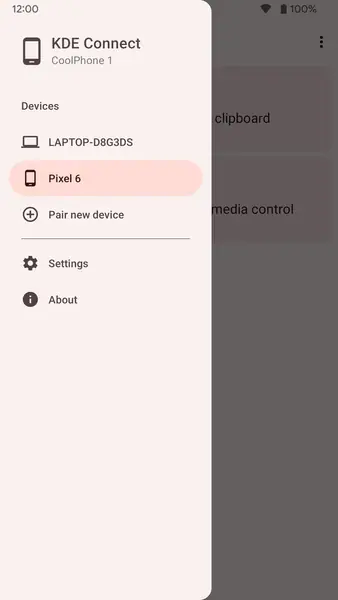
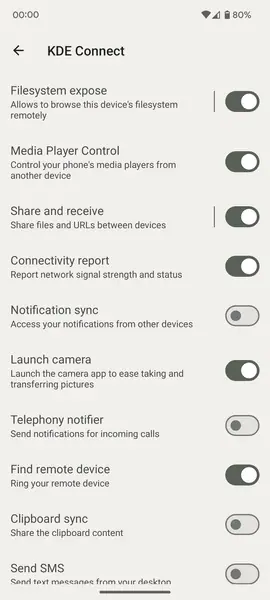
KDE Connect provides a set of features to integrate your workflow across devices:
- Transfer files between your devices.
- Access files on your phone from your computer, without wires.
- Shared clipboard: copy and paste between your devices.
- Get notifications for incoming calls and messages on your computer.
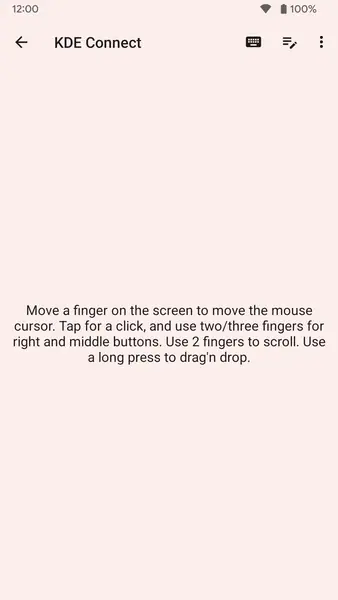
- Virtual touchpad: Use your phone screen as your computer's touchpad.
- Notifications sync: Access your phone notifications from your computer and reply to messages.
- Multimedia remote control: Use your phone as a remote for Linux media players.
- WiFi connection: no USB wire or bluetooth needed.
- End-to-end TLS encryption: your information is safe.
Please note you will need to install KDE Connect on your computer for this app to work, and keep the desktop version up-to-date with the Android version for the latest features to work.
Sensitive permissions information:
- Accessibility permission: Required to receive input from another device to control your Android phone, if you use the Remote Input feature.
- Background location permission: Required to know to which WiFi network you are connected to, if you use the Trusted Networks feature.
KDE Connect never sends any information to KDE nor to any third party. KDE Connect sends data from one device to the other directly using the local network, never through the internet, and using end to end encryption.
This app is part of an open source project and it exists thanks to all the people who contributed to it. Visit the website to grab the source code.
What's new in version 1.37.3
1.37.3:
- Fix some rare crashes
1.37.2:
- Fix some notifications not being synced
- Fix volume controls disappearing
- Improve device reconnection
- Add zoom controls to presentation remote
1.37.0:
- No new features added, but this version ships lots of internal changes. Please report any issues you find!
APK file information
| Package name | org.kde.kdeconnect_tp |
|---|---|
| Version | 1.37.3 (code 13703) |
| Minimum Android | Android 6.0 · targets API 37 |
| Architectures | arm64-v8a, armeabi-v7a, x86, x86_64 |
| SHA-256 | 95842916f30215c56b051d2068b258cfb156de93984a4ea79e7ce250bb22e14f |
| Signature | 79b50031486746dffbc746f48fb0eb62fc7bb0ae7b976e7d6507b2c078840d92 |
| Licence | GPL-3.0-only — copyleft free licence: the code is public and modified versions must stay free |
| Source code | invent.kde.org/network/kdeconnect-android |
| Official website | kdeconnect.kde.org/ |
Permissions
- Start at boot
- Internet access
- Bluetooth
- Connect via Bluetooth
- Scan for Bluetooth devices
- View network status
- View Wi-Fi status
- Change Wi-Fi
- Phone status sensitive
- Read contacts sensitive
- Read storage
- Vibrate
- Write to storage
- Run in the background
- Call log sensitive
- Send SMS sensitive
- Read SMS sensitive
- Receive SMS sensitive
- Keep the device awake
- Install other apps sensitive
- Approximate location sensitive
- Precise location (GPS) sensitive
- Microphone sensitive
- See installed apps sensitive
- Background location sensitive
- Draw over other apps sensitive
- Access all files sensitive
- Show notifications
- Camera sensitive
8 other technical permission(s)
ACCESS_LOCAL_NETWORK BLUETOOTH_ADMIN CHANGE_NETWORK_STATE CHANGE_WIFI_MULTICAST_STATE DOWNLOAD_WITHOUT_NOTIFICATION RECEIVE_MMS USE_FULL_SCREEN_INTENT READ_LOGS
Older versions
- KDE Connect 1.37.3November 17, 2026 · 7.0 MB
- KDE Connect 1.37.2November 9, 2026 · 7.0 MB
- KDE Connect 1.37.0October 29, 2026 · 7.1 MB
How to install KDE Connect APK
- Tap Download APK above, then open the file once the download has finished.
- If Android asks, allow your browser to install unknown apps.
- Tap Install. KDE Connect then appears with your other apps.
Having trouble? Read our guides how to install an APK on Android and "App not installed": how to fix it.
Frequently asked questions
Is KDE Connect free?
Yes. KDE Connect is distributed under the GPL-3.0-only licence: free, no subscription, and its source code is public.
Is this APK file safe?
The file is the one built and published by the F-Droid repository from the public source code. Its SHA-256 fingerprint is shown above, so you can compare it after downloading. How to check an APK.
Will KDE Connect work on my phone?
You need at least Android 6.0. The app also works without Google services, so it runs on recent Huawei phones too.