Mirror APK
Multiprotocol backup application (NFS, SMB, FTP, SFTP, WebDAV)
Download APK v26.10.11 · 4.4 MB- Version26.10.11
- Size4.4 MB
- RequiresAndroid 8.0
- Updated10/16/2026
- LicenceAGPL-3.0-or-later
- PriceFree
About Mirror
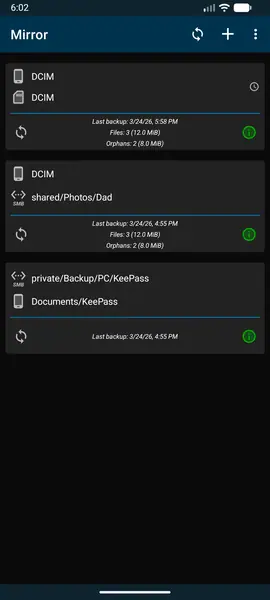
Mirror is a multi-protocol mirror-type backup application for Android. Designed to be simpler and lighter than synchronization software, it allows you to use your own infrastructure rather than third-party cloud services.
You can configure multiple backups as follows:
- Select a source directory
- Select a destination directory
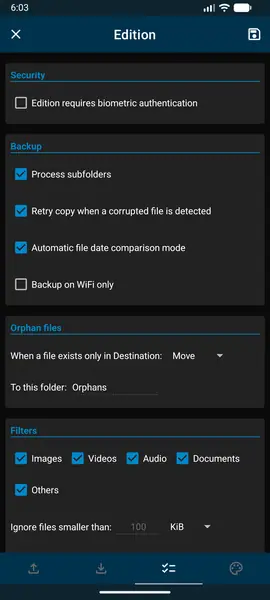
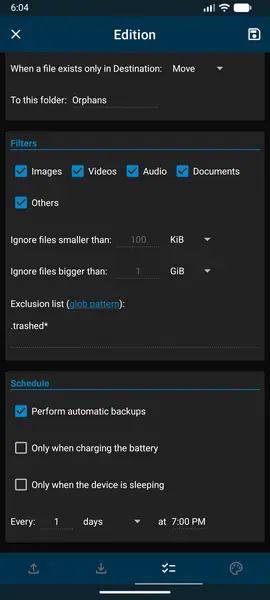
- Choose filtering options (optional)
- Configure automatic scheduling (optional)
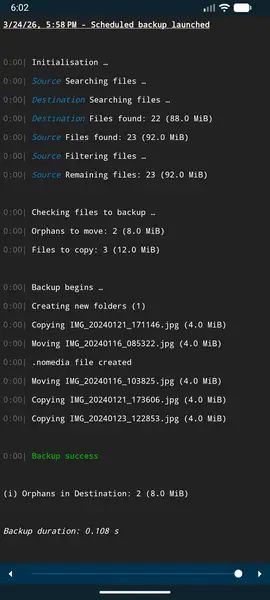
Mirror will analyze the contents of both directories, compare them and reproduce the structure of the source directory (subdirectories and files) in the destination directory, respecting the filtering options you have chosen.
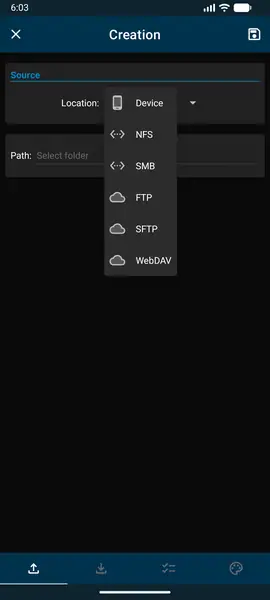
The source and destination can be located on:
- Your device's internal or external storage
- An NFS share
- An SMB share
- An FTP or FTPS server
- An SFTP server
- A WebDAV server
SECURITY & PRIVACY
- Local Storage: Sensitive information is encrypted (AES-GCM + Android KeyStore) and stored locally on your device using a Room database.
- No Tracking: This application does not contain any analytics, trackers, advertising or proprietary software development kits (SDKs).
- Open Source: Mirror is an independent project. The source code is available on GitHub for transparency and audit.
What's new in version 26.10.11
- Fixed a bug for devices without a battery
- Fixed a bug for devices without a Wi-Fi module
- Added a banner icon for Android TV
- Library updates
APK file information
| Package name | fr.hellpc.mirror |
|---|---|
| Version | 26.10.11 (code 23) |
| Minimum Android | Android 8.0 · targets API 37 |
| Architectures | All (universal) |
| SHA-256 | ab468ba46b76fff12b99c90542e0ac223e2dc6b54518b90d3a00f4b0e97bc281 |
| Signature | c546a65633f68f173b37b1889a5d2cd1230985228652cef824e4000c6d404f5c |
| Licence | AGPL-3.0-or-later — copyleft free licence: the code is public and modified versions must stay free |
| Source code | github.com/He11PC/android-mirror |
Permissions
- Read storage
- Write to storage
- Access all files sensitive
- Show notifications
- Internet access
- View network status
- Change Wi-Fi
- Start at boot
- Run in the background
- Keep the device awake
- Fingerprint / biometrics
- Fingerprint
2 other technical permission(s)
ACCESS_LOCAL_NETWORK REQUEST_IGNORE_BATTERY_OPTIMIZATIONS
Older versions
- Mirror 26.10.11October 16, 2026 · 4.4 MB
- Mirror 26.07.12August 16, 2026 · 4.6 MB
How to install Mirror APK
- Tap Download APK above, then open the file once the download has finished.
- If Android asks, allow your browser to install unknown apps.
- Tap Install. Mirror then appears with your other apps.
Having trouble? Read our guides how to install an APK on Android and "App not installed": how to fix it.
Frequently asked questions
Is Mirror free?
Yes. Mirror is distributed under the AGPL-3.0-or-later licence: free, no subscription, and its source code is public.
Is this APK file safe?
The file is the one built and published by the F-Droid repository from the public source code. Its SHA-256 fingerprint is shown above, so you can compare it after downloading. How to check an APK.
Will Mirror work on my phone?
You need at least Android 8.0. The app also works without Google services, so it runs on recent Huawei phones too.





