
Keep APK
Keep: FROST Nostr Signer
FROST threshold signer and Nostr event signer for Android
Download APK v1.4.0 · 30.6 MB- Version1.4.0
- Size30.6 MB
- RequiresAndroid 13
- Updated11/11/2026
- LicenceMIT
- PriceFree
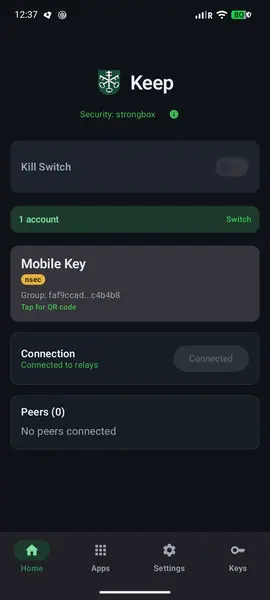
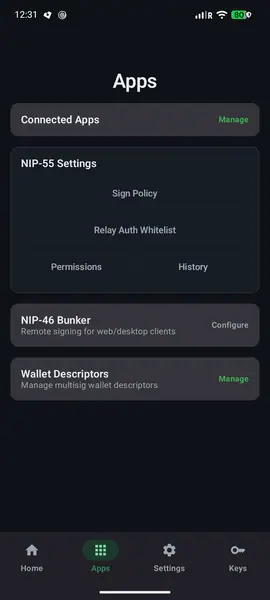
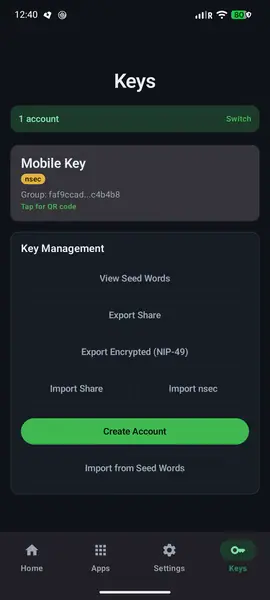
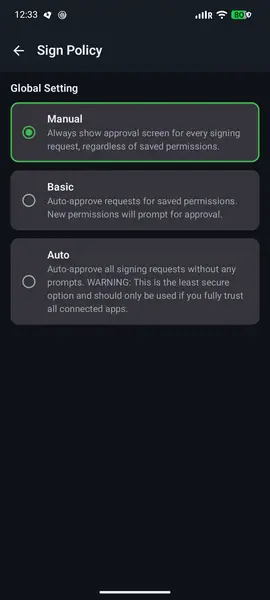
About Keep
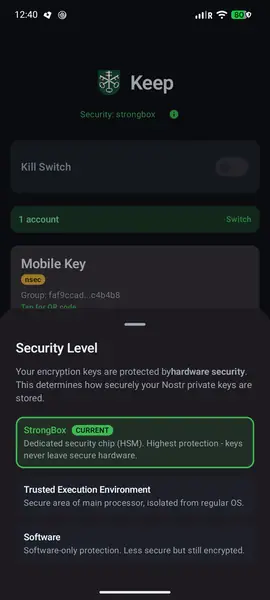
Keep is a FROST (Flexible Round-Optimized Schnorr Threshold Signatures) threshold signing app and dedicated Nostr event signer for Android. It lets you hold FROST key shares on your phone and sign Nostr events without any single device ever holding the full private key.
Keep implements the NIP-55 Android Signer protocol and NIP-46 remote signing, so any compatible Nostr client can request signatures directly.
Features:
- FROST threshold signing (2-of-3, 3-of-5, etc.)
- NIP-55 Android Signer protocol
- NIP-46 remote signing (bunker service)
- Import and export FROST shares via QR code or text
- Multiple account support
- Per-app signing permissions and policies
- Biometric and PIN authentication
- Hardware-backed key storage (Android Keystore)
- NIP-44 encryption and decryption
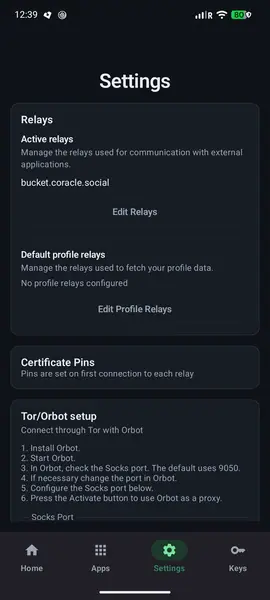
- SOCKS proxy support (Tor)
- Encrypted backup and restore
What's new in version 1.4.0
Security and feature update. With a proxy on, the bunker now starts through it and never connects directly, even when the proxy setting cannot be read. A full bunker app list refuses new apps instead of evicting one. Co-signed Bitcoin spends list every output and the fee, and are approved only in the app. Changing the date no longer shortens PIN lockouts. Accounts whose key cannot be read are shown and can be set aside. Restoring a backup works again. New: agent approvals.
APK file information
| Package name | io.privkey.keep |
|---|---|
| Version | 1.4.0 (code 324) |
| Minimum Android | Android 13 · targets Android 16 |
| Architectures | x86_64 |
| SHA-256 | 50deb83322a3e04bbde9392910febff969f41cbfd1939b6193d72223a4a293f6 |
| Signature | 3eb0e6f6f4e0962ebd717f84eea47428b73087b686c956633d6a9fcc4c854f50 |
| Licence | MIT — permissive free licence: the source code is public and reusable |
| Source code | github.com/privkeyio/keep-android |
| Official website | privkey.io |
Permissions
- Internet access
- Fingerprint / biometrics
- Camera sensitive
- Start at boot
- View network status
- Run in the background
- Show notifications
- Fingerprint
1 other technical permission(s)
USE_FULL_SCREEN_INTENT
Older versions
- Keep 1.4.0November 11, 2026 · 30.6 MB
- Keep 1.4.0November 11, 2026 · 27.9 MB
- Keep 1.3.2October 25, 2026 · 30.1 MB
- Keep 1.3.2October 25, 2026 · 27.5 MB
- Keep 1.3.1October 12, 2026 · 28.0 MB
- Keep 1.3.1October 12, 2026 · 25.5 MB
How to install Keep APK
- Tap Download APK above, then open the file once the download has finished.
- If Android asks, allow your browser to install unknown apps.
- Tap Install. Keep then appears with your other apps.
Having trouble? Read our guides how to install an APK on Android and "App not installed": how to fix it.
Frequently asked questions
Is Keep free?
Yes. Keep is distributed under the MIT licence: free, no subscription, and its source code is public.
Is this APK file safe?
The file is the one built and published by the F-Droid repository from the public source code. Its SHA-256 fingerprint is shown above, so you can compare it after downloading. How to check an APK.
Will Keep work on my phone?
You need at least Android 13. The app also works without Google services, so it runs on recent Huawei phones too.





