
Keep APK
Keep: FROST Nostr Signer
FROST threshold signer and Nostr event signer for Android
Scarica l'APK v1.4.0 · 30,6 MB- Versione1.4.0
- Dimensione30,6 MB
- RichiedeAndroid 13
- Aggiornata11/11/2026
- LicenzaMIT
- PrezzoGratis
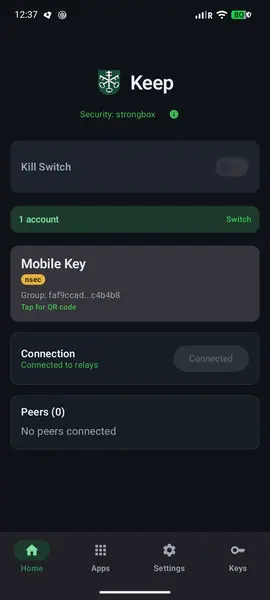
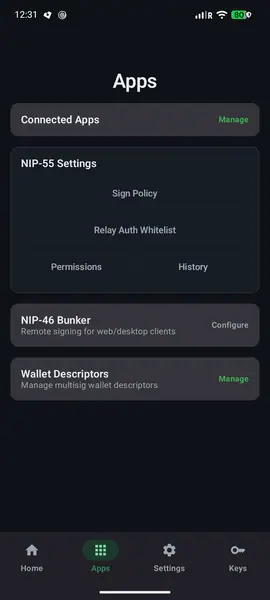
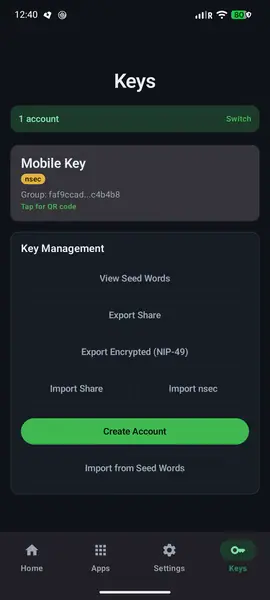
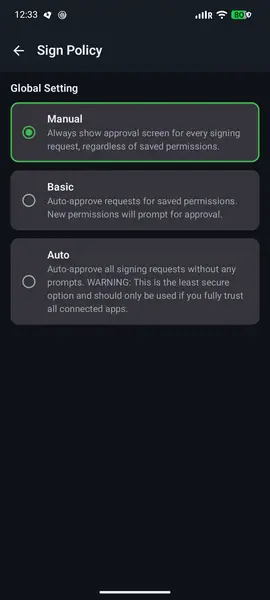
Informazioni su Keep
Descrizione fornita dallo sviluppatore (in inglese).
Keep is a FROST (Flexible Round-Optimized Schnorr Threshold Signatures) threshold signing app and dedicated Nostr event signer for Android. It lets you hold FROST key shares on your phone and sign Nostr events without any single device ever holding the full private key.
Keep implements the NIP-55 Android Signer protocol and NIP-46 remote signing, so any compatible Nostr client can request signatures directly.
Features:
- FROST threshold signing (2-of-3, 3-of-5, etc.)
- NIP-55 Android Signer protocol
- NIP-46 remote signing (bunker service)
- Import and export FROST shares via QR code or text
- Multiple account support
- Per-app signing permissions and policies
- Biometric and PIN authentication
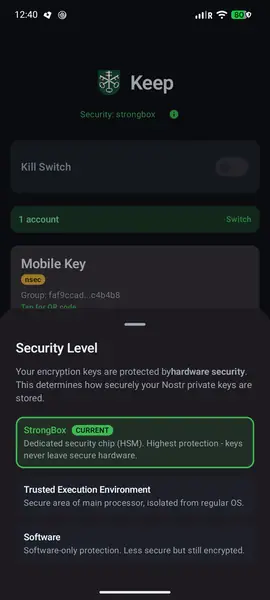
- Hardware-backed key storage (Android Keystore)
- NIP-44 encryption and decryption
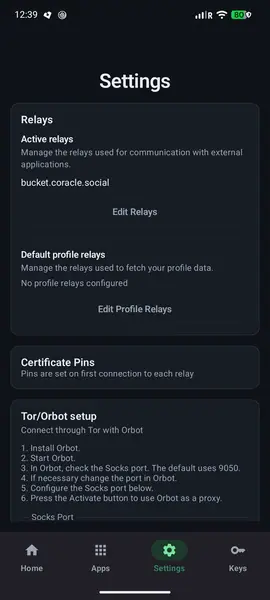
- SOCKS proxy support (Tor)
- Encrypted backup and restore
Novità della versione 1.4.0
Security and feature update. With a proxy on, the bunker now starts through it and never connects directly, even when the proxy setting cannot be read. A full bunker app list refuses new apps instead of evicting one. Co-signed Bitcoin spends list every output and the fee, and are approved only in the app. Changing the date no longer shortens PIN lockouts. Accounts whose key cannot be read are shown and can be set aside. Restoring a backup works again. New: agent approvals.
Informazioni sul file APK
| Nome del pacchetto | io.privkey.keep |
|---|---|
| Versione | 1.4.0 (codice 324) |
| Android minimo | Android 13 · pensata per Android 16 |
| Architetture | x86_64 |
| SHA-256 | 50deb83322a3e04bbde9392910febff969f41cbfd1939b6193d72223a4a293f6 |
| Firma | 3eb0e6f6f4e0962ebd717f84eea47428b73087b686c956633d6a9fcc4c854f50 |
| Licenza | MIT — licenza libera permissiva: il codice sorgente è pubblico e riutilizzabile |
| Codice sorgente | github.com/privkeyio/keep-android |
| Sito ufficiale | privkey.io |
Autorizzazioni richieste
- Accesso a Internet
- Impronta / biometria
- Fotocamera sensibile
- Avviarsi all'accensione
- Vedere lo stato della rete
- Funzionare in background
- Mostrare notifiche
- Impronta digitale
Altre 1 autorizzazioni tecniche
USE_FULL_SCREEN_INTENT
Versioni precedenti
- Keep 1.4.011 novembre 2026 · 30,6 MB
- Keep 1.4.011 novembre 2026 · 27,9 MB
- Keep 1.3.225 ottobre 2026 · 30,1 MB
- Keep 1.3.225 ottobre 2026 · 27,5 MB
- Keep 1.3.112 ottobre 2026 · 28,0 MB
- Keep 1.3.112 ottobre 2026 · 25,5 MB
Come installare Keep APK
- Tocca Scarica l'APK qui sopra, poi apri il file al termine del download.
- Se Android lo chiede, consenti al browser di installare app sconosciute.
- Tocca Installa. Keep comparirà insieme alle altre app.
→ Come installare un file APK su Android (passo passo)
→ «App non installata»: cause e soluzioni
Domande frequenti
Keep è gratis?
Sì. Keep è distribuita con licenza MIT: gratuita, senza abbonamento e con codice sorgente pubblico.
Questo file APK è sicuro?
Il file è quello compilato e pubblicato dal repository F-Droid a partire dal codice sorgente pubblico. L'impronta SHA-256 è indicata qui sopra: puoi confrontarla dopo il download. Un APK è pericoloso? Come verificare un file prima di installarlo
Keep funziona sul mio telefono?
Serve almeno Android 13. L'app funziona anche senza i servizi Google, quindi anche sui telefoni Huawei recenti.





