KeePassDX Passkey Vault APK
Manage Passkey / Password in a local and open-source vault
Download APK v4.5.8 · 16.0 MB- Version4.5.8
- Size16.0 MB
- RequiresAndroid 4.4
- Updated11/4/2026
- LicenceGPL-3.0-or-later
- PriceFree
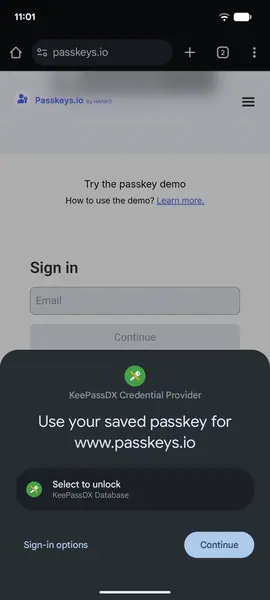
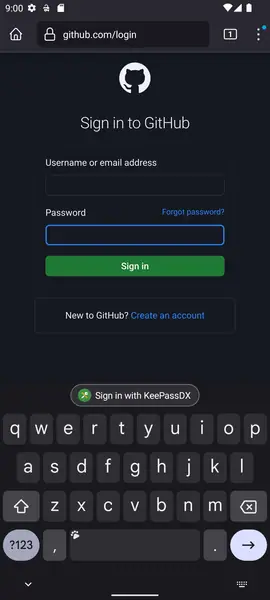
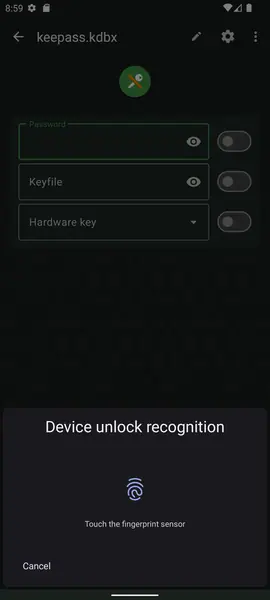
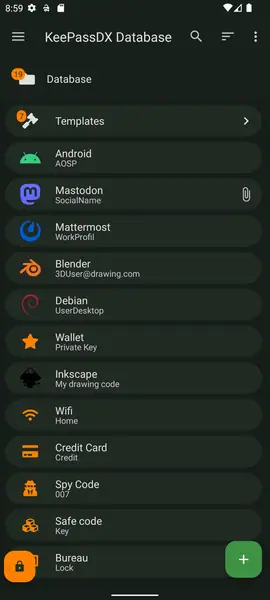
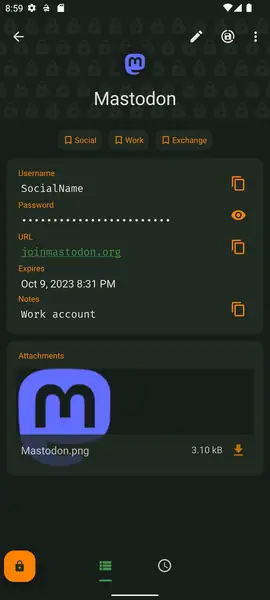
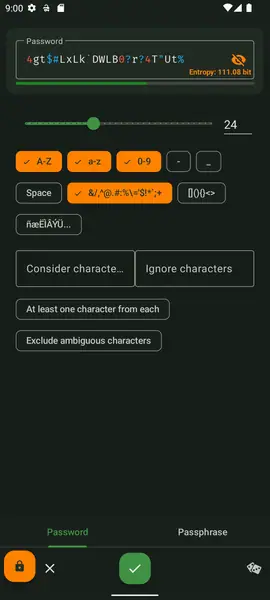
About KeePassDX Passkey Vault
KeePassDX is an open source passkey, password safe and manager allows editing encrypted data in a single file in the open KeePass format and fill in the forms in a secure way, requires no Internet connection and integrates Android design standards. The app is open source, with no advertising.
Features
- Passkeys for authentication and local storage of private keys.
- Biometric recognition for fast unlocking (fingerprint / face unlock / …).
- One-time password management (HOTP / TOTP) for two-factor authentication (2FA).
- Autofill for easy form filling with passwords.
- Magikeyboard to efficiently fill in any field.
- Create encrypted database files.
- Organisation of credentials by entry and in group trees.
- Allows opening and copying URI / URL fields quickly.
- Dynamic templates for each type of entry.
- History of each entry.
- Precise management of settings.
- Material design with themes.
- Support for .kdb and .kdbx files (version 1 to 4) with AES - Twofish - ChaCha20 - Argon2 algorithm.
- Compatible with the majority of alternative programs (KeePass, KeePassXC, KeeWeb, …).
- Code written in native languages (Kotlin / Java / JNI / C).
You can donate or buy the pro version for better service and a quick development of features you want: https://play.google.com/store/apps/details?id=com.kunzisoft.keepass.pro
The project is constantly evolving. Do not hesitate to check the development status of the next updates: https://github.com/Kunzisoft/KeePassDX/projects
Send issues to: https://github.com/Kunzisoft/KeePassDX/issues
What's new in version 4.5.8
- Fix KeePro for Play Store #2769
- Revert Play Store obfuscation #2770 #2776
- Fix Autofill menu presentation #2772 #2767 (@SaeedDev94)
- Fix extension when saving new file #1889
APK file information
| Package name | com.kunzisoft.keepass.libre |
|---|---|
| Version | 4.5.8 (code 45800) |
| Minimum Android | Android 4.4 · targets Android 16 |
| Architectures | arm64-v8a, armeabi-v7a, x86, x86_64 |
| SHA-256 | 8b3c1818aebfb9196814eb2eea39da897b8f18e2404aa5b47f603fc56641c593 |
| Signature | c810aab7efa4d5ad3fc2941fdf5f99b88a3b73f86219715627edb4dabac541a4 |
| Licence | GPL-3.0-or-later — copyleft free licence: the code is public and modified versions must stay free |
| Source code | github.com/Kunzisoft/KeePassDX |
| Official website | www.keepassdx.com |
Permissions
- Run in the background
- Show notifications
- Fingerprint / biometrics
- Vibrate
- Fingerprint
1 other technical permission(s)
SCHEDULE_EXACT_ALARM
Older versions
- KeePassDX Passkey Vault 4.5.8November 4, 2026 · 16.0 MB
- KeePassDX Passkey Vault 4.5.6October 22, 2026 · 16.0 MB
- KeePassDX Passkey Vault 4.5.5September 27, 2026 · 16.0 MB
How to install KeePassDX Passkey Vault APK
- Tap Download APK above, then open the file once the download has finished.
- If Android asks, allow your browser to install unknown apps.
- Tap Install. KeePassDX Passkey Vault then appears with your other apps.
Having trouble? Read our guides how to install an APK on Android and "App not installed": how to fix it.
Frequently asked questions
Is KeePassDX Passkey Vault free?
Yes. KeePassDX Passkey Vault is distributed under the GPL-3.0-or-later licence: free, no subscription, and its source code is public.
Is this APK file safe?
The file is the one built and published by the F-Droid repository from the public source code. Its SHA-256 fingerprint is shown above, so you can compare it after downloading. How to check an APK.
Will KeePassDX Passkey Vault work on my phone?
You need at least Android 4.4. The app also works without Google services, so it runs on recent Huawei phones too.