Amarok APK
Hide your private Files and APPs with a single click.
Download APK v0.9.3 · 6.1 MB- Version0.9.3
- Size6.1 MB
- RequiresAndroid 8.0
- Updated1/30/2025
- LicenceApache-2.0
- PriceFree
About Amarok
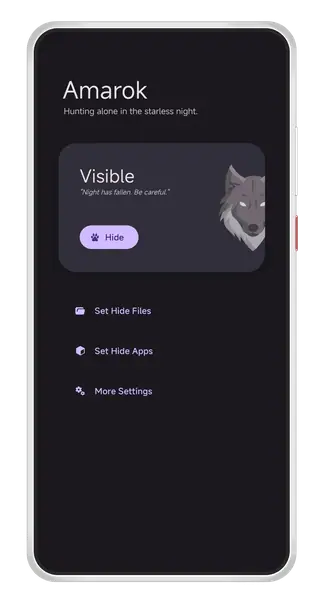
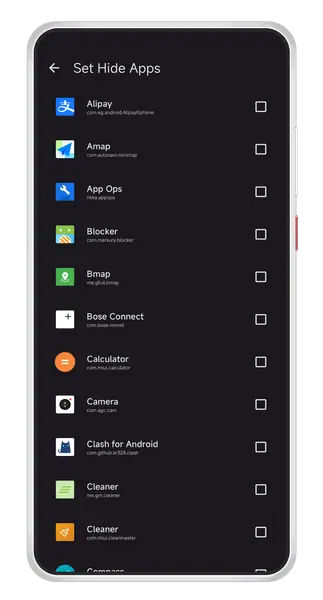
Amarok is an Android application which enables you to hide your private files & apps with just one click.
Often, we resort to complex encryptors to secure our files and apps, aiming to shield them from prying eyes. These encryptors, while effective, tend to be slow and resource-intensive, making the encryption of large files such as videos and music a daunting task. Despite their robust security, these methods are often overkill for the average user who simply wish to keep their private files and apps out of unintentional reach.
Amarok is designed to be a light-weight hider. It disguises file names and headers, causing them to seem "corrupted" and unopenable. Amarok also deactivates applications, rendering them invisible in the launcher and system menu.
Features
- User-Friendly: Easily hide files and applications with a single click.
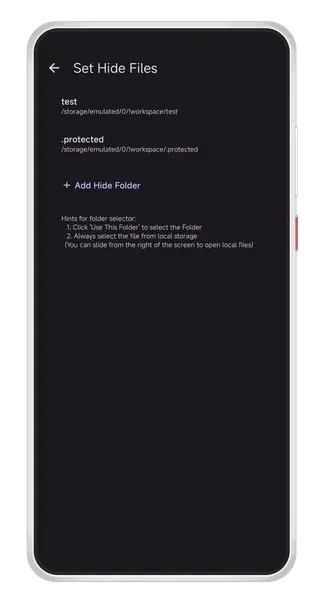
- Rapid and Efficient Large File Hiding: Hides by altering only file name and signature, unaffected by file size.
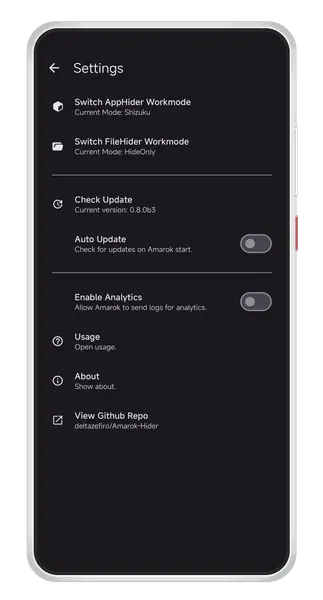
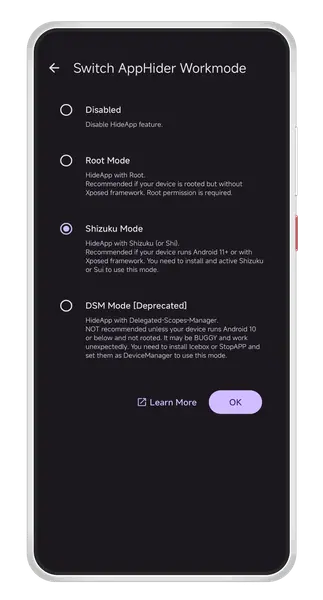
- Root-Free Application Hiding: Makes apps vanish from the launcher. Compatible with Root, Shizuku, Dhizuku, and DSM modes.
- Panic button: Use a floating button to quickly hide applications and files in urgent scenarios.
- Quick Settings Tile: A control center toggle for immediate hiding, bypassing the need to launch the app.
- App Lock: Secure Amarok access with a password or fingerprint.
- Pleasant Interface: Clean Material3 design.
Please be aware that Amarok is not an encryption software, but rather a tool for hiding things. We strongly advise against using Amarok to protect confidential files and applications.
What's new in version 0.9.3
v0.9.3
- Support invert tile color (#167)
- Add warning when user attempts to hide root related apps
- Community translations update (see GitHub for the full list)
APK file information
| Package name | deltazero.amarok.foss |
|---|---|
| Version | 0.9.3 (code 118) |
| Minimum Android | Android 8.0 · targets Android 14 |
| Architectures | All (universal) |
| SHA-256 | 468ec64e06ffc94c28f86eae4dc0ea18422d320c7a3dfd50c24b10f082548d88 |
| Signature | 892283816c4dffae8375a53abae349d4a57432c9fccfc061e06d37a7396794e6 |
| Licence | Apache-2.0 — permissive free licence: the source code is public and reusable |
| Source code | github.com/deltazefiro/Amarok-Hider |
| Official website | deltazefiro.github.io/Amarok-doc/ |
Permissions
- Read storage
- Write to storage
- Access all files sensitive
- See installed apps sensitive
- Draw over other apps sensitive
- Run in the background
- Show notifications
- Fingerprint / biometrics
- Fingerprint
- Keep the device awake
- View network status
- Start at boot
Older versions
- Amarok 0.9.3January 30, 2025 · 6.1 MB
- Amarok 0.9.2July 21, 2024 · 6.0 MB
- Amarok 0.9.1June 12, 2024 · 6.0 MB
How to install Amarok APK
- Tap Download APK above, then open the file once the download has finished.
- If Android asks, allow your browser to install unknown apps.
- Tap Install. Amarok then appears with your other apps.
Having trouble? Read our guides how to install an APK on Android and "App not installed": how to fix it.
Frequently asked questions
Is Amarok free?
Yes. Amarok is distributed under the Apache-2.0 licence: free, no subscription, and its source code is public.
Is this APK file safe?
The file is the one built and published by the F-Droid repository from the public source code. Its SHA-256 fingerprint is shown above, so you can compare it after downloading. How to check an APK.
Will Amarok work on my phone?
You need at least Android 8.0. The app also works without Google services, so it runs on recent Huawei phones too.