
Keyoxide APK
Verify decentralized cryptographic identities on the go
Download APK v2.4.6 · 76.6 MB- Version2.4.6
- Size76.6 MB
- RequiresAndroid 7.0
- Updated11/17/2026
- LicenceAGPL-3.0-or-later
- PriceFree
About Keyoxide
A modern, secure and privacy-friendly platform to establish your decentralized online identity
Keyoxide allows you to prove “ownership” of accounts on websites, domain names, IM, etc., regardless of your username.
That last part is important: you could, for example, be ‘alice’ on Lobste.rs, but ‘@alice24’ on Twitter. And if your website is ‘thatcoder.tld’, how are people supposed to know that all that online property is yours?
Of course, one could opt for full anonymity! In which case, keep these properties as separated as possible. But if you’d like these properties to be linked and, by doing so, establish an online identity, you’ll need a clever solution.
Enter Keyoxide.
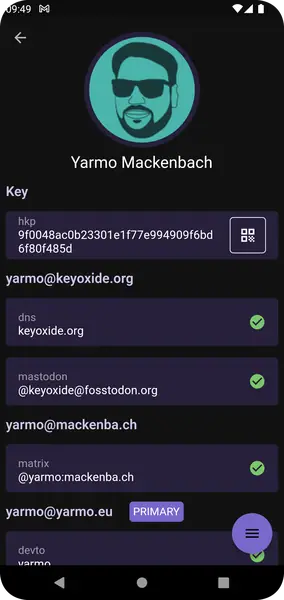
When you visit someone’s Keyoxide profile and see a green tick next to an account on some website, it was proven beyond doubt that the same person who set up this profile also holds that account.
App features
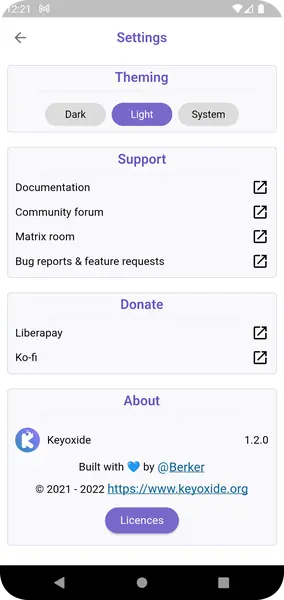
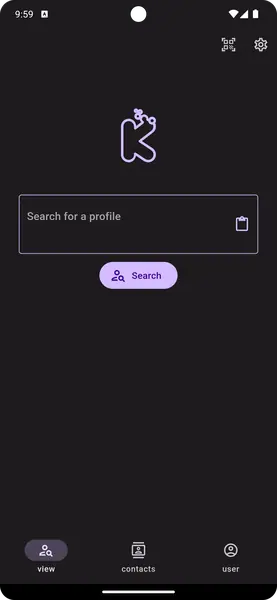
- Simple and straightforward UI
- Onboarding
- Guided tour
- Fully open source
- Built with Flutter
- Runs on Android & iOS and Linux (desktop and mobile)
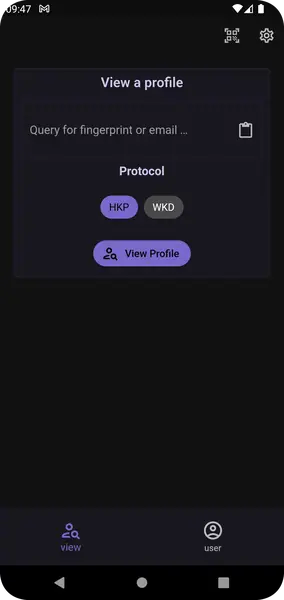
- Supports fingerprint and email address as identifiers
- Supports fetching identities via keyservers and Web Key Directory
- Search history
- Contacts feature
- ASP Profile management, create, edit, delete, import, export profiles, add claims directly within the app
- Hide sensitive user profiles and protect with authentication
- Disable animations and update check
- Add multiple PGP or ASP profiles
- Custom domain validation and support for profile upload and look-up
- Check and display server update availability
- Biometric, password, PIN or pattern authentication for profile management
- User defined settings and data is saved in encrypted form
- Deep linking with 'openpgp4fpr' and 'aspe' URL schemes
- Localization, current available languages: German, English, Dutch, French, Galician, Polish, Spanish, Turkish, Portuguese, Chinese, Japanese
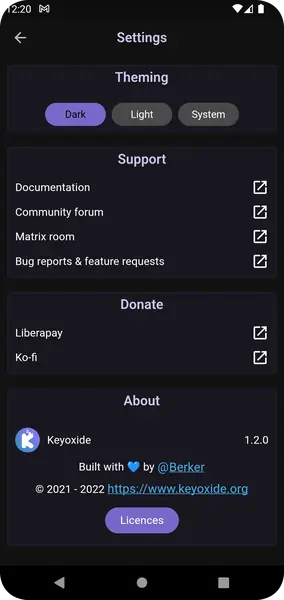
- Material 3 design
- Adaptive themeable icons for Android
- Accessibility enhancements such as semantic labels, dyslexic font, choice of seed color.
About Keyoxide
- Identity => verification using bidirectional linking
- Secure => use of trusted cryptography
- Decentralized => user data sovereignty
- Privacy-friendly => data explicitly provided by identity holder
What's new in version 2.4.6
Added
- One-time reminder and a profile card warning to export a new ASP profile
- APK signing certificate fingerprints in the README
Changed
- Updating from 2.4.3 or older requires a reinstall
Fixed
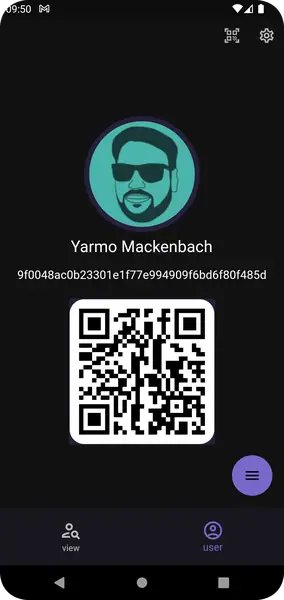
- QR code and share link using the canonical https:///wkd/ profile URL instead of the raw WKD key URL
- Scanning a Keyoxide profile link opening the profile instead of failing on it
- One scanner notice per unreadable code instead of one per camera frame
- ASP profile import showing a
APK file information
| Package name | org.keyoxide.keyoxide |
|---|---|
| Version | 2.4.6 (code 226) |
| Minimum Android | Android 7.0 · targets Android 16 |
| Architectures | arm64-v8a, armeabi-v7a, x86_64 |
| SHA-256 | aa4d1533a52e474a60eae15e9a52c4389f3a67c744983a5cb1be4ed7f1d1aa2e |
| Signature | 10169647006af402960a68cc44ce53df1bd3ffdaa19ded2e5aa0710c659ac9b3 |
| Licence | AGPL-3.0-or-later — copyleft free licence: the code is public and modified versions must stay free |
| Source code | codeberg.org/Berker/keyoxide-flutter |
| Official website | keyoxide.org |
Permissions
- Internet access
- Fingerprint / biometrics
- Camera sensitive
- Fingerprint
- View network status
- Keep the device awake
Older versions
- Keyoxide 2.4.6November 17, 2026 · 76.6 MB
- Keyoxide 2.4.5October 29, 2026 · 76.5 MB
- Keyoxide 2.4.4September 9, 2026 · 75.5 MB
How to install Keyoxide APK
- Tap Download APK above, then open the file once the download has finished.
- If Android asks, allow your browser to install unknown apps.
- Tap Install. Keyoxide then appears with your other apps.
Having trouble? Read our guides how to install an APK on Android and "App not installed": how to fix it.
Frequently asked questions
Is Keyoxide free?
Yes. Keyoxide is distributed under the AGPL-3.0-or-later licence: free, no subscription, and its source code is public.
Is this APK file safe?
The file is the one built and published by the F-Droid repository from the public source code. Its SHA-256 fingerprint is shown above, so you can compare it after downloading. How to check an APK.
Will Keyoxide work on my phone?
You need at least Android 7.0. The app also works without Google services, so it runs on recent Huawei phones too.





