
Keyoxide APK
Verify decentralized cryptographic identities on the go
Scarica l'APK v2.4.6 · 76,6 MB- Versione2.4.6
- Dimensione76,6 MB
- RichiedeAndroid 7.0
- Aggiornata17/11/2026
- LicenzaAGPL-3.0-or-later
- PrezzoGratis
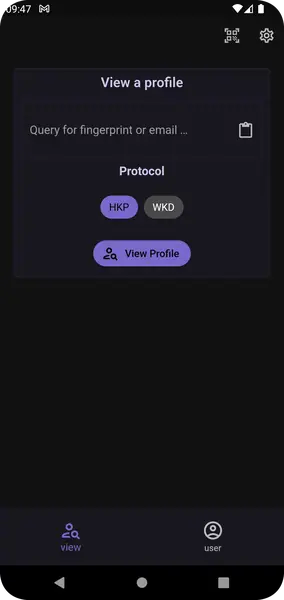
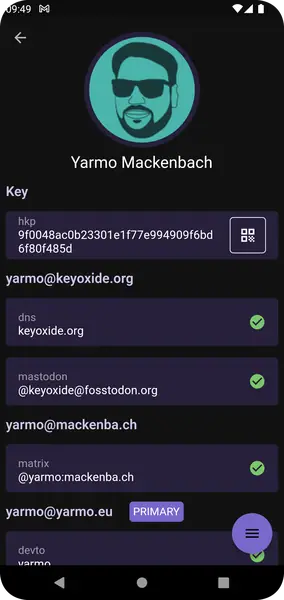
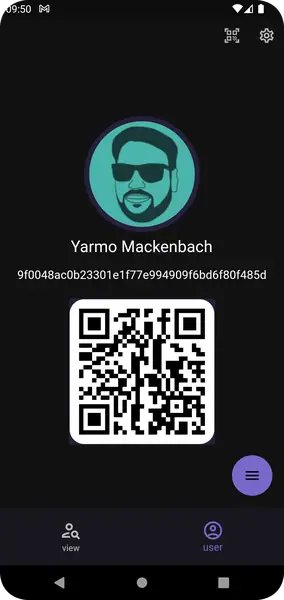
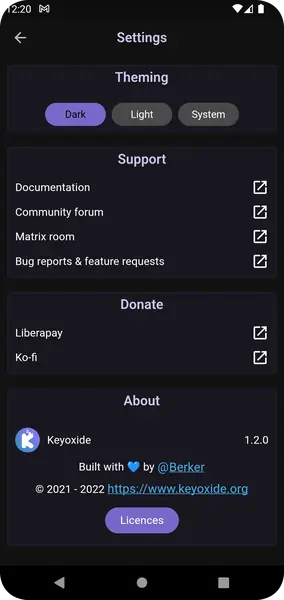
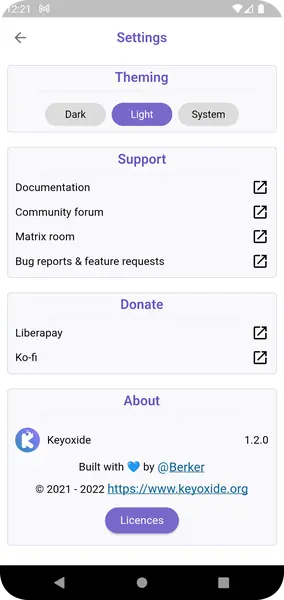
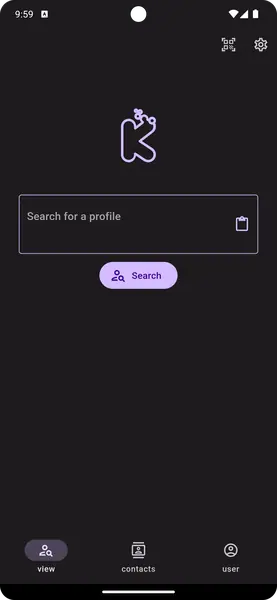
Informazioni su Keyoxide
Descrizione fornita dallo sviluppatore (in inglese).
A modern, secure and privacy-friendly platform to establish your decentralized online identity
Keyoxide allows you to prove “ownership” of accounts on websites, domain names, IM, etc., regardless of your username.
That last part is important: you could, for example, be ‘alice’ on Lobste.rs, but ‘@alice24’ on Twitter. And if your website is ‘thatcoder.tld’, how are people supposed to know that all that online property is yours?
Of course, one could opt for full anonymity! In which case, keep these properties as separated as possible. But if you’d like these properties to be linked and, by doing so, establish an online identity, you’ll need a clever solution.
Enter Keyoxide.
When you visit someone’s Keyoxide profile and see a green tick next to an account on some website, it was proven beyond doubt that the same person who set up this profile also holds that account.
App features
- Simple and straightforward UI
- Onboarding
- Guided tour
- Fully open source
- Built with Flutter
- Runs on Android & iOS and Linux (desktop and mobile)
- Supports fingerprint and email address as identifiers
- Supports fetching identities via keyservers and Web Key Directory
- Search history
- Contacts feature
- ASP Profile management, create, edit, delete, import, export profiles, add claims directly within the app
- Hide sensitive user profiles and protect with authentication
- Disable animations and update check
- Add multiple PGP or ASP profiles
- Custom domain validation and support for profile upload and look-up
- Check and display server update availability
- Biometric, password, PIN or pattern authentication for profile management
- User defined settings and data is saved in encrypted form
- Deep linking with 'openpgp4fpr' and 'aspe' URL schemes
- Localization, current available languages: German, English, Dutch, French, Galician, Polish, Spanish, Turkish, Portuguese, Chinese, Japanese
- Material 3 design
- Adaptive themeable icons for Android
- Accessibility enhancements such as semantic labels, dyslexic font, choice of seed color.
About Keyoxide
- Identity => verification using bidirectional linking
- Secure => use of trusted cryptography
- Decentralized => user data sovereignty
- Privacy-friendly => data explicitly provided by identity holder
Novità della versione 2.4.6
Added
- One-time reminder and a profile card warning to export a new ASP profile
- APK signing certificate fingerprints in the README
Changed
- Updating from 2.4.3 or older requires a reinstall
Fixed
- QR code and share link using the canonical https:///wkd/ profile URL instead of the raw WKD key URL
- Scanning a Keyoxide profile link opening the profile instead of failing on it
- One scanner notice per unreadable code instead of one per camera frame
- ASP profile import showing a
Informazioni sul file APK
| Nome del pacchetto | org.keyoxide.keyoxide |
|---|---|
| Versione | 2.4.6 (codice 226) |
| Android minimo | Android 7.0 · pensata per Android 16 |
| Architetture | arm64-v8a, armeabi-v7a, x86_64 |
| SHA-256 | aa4d1533a52e474a60eae15e9a52c4389f3a67c744983a5cb1be4ed7f1d1aa2e |
| Firma | 10169647006af402960a68cc44ce53df1bd3ffdaa19ded2e5aa0710c659ac9b3 |
| Licenza | AGPL-3.0-or-later — licenza libera copyleft: il codice è pubblico e le versioni modificate devono restare libere |
| Codice sorgente | codeberg.org/Berker/keyoxide-flutter |
| Sito ufficiale | keyoxide.org |
Autorizzazioni richieste
- Accesso a Internet
- Impronta / biometria
- Fotocamera sensibile
- Impronta digitale
- Vedere lo stato della rete
- Impedire lo standby
Versioni precedenti
- Keyoxide 2.4.617 novembre 2026 · 76,6 MB
- Keyoxide 2.4.529 ottobre 2026 · 76,5 MB
- Keyoxide 2.4.49 settembre 2026 · 75,5 MB
Come installare Keyoxide APK
- Tocca Scarica l'APK qui sopra, poi apri il file al termine del download.
- Se Android lo chiede, consenti al browser di installare app sconosciute.
- Tocca Installa. Keyoxide comparirà insieme alle altre app.
→ Come installare un file APK su Android (passo passo)
→ «App non installata»: cause e soluzioni
Domande frequenti
Keyoxide è gratis?
Sì. Keyoxide è distribuita con licenza AGPL-3.0-or-later: gratuita, senza abbonamento e con codice sorgente pubblico.
Questo file APK è sicuro?
Il file è quello compilato e pubblicato dal repository F-Droid a partire dal codice sorgente pubblico. L'impronta SHA-256 è indicata qui sopra: puoi confrontarla dopo il download. Un APK è pericoloso? Come verificare un file prima di installarlo
Keyoxide funziona sul mio telefono?
Serve almeno Android 7.0. L'app funziona anche senza i servizi Google, quindi anche sui telefoni Huawei recenti.





