
LaBLEr APK
Design labels and print them on a P15/P12/L13 Bluetooth thermal printer
Download APK v1.4.0 · 3.9 MB- Version1.4.0
- Size3.9 MB
- RequiresAndroid 8.0
- Updated9/3/2026
- LicenceGPL-3.0-or-later
- PriceFree
About LaBLEr
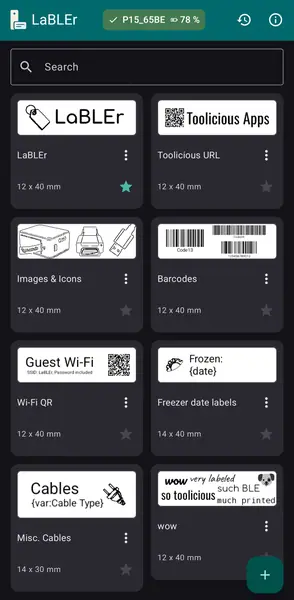
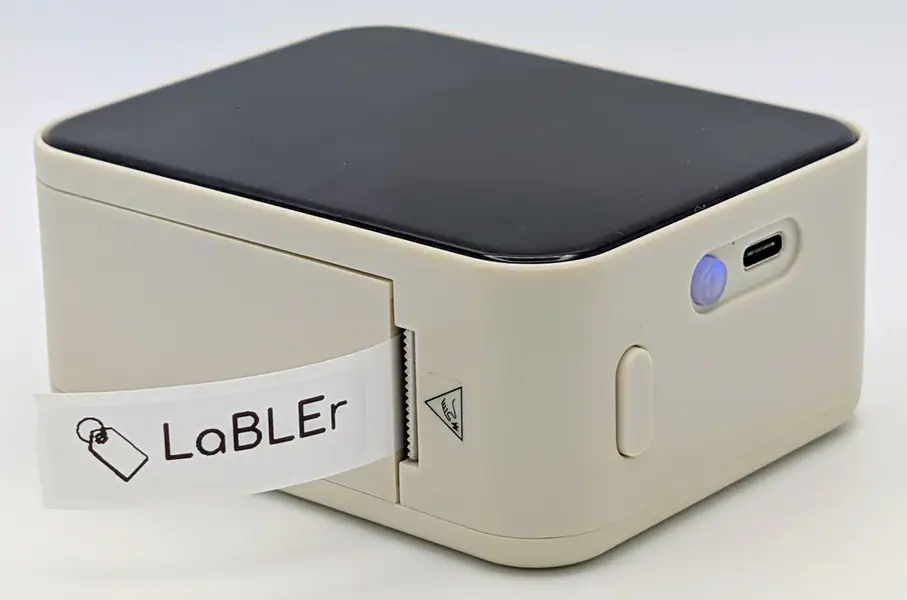
LaBLEr is a label printer app for Bluetooth Low Energy thermal label printers of the Marklife family (P15, P12, L13). Design your own labels right on your phone, save them as templates, and print them again anytime. It talks to the printer directly over Bluetooth LE, with no account, no cloud, and no vendor app.
Features:
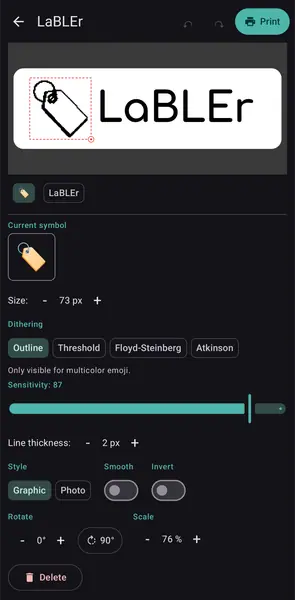
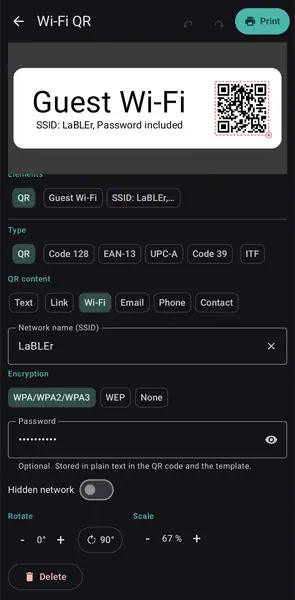
- Multi-line text (size, bold/italic/underline, alignment, several bundled fonts plus your own TTF and OTF files), symbols and emoji, frames, imported images, and QR codes and barcodes (Code 128, EAN-13, UPC-A, Code 39, ITF) with typed QR content for links, Wi-Fi, email, phone and contacts.
- A direct-manipulation editor: pinch to zoom and pan, drag to move, resize and rotate, with snapping to the center, the edges and other elements. Graphics render for the 1-bit thermal head as a clean outline (region tracing or Canny edge detection, with a smooth pass and invert) or with a threshold, Floyd-Steinberg or Atkinson dithering.
- Templates: save, rename, duplicate, favorite and search; export a single label as a JSON file, or back up and restore your whole library.
- Placeholders for the date, the time, a running number, or a free-text value you are asked for at print time.
- An exact 1-bit preview, a choice of copies and die-cut or continuous media, and a print history you can reproduce.
- Reconnects to your saved printer automatically. Available in 17 languages, Material 3 design, light and dark following the system.
Privacy: LaBLEr is a fully local app. It does not declare the INTERNET permission, so the process cannot open a network connection at all. No account, no cloud, no analytics, no tracking. Your templates, print history and settings live in the app's private storage and never leave the device.
Only the P15 is verified on-device so far; the P12 and L13 use the same protocol and 12 mm (96-dot) print head.
What's new in version 1.4.0
- The margin at an automatic label edge is a field now, half millimetres included (#2)
- A variable label follows its content evenly, without jumping or drifting (#2)
- Arrows on the millimetre fields in the label dialog, one millimetre per tap
- An emptied text or code is outlined in the editor instead of being invisible
APK file information
| Package name | io.github.toolicious.labler |
|---|---|
| Version | 1.4.0 (code 1040000) |
| Minimum Android | Android 8.0 · targets Android 16 |
| Architectures | arm64-v8a, armeabi-v7a, x86, x86_64 |
| SHA-256 | 77d581d6a38c3fecb69e5f4fad3928e5f5fe123db3905df12478e3485f3ca43d |
| Signature | 2eed222ac7b3c39b367a17e3d4a7040d8b9171538ec0fc1320d2e4184c827a5e |
| Licence | GPL-3.0-or-later — copyleft free licence: the code is public and modified versions must stay free |
| Source code | github.com/toolicious/labler |
Permissions
- Bluetooth
- Precise location (GPS) sensitive
- Scan for Bluetooth devices
- Connect via Bluetooth
1 other technical permission(s)
BLUETOOTH_ADMIN
Older versions
- LaBLEr 1.4.0September 3, 2026 · 3.9 MB
- LaBLEr 1.3.0September 2, 2026 · 3.9 MB
- LaBLEr 1.2.0August 17, 2026 · 3.5 MB
How to install LaBLEr APK
- Tap Download APK above, then open the file once the download has finished.
- If Android asks, allow your browser to install unknown apps.
- Tap Install. LaBLEr then appears with your other apps.
Having trouble? Read our guides how to install an APK on Android and "App not installed": how to fix it.
Frequently asked questions
Is LaBLEr free?
Yes. LaBLEr is distributed under the GPL-3.0-or-later licence: free, no subscription, and its source code is public.
Is this APK file safe?
The file is the one built and published by the F-Droid repository from the public source code. Its SHA-256 fingerprint is shown above, so you can compare it after downloading. How to check an APK.
Will LaBLEr work on my phone?
You need at least Android 8.0. The app also works without Google services, so it runs on recent Huawei phones too.





