
Les Pas APK
Les Pas - Photo Album for Nextcloud
A photo album that saves all your precious memory in your private cloud
Download APK v2.11.7 · 48.0 MB- Version2.11.7
- Size48.0 MB
- RequiresAndroid 8.0
- Updated11/23/2026
- LicenceApache-2.0
- PriceFree
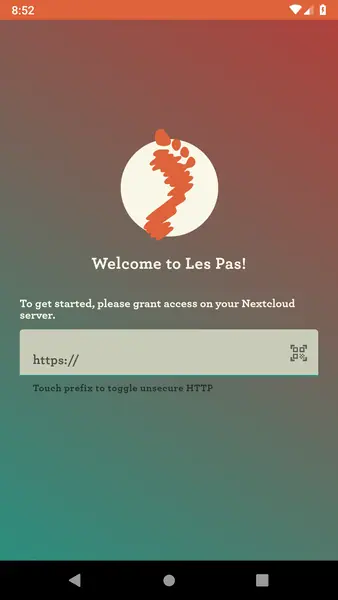
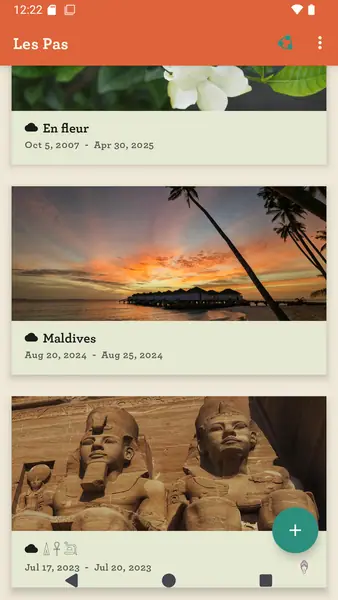
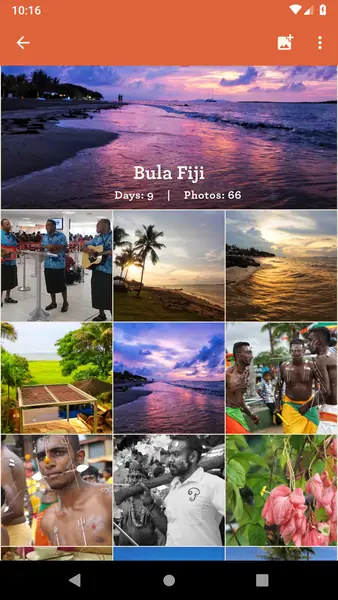
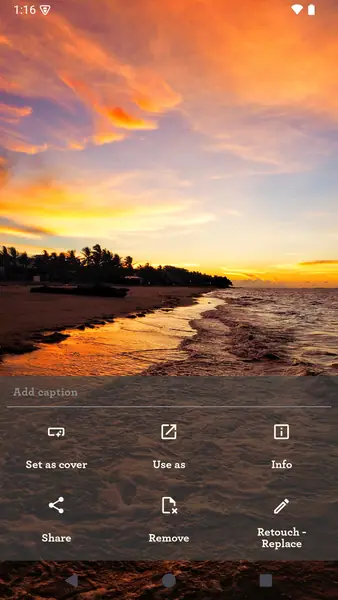
About Les Pas
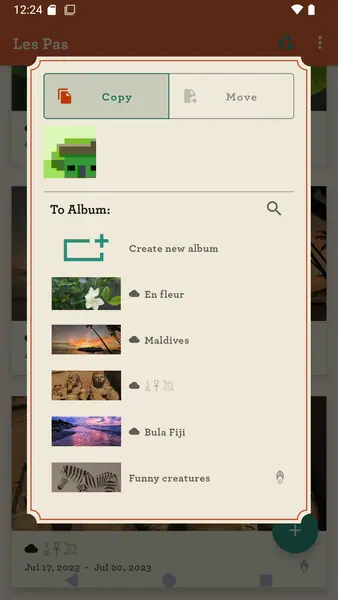
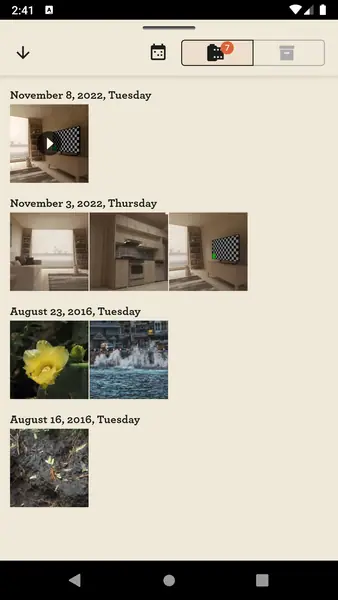
Les Pas, is a free, modern, lightweight and fast gallery app. Organize your photos, GIFs and videos into albums for easy viewing and sharing. With built-in two-way sync with your Nextcloud server, your files are kept private, secure and safe.
Managing, Syncing and Archiving
- Organize your media files in albums
- Support standard media format plus RAW format, HDR photo, Panorama Photo Sphere, Motion Photo
- Run on Android TV for big-screen viewing pleasure
- Manage media files in your phone's gallery and auto backup to server, each media folder in your phone has its own backup setting
- Integrated with various photo and video editing apps, such as Snapseed, Photoshop Express, ImageToolbox and Open Video Editor
- Support adding caption to photo
- Synchronization with Nextcloud server and among multiple devices, edit albums on Nextcloud server and on all your mobile devices simultaneously
- Support Remote Album, which have all it's media file stored in Nextcloud server only, free up Phone's storage
- Search for photos by objects with AI
- Search photos by location
- Support GPX importing, so that you can easily add GPS location data to pictures shoot on your digital camera
- Support Nextcloud's external storage
- Beautiful theme inspired by works of Wes Anderson
Sharing
- Share albums and album slideshow with other Nextcloud users, groups and circles
- Unique 'Joint Album' feature, which you and other Nextcloud users can edit together
- Export GPX file from album, you can share your adventure with others
Privacy focus
- Media files and thumbnails are all saved in App's private storage, stop being scanned by malicious apps
- Option provided to strip photo's EXIF before sharing to other social networks
- Option to hide album both in Phone and on server
- Authenticate on your Nextcloud server with your Nextcloud's credential
- Opensource
Any apps that can do the above is merely a media file manager with a fancy UI. Les Pas does not stop here, it strives to provide ways of utilizing your photos. The past shouldn't be resting in the hard-drive, make all those memories shine.
- Integrate with Muzei Live Wallpaper app, deliver 'Today in History' pictures right on your phone's desktop
- Album slideshow, with background music
- Unique 'Slideshow on Map' feature which runs album slideshow on Map
- Support photo blogging in three ready made templates. With selected pictures and caption you added, you can share your stories with the world.
This project build using the following open source software:
- OkHttp https://square.github.io/okhttp
- PhotoView https://github.com/chrisbanes/PhotoView
- osmdroid https://github.com/osmdroid/osmdroid
- Android Open Source Project https://source.android.com
- TensorFlow https://www.tensorflow.org
- OpenStreetMap https://www.openstreetmap.org
- Panorama Library https://github.com/hannesa2/panoramagl
What's new in version 2.11.7
- Added an option to open 'Show All Photos in Gallery' screen instead of 'Folder Overview' at Gallery startup
- Various improvements and bug fixes
APK file information
| Package name | site.leos.apps.lespas |
|---|---|
| Version | 2.11.7 (code 120) |
| Minimum Android | Android 8.0 · targets Android 16 |
| Architectures | arm64-v8a, armeabi-v7a, x86, x86_64 |
| SHA-256 | c674d7a203d5add76cb0531b44610aee78767ef889d21d34939936fb0d255f09 |
| Signature | d3619f34b38a005ed05ad0305bde31af3c5cab3043c855de6fc704197a965f1b |
| Licence | Apache-2.0 — permissive free licence: the source code is public and reusable |
| Source code | github.com/scubajeff/lespas |
Permissions
- View network status
- Internet access
- Read photos
- Read videos
- Read music
- Read storage
- Write to storage
- Show notifications
- Keep the device awake
- Start at boot
- Run in the background
- Fingerprint / biometrics
- Fingerprint
6 other technical permission(s)
READ_SYNC_STATS READ_SYNC_SETTINGS WRITE_SYNC_SETTINGS ACCESS_MEDIA_LOCATION MANAGE_MEDIA WRITE_SETTINGS
Older versions
- Les Pas 2.11.7November 23, 2026 · 48.0 MB
- Les Pas 2.11.6November 9, 2026 · 48.0 MB
- Les Pas 2.11.5September 2, 2026 · 48.0 MB
How to install Les Pas APK
- Tap Download APK above, then open the file once the download has finished.
- If Android asks, allow your browser to install unknown apps.
- Tap Install. Les Pas then appears with your other apps.
Having trouble? Read our guides how to install an APK on Android and "App not installed": how to fix it.
Frequently asked questions
Is Les Pas free?
Yes. Les Pas is distributed under the Apache-2.0 licence: free, no subscription, and its source code is public.
Is this APK file safe?
The file is the one built and published by the F-Droid repository from the public source code. Its SHA-256 fingerprint is shown above, so you can compare it after downloading. How to check an APK.
Will Les Pas work on my phone?
You need at least Android 8.0. The app also works without Google services, so it runs on recent Huawei phones too.





