Libre Camera APK
Modern camera app to take pictures and record videos
Download APK v2.0.2 · 21.3 MB- Version2.0.2
- Size21.3 MB
- RequiresAndroid 7.0
- Updated9/27/2026
- LicenceGPL-3.0-or-later
- PriceFree
About Libre Camera
Libre Camera is a free and open source camera app to take pictures and record videos written in Flutter and Dart.
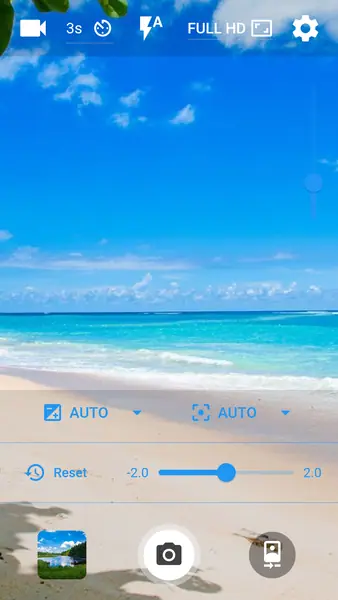
If you are in need of an open source camera app with several features, this app should be for you. From flashlight, focus and exposure controls to changing themes, languages and the compression amount – this app should have you covered. And if not, feel free to open an issue on GitHub and request a feature. Below you can see a list of the features, with more coming in the future!
Features
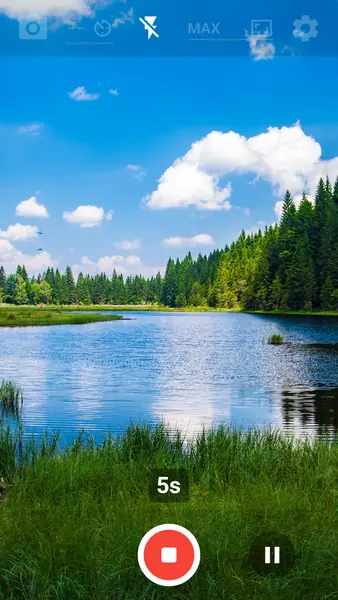
- Take pictures and record videos with your rear and front camera
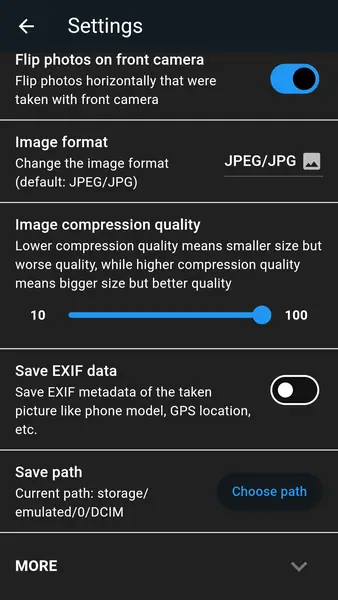
- Privacy: No EXIF Metadata saved by default when taking pictures (enable optionally in settings) – without ads, tracking, or unnecessary permissions
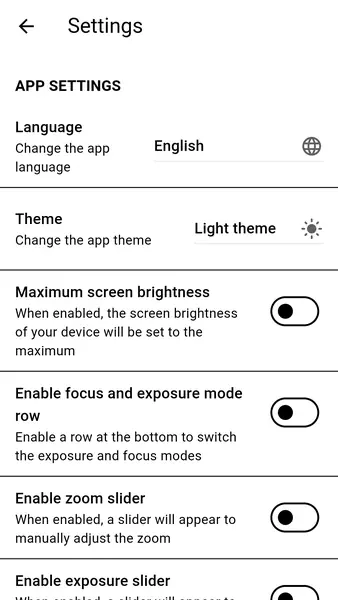
- Themes: Material Design with a Dark, Light or system theme
- Multiple languages supported – Contribute translating your language!
- Zoom: Zoom with 2 fingers or with an optional slider
- Timer/Delay: Select a photo capture timer to get ready for your photo
- Flashlight modes: On at capture, Off, Auto, Always on
- Focus: Auto focus, locked focus and manual focus by touching the screen
- Exposure: Auto exposure, locked exposure and manual exposure with an optional slider
- Image compression: Set the compression amount in the settings
- Formats: Switch between 3 camera formats (JPEG, PNG, WebP)
- Resolutions: Switch between different camera resolutions
- Save location: Choose your preferred save location
- Small size of about 21MB
- Customizable: Open the settings to customize the app to your liking!
Contact Check out the GitHub repository, which includes the Roadmap: https://github.com/iakdis/librecamera
In case you found a bug or have a feature request, feel free to file an issue on GitHub: https://github.com/iakdis/librecamera/issues
APK file information
| Package name | com.iakmds.librecamera |
|---|---|
| Version | 2.0.2 (code 173) |
| Minimum Android | Android 7.0 · targets Android 16 |
| Architectures | x86_64 |
| SHA-256 | 6234797ed958d17c0aaf55505b1887430a9ee1644f924711e17c51aa9ad2c42c |
| Signature | 33db2b222b2de8d35267be5bf28de3e1baa02ffdbef690ceac248238586f12c6 |
| Licence | GPL-3.0-or-later — copyleft free licence: the code is public and modified versions must stay free |
| Source code | github.com/iakdis/librecamera |
Permissions
- Write to storage
- Read storage
- Read photos
- Read videos
- Camera sensitive
- Microphone sensitive
- View network status
Older versions
- Libre Camera 2.0.2September 27, 2026 · 21.3 MB
- Libre Camera 2.0.2September 27, 2026 · 19.9 MB
- Libre Camera 2.0.2September 27, 2026 · 17.8 MB
- Libre Camera 2.0.1January 5, 2026 · 21.3 MB
- Libre Camera 2.0.1January 5, 2026 · 19.9 MB
- Libre Camera 2.0.1January 5, 2026 · 17.8 MB
- Libre Camera 1.9.1June 14, 2023 · 7.4 MB
- Libre Camera 1.9.1June 14, 2023 · 7.0 MB
- Libre Camera 1.9.1June 14, 2023 · 7.5 MB
How to install Libre Camera APK
- Tap Download APK above, then open the file once the download has finished.
- If Android asks, allow your browser to install unknown apps.
- Tap Install. Libre Camera then appears with your other apps.
Having trouble? Read our guides how to install an APK on Android and "App not installed": how to fix it.
Frequently asked questions
Is Libre Camera free?
Yes. Libre Camera is distributed under the GPL-3.0-or-later licence: free, no subscription, and its source code is public.
Is this APK file safe?
The file is the one built and published by the F-Droid repository from the public source code. Its SHA-256 fingerprint is shown above, so you can compare it after downloading. How to check an APK.
Will Libre Camera work on my phone?
You need at least Android 7.0. The app also works without Google services, so it runs on recent Huawei phones too.