
Liseur APK
A modern, open-source EPUB reader with powerful reading features.
Download APK v0.32.0 · 12.5 MB- Version0.32.0
- Size12.5 MB
- RequiresAndroid 8.0
- Updated11/23/2026
- LicenceMIT
- PriceFree

About Liseur
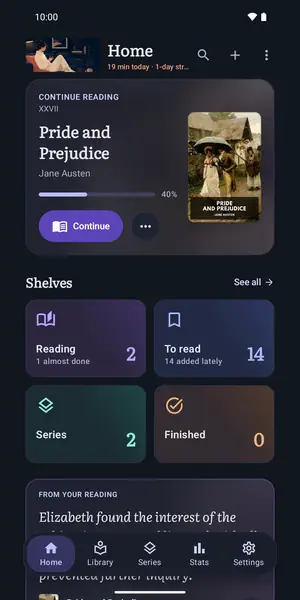
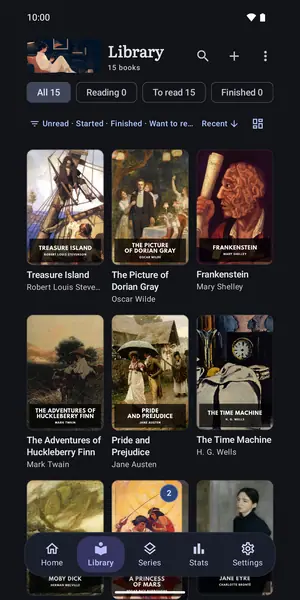
Read EPUBs your way: follow the text as it reads aloud, translate a page as you go, or ask about characters and events. Liseur brings books from your phone, OPDS catalogs, calibre-web, Komga, BookOrbit and liseur-sync into one library.
Read aloud
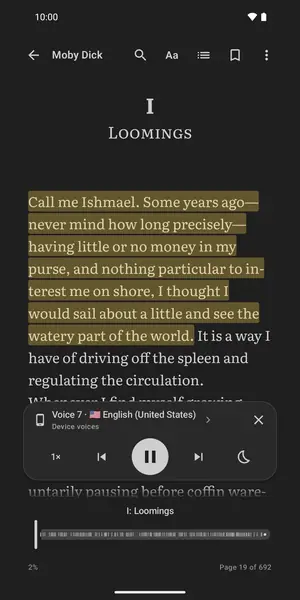
Listen to any EPUB with sentence highlighting and automatic page turns. Android voices can read offline when a compatible offline voice is installed. Choose voices by language, adjust the speed, keep listening with the screen off, or set a sleep timer. Connect an OpenAI-compatible speech server, including one on your own network.
Translation
Translate a selection or read a book page by page in another language. Liseur saves translated sentences on your phone, so they are ready when you return to a page. Use Android's on-device translator or an OpenAI-compatible service on your network or hosted online. Read translated pages aloud in the target language and look up words without leaving the page.
Reading companion
Ask the reading companion about characters and events. Character profiles use passages before the selected text, including earlier chapters and earlier passages in the current chapter; source excerpts show where details come from. Turn on background chapter recaps for each book. Use an OpenAI-compatible service.
Even without an AI service, the companion builds a searchable, on-device index of people, places and groups, and shows which names appear together in earlier chapters. It finds names by their capital letters, so a script without letter case, such as Chinese, is not indexed. It needs no API key.
Your reader
Choose paginated pages or continuous scroll, adjust type, margins and brightness, and use light, sepia, dark or black themes. Add highlights, notes and bookmarks, search the full text, and open footnotes in a popup. Import your own fonts or use the bundled and publisher fonts. E-ink mode turns off animations and supports refresh controls on Onyx devices.
Your library and sync
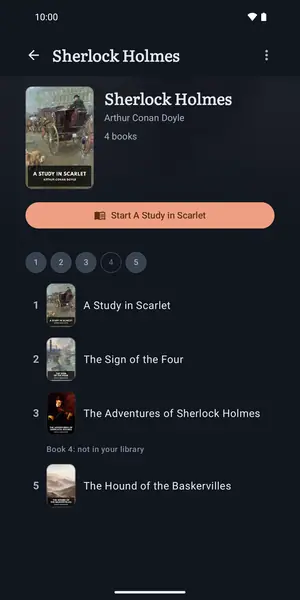
Browse local folders and SD cards, group books into series, or find free books in the built-in Project Gutenberg catalog. Home-screen widgets show your current book or a shelf of covers. Back up settings, fonts, reading positions and annotations in a ZIP file.
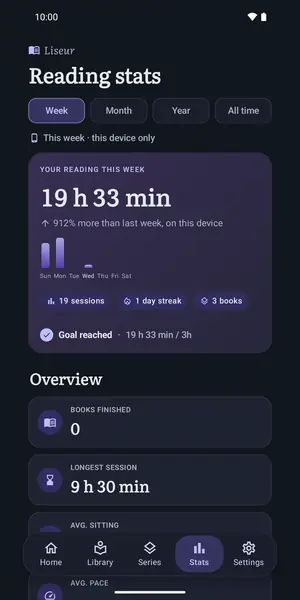
Sync reading positions with calibre-web, Komga, BookOrbit or liseur-sync. Connect any OPDS catalog to a KOReader sync server. With liseur-sync, back up settings per device and see reading statistics across devices.
Privacy
No ads. You do not need an account to read books on your device. Android's system translator and the companion's on-device index process book text on your phone. When you choose an online service for translation, the reading companion or speech, Liseur sends text to that provider. Optional dictionary lookups contact Wiktionary; browsing the catalog also contacts Project Gutenberg.
MIT licensed. Source code and issue tracker: https://github.com/chmouel/liseur
What's new in version 0.32.0
Edit a book’s title, author, description, series and cover from its details; edits stay in backups and sync to supported servers. Find, search and filter highlights and notes in the new All notes screen. Review saved vocabulary from Home, with swipe ratings and undo. Set page margins, read more comfortably on foldables and tablets, dim the screen further for night reading, and use read-aloud chapter controls and resume.
APK file information
| Package name | com.chmouel.liseur |
|---|---|
| Version | 0.32.0 (code 85) |
| Minimum Android | Android 8.0 · targets API 37 |
| Architectures | arm64-v8a, armeabi-v7a, x86, x86_64 |
| SHA-256 | fb2f59743800049a2c2cb34df3836c75e63b4a6077c7a255e89f9d3f990175c0 |
| Signature | 394e0413024451b8782c492fee203f9470871e63d6e41088e42af3f7c6650a94 |
| Licence | MIT — permissive free licence: the source code is public and reusable |
| Source code | github.com/chmouel/liseur |
Permissions
- Internet access
- View network status
- Run in the background
- Keep the device awake
- Show notifications
- Start at boot
1 other technical permission(s)
ACCESS_LOCAL_NETWORK
Older versions
- Liseur 0.32.0November 23, 2026 · 12.5 MB
- Liseur 0.32.0November 23, 2026 · 12.6 MB
- Liseur 0.31.0November 23, 2026 · 12.2 MB
- Liseur 0.31.0November 23, 2026 · 12.3 MB
- Liseur 0.30.0November 20, 2026 · 12.0 MB
- Liseur 0.30.0November 20, 2026 · 12.1 MB
- Liseur 0.29.3November 17, 2026 · 12.0 MB
How to install Liseur APK
- Tap Download APK above, then open the file once the download has finished.
- If Android asks, allow your browser to install unknown apps.
- Tap Install. Liseur then appears with your other apps.
Having trouble? Read our guides how to install an APK on Android and "App not installed": how to fix it.
Frequently asked questions
Is Liseur free?
Yes. Liseur is distributed under the MIT licence: free, no subscription, and its source code is public.
Is this APK file safe?
The file is the one built and published by the F-Droid repository from the public source code. Its SHA-256 fingerprint is shown above, so you can compare it after downloading. How to check an APK.
Will Liseur work on my phone?
You need at least Android 8.0. The app also works without Google services, so it runs on recent Huawei phones too.





