MapFlip APK
MapFlip - Apple to Google
Open map links in navigation apps: automatic redirect, route & directions.
Download APK v1.5.1 · 1.2 MB- Version1.5.1
- Size1.2 MB
- RequiresAndroid 8.0
- Updated11/23/2026
- LicenceMIT
- PriceFree
About MapFlip
Your friends send you Apple Maps links – but you use Google Maps or other navigation apps on Android?
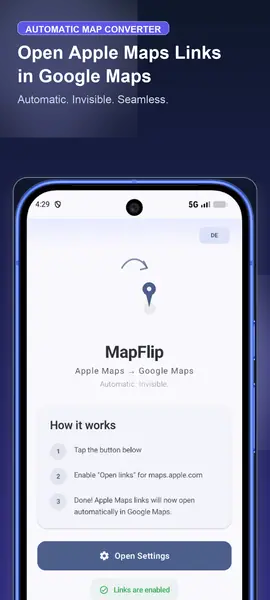
MapFlip is the ultimate Apple Maps converter, fast Apple map redirect, Apple link opener, and automatic map link converter for Android. Every Apple Map link, URL, or location opens instantly in your preferred navigation app. Open Apple Maps links directly with no copying, no pasting, no manual searching, and no browser detours.
Whether you need Apple Maps on Android, an Apple to Google Maps app, an Apple to Google converter, or seamless Apple Maps navigation on Android, MapFlip handles every map link in the background. Easily convert Apple Maps to Google Maps, convert any map link, open Apple Maps links directly, redirect to Google, and launch destinations in your favorite app. Plan any route, import shared places, get driving directions, navigate offline, and open locations with ease.
⚡ 3 Easy Ways to Open Links:
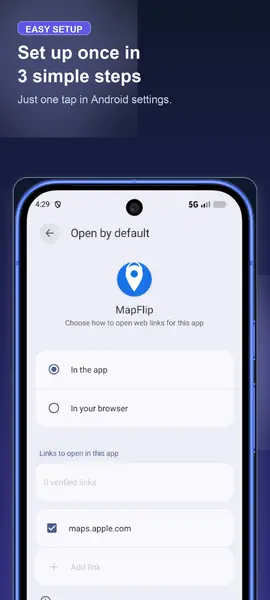
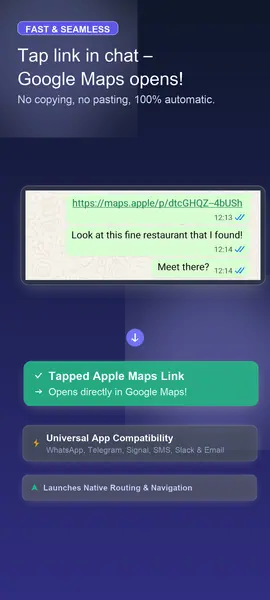
- 🚀 Fully Automatic: Tap any Apple Map link – MapFlip intercepts it instantly and launches your preferred navigation.
- 📲 Via Android Share Sheet: Share any map link or chat message directly from WhatsApp, Telegram, Signal, or SMS with MapFlip.
- 📋 Clipboard & Link Tester: Copy a link and open MapFlip for 1-tap redirection – or test and convert custom links in the built-in Link Tester.
🧭 Choose from 15 Navigation Apps: Open destinations in your favorite app:
- Driving & Traffic: Google Maps, Waze, HERE WeGo, TomTom AmiGO, Sygic
- Privacy & Offline: Organic Maps, OsmAnd (incl. Plus), CoMaps, Vela
- Outdoor & Transit: Mapy.cz, Komoot (Hiking & Cycling for hikers), Citymapper (Public Transit), Magic Earth, Locus Map, Yandex or flexible Android system picker
🗺️ Supported Map Formats & Services (11 Sources):
- Apple Map URLs & search queries (maps.apple.com)
- Google links (maps.google.com, goo.gl) – perfect for de-Googling to private map apps
- OpenStreetMap (osm.org), Mapy.cz / Mapy.com, HERE WeGo, Waze, Bing & Yandex
- DuckDuckGo, GPS coordinates (geo:, DMS, Decimal) & Google Plus Codes (100% offline decoding)
- Place markers, addresses, search queries & turn by turn navigation routes
✨ Highlights & Privacy:
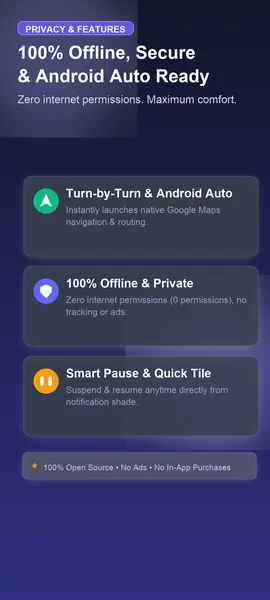
- 🚗 Turn by Turn Navigation & Android Auto – Full turn by turn navigation routing, Android Auto integration, and real-time guidance
- 🔒 100% Offline & Private – Zero internet permissions (no android.permission.INTERNET), zero tracking, zero ads
- 🛡️ Smart Fallback – If your preferred app is uninstalled, MapFlip safely opens Google or system picker
- ⏸️ Pause Mode & Quick Settings Tile – Suspend redirect anytime directly from your notification shade (1 hr, 8 hrs, until tomorrow)
- 💬 Universal App Compatibility – Works seamlessly with WhatsApp, Telegram, Signal, SMS, Slack, and email
- 👻 Invisible Background Operation – No extra screens or battery drain
MapFlip is the essential tool, smart Apple Maps shortcuts helper, and route planner guide for Android users who regularly receive Apple Map links from iPhone users and want to open them hassle-free.
What's new in version 1.5.1
- More Reliable Redirection: Improved package pinning for Mapy.cz short links and direct browser handoff for web fallbacks
- Cleaner App Picker: MapFlip is consistently excluded from the system chooser to prevent redundant self-redirection
- Internal Improvements: Simplified architecture, clearer responsibilities, and expanded unit test coverage
APK file information
| Package name | de.goork.mapflip |
|---|---|
| Version | 1.5.1 (code 315043) |
| Minimum Android | Android 8.0 · targets Android 16 |
| Architectures | arm64-v8a, armeabi-v7a, x86, x86_64 |
| SHA-256 | 3fb4429eb03414327b1338ff8de688b043323b6a8c12bfd43f394cb4339332a2 |
| Signature | 41ffbc0caf78f98bfa9e6072a2d3af83abf06bad0233109c2bff6382b351f19b |
| Licence | MIT — permissive free licence: the source code is public and reusable |
| Source code | github.com/thefraggle/mapflip |
Permissions
No special permissions.
Older versions
- MapFlip 1.5.1November 23, 2026 · 1.2 MB
- MapFlip 1.5.0November 20, 2026 · 1.2 MB
- MapFlip 1.4.4November 17, 2026 · 1.2 MB
How to install MapFlip APK
- Tap Download APK above, then open the file once the download has finished.
- If Android asks, allow your browser to install unknown apps.
- Tap Install. MapFlip then appears with your other apps.
Having trouble? Read our guides how to install an APK on Android and "App not installed": how to fix it.
Frequently asked questions
Is MapFlip free?
Yes. MapFlip is distributed under the MIT licence: free, no subscription, and its source code is public.
Is this APK file safe?
The file is the one built and published by the F-Droid repository from the public source code. Its SHA-256 fingerprint is shown above, so you can compare it after downloading. How to check an APK.
Will MapFlip work on my phone?
You need at least Android 8.0. The app also works without Google services, so it runs on recent Huawei phones too.