
Meshenger APK
Voice- and video phone App for off-the-grid scenarios.
Download APK v4.4.8 · 18.5 MB- Version4.4.8
- Size18.5 MB
- RequiresAndroid 5.0
- Updated8/13/2025
- LicenceGPL-3.0-or-later
- PriceFree
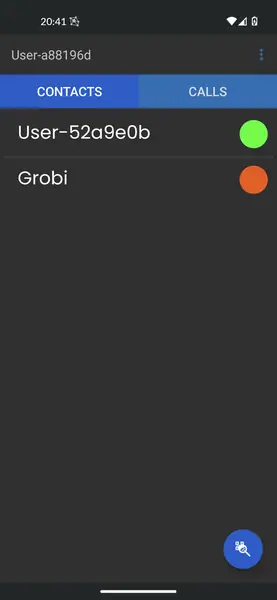
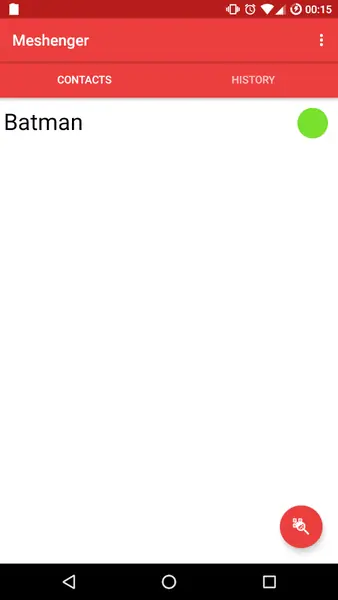
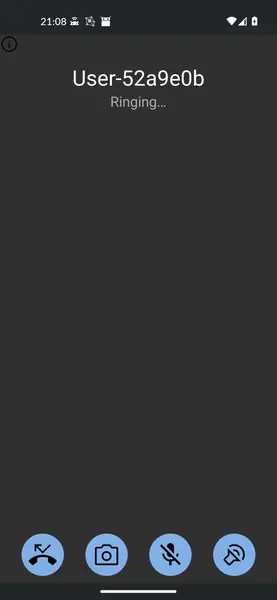
About Meshenger
Voice/Video calls on local networks.
Direct voice- and video phone calls without the need for accounts or access to the Internet. There is no discovery mechanism, no meshing and no servers. Just scan each others QR-Code that will contain the contacts IP address. This works at home or company networks but also in many off-the-grid networks such as community mesh networks.
- voice and video calls
- encrypted communication
- no accounts, no registration, no servers
- add custom addresses to reach contacts
What's new in version 4.4.8
- keep calls running in background
- update Japanese translation, thank you jg3hlx
- allow video/audio call to continue in background
- fix request for camera permission on start
- decouple listener service and database
- fix value labels for video framerate/resolution in settings
APK file information
| Package name | d.d.meshenger |
|---|---|
| Version | 4.4.8 (code 448) |
| Minimum Android | Android 5.0 · targets Android 15 |
| Architectures | arm64-v8a, armeabi-v7a, x86, x86_64 |
| SHA-256 | bc0574d5fd5e16d142172dba54e48eed51106ae951c34210fb2db42acc19abb8 |
| Signature | d5d4c950838e534089f4cc82fb737c7eab22e8914519d4f4942d3e8fdc0b96b1 |
| Licence | GPL-3.0-or-later — copyleft free licence: the code is public and modified versions must stay free |
| Source code | github.com/meshenger-app/meshenger-android |
Permissions
- Run in the background
- Read storage
- Write to storage
- View Wi-Fi status
- Internet access
- Microphone sensitive
- Camera sensitive
- Keep the device awake
- View network status
- Vibrate
- Connect via Bluetooth
- Bluetooth
- Show notifications
- Draw over other apps sensitive
- Start at boot
1 other technical permission(s)
MODIFY_AUDIO_SETTINGS
Older versions
- Meshenger 4.4.8August 13, 2025 · 18.5 MB
- Meshenger 4.4.7July 28, 2025 · 18.5 MB
- Meshenger 4.4.6June 19, 2025 · 18.5 MB
How to install Meshenger APK
- Tap Download APK above, then open the file once the download has finished.
- If Android asks, allow your browser to install unknown apps.
- Tap Install. Meshenger then appears with your other apps.
Having trouble? Read our guides how to install an APK on Android and "App not installed": how to fix it.
Frequently asked questions
Is Meshenger free?
Yes. Meshenger is distributed under the GPL-3.0-or-later licence: free, no subscription, and its source code is public.
Is this APK file safe?
The file is the one built and published by the F-Droid repository from the public source code. Its SHA-256 fingerprint is shown above, so you can compare it after downloading. How to check an APK.
Will Meshenger work on my phone?
You need at least Android 5.0. The app also works without Google services, so it runs on recent Huawei phones too.