
Notes APK
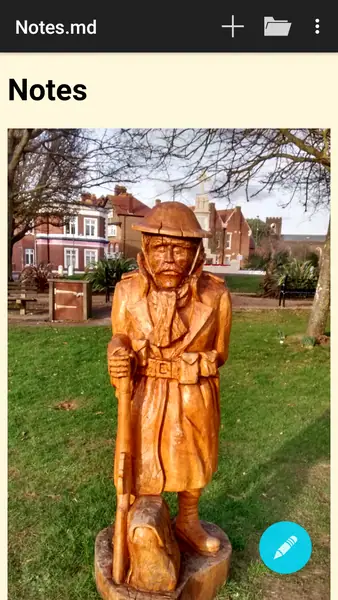
Notebook with markdown formatting
Download APK v1.42 · 236 KB- Version1.42
- Size236 KB
- RequiresAndroid 6.0
- Updated11/9/2026
- LicenceGPL-3.0-only
- PriceFree
About Notes
Notebook with markdown formatting
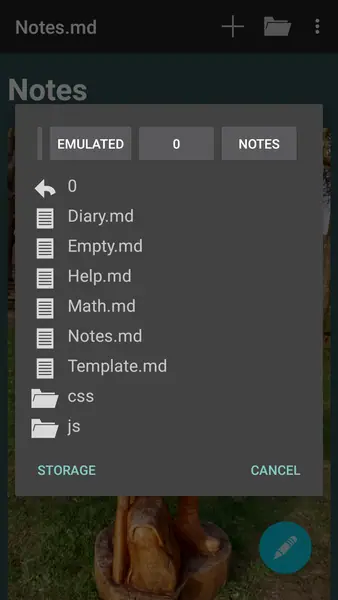
- Notes saved in text files
- Use markdown formatting
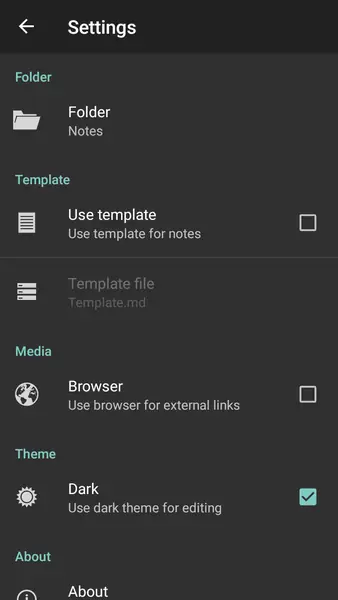
- Optional new note template
- Optional new note file name template
- Display media
- Display OpenStreetMap maps
- Share notes
- Add date and time
- Add media from media providers
- Receive media from other apps
- Receive geo uris from other apps
- Incremental search of notes
- Dark or light theme for editing
- Shortcut to open new note
- Optional CSS styles
- Optional JavaScript scripts
- Back up notes to a zip file
- Optional edit cursor position control
What's new in version 1.42
Downgrade target sdk version
APK file information
| Package name | org.billthefarmer.notes |
|---|---|
| Version | 1.42 (code 142) |
| Minimum Android | Android 6.0 · targets Android 9 |
| Architectures | All (universal) |
| SHA-256 | b2846e1055b655b7d877dde8a0584c15fb45a200cb29e17bc0c22e7d188cdc53 |
| Signature | fa6bc45a1eacef7b5ef64b0bc878ee776f403ac7efa654e853c0fb3069038641 |
| Licence | GPL-3.0-only — copyleft free licence: the code is public and modified versions must stay free |
| Source code | github.com/billthefarmer/notes |
| Official website | billthefarmer.github.io/notes |
Permissions
- Access all files sensitive
- Read storage
- Write to storage
- Internet access
Older versions
- Notes 1.42November 9, 2026 · 236 KB
- Notes 1.41March 2, 2026 · 236 KB
- Notes 1.40May 23, 2024 · 216 KB
How to install Notes APK
- Tap Download APK above, then open the file once the download has finished.
- If Android asks, allow your browser to install unknown apps.
- Tap Install. Notes then appears with your other apps.
Having trouble? Read our guides how to install an APK on Android and "App not installed": how to fix it.
Frequently asked questions
Is Notes free?
Yes. Notes is distributed under the GPL-3.0-only licence: free, no subscription, and its source code is public.
Is this APK file safe?
The file is the one built and published by the F-Droid repository from the public source code. Its SHA-256 fingerprint is shown above, so you can compare it after downloading. How to check an APK.
Will Notes work on my phone?
You need at least Android 6.0. The app also works without Google services, so it runs on recent Huawei phones too.





