OmniBeat APK
Internet radio player built to support all modern online stations.
Download APK v1.17.1 · 5.2 MB- Version1.17.1
- Size5.2 MB
- RequiresAndroid 14
- Updated11/9/2026
- LicenceAGPL-3.0-only
- PriceFree
About OmniBeat
OmniBeat is an internet radio player built to support all modern online stations.
Features:
- Add stations manually. Build your own library.
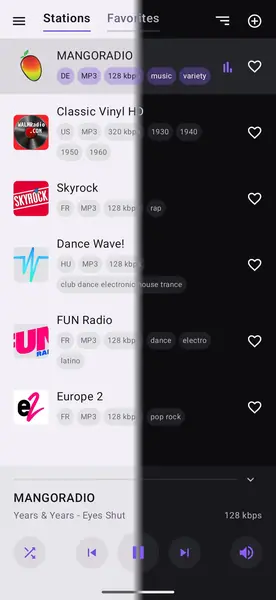
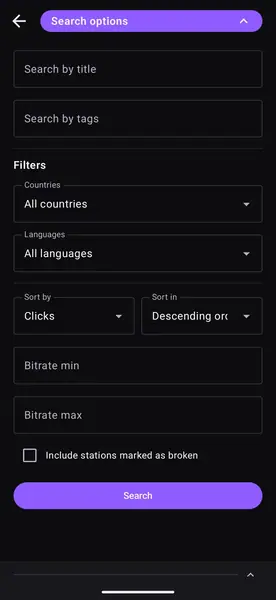
- Discover new stations online. Use flexible search and detailed filters to explore a large station database, preview results, and save your favorites.
- Control playback from anywhere on your device. Use the app, Android notifications, the lock screen, or the system media panel.
- Keep your library organized. Use favorites, tags, and custom sorting to make large libraries easier to scan.
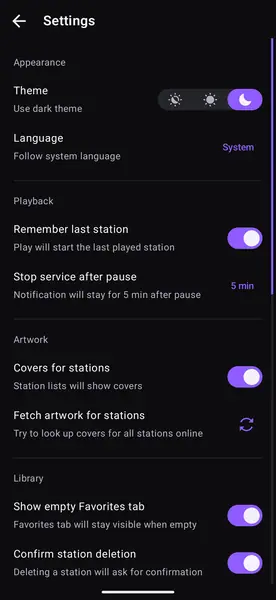
- Customize the experience. Switch between light, dark, and system themes. Choose your preferred app language, with more translations planned.
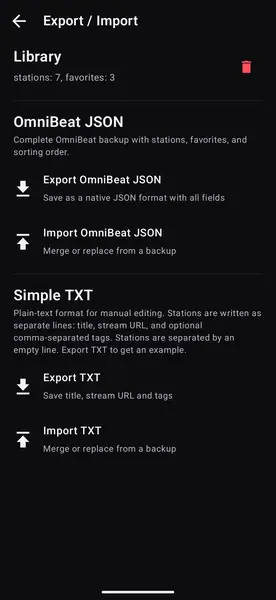
- Keep your library portable. Back up, restore, or move your stations using a full JSON backup or a simple TXT format that can be edited by hand.
- Privacy-friendly. No ads, no trackers, no analytics.
Supported formats:
- Direct stream URLs
- PLS
- M3U
- HLS / M3U8
- XSPF
- ASX / WAX / WMX
- DASH / MPD
Found a station OmniBeat cannot play? Let me know and I will work on supporting it.
APK file information
| Package name | omnibeat.app |
|---|---|
| Version | 1.17.1 (code 147) |
| Minimum Android | Android 14 · targets API 37 |
| Architectures | arm64-v8a, armeabi-v7a, x86, x86_64 |
| SHA-256 | ec17a1902656a4b4632e823069f849c1befc835edf048d592caf6cf3e6c1060a |
| Signature | 2899ef530b25fb1f68cbec6b2d41aad481161aa164fbcab497a3629bcab85143 |
| Licence | AGPL-3.0-only — copyleft free licence: the code is public and modified versions must stay free |
| Source code | github.com/Vikindor/omnibeat |
Permissions
- Internet access
- View network status
- Run in the background
- Keep the device awake
Older versions
- OmniBeat 1.17.1November 9, 2026 · 5.2 MB
- OmniBeat 1.12.0November 1, 2026 · 5.1 MB
- OmniBeat 1.9.2October 12, 2026 · 5.0 MB
How to install OmniBeat APK
- Tap Download APK above, then open the file once the download has finished.
- If Android asks, allow your browser to install unknown apps.
- Tap Install. OmniBeat then appears with your other apps.
Having trouble? Read our guides how to install an APK on Android and "App not installed": how to fix it.
Frequently asked questions
Is OmniBeat free?
Yes. OmniBeat is distributed under the AGPL-3.0-only licence: free, no subscription, and its source code is public.
Is this APK file safe?
The file is the one built and published by the F-Droid repository from the public source code. Its SHA-256 fingerprint is shown above, so you can compare it after downloading. How to check an APK.
Will OmniBeat work on my phone?
You need at least Android 14. The app also works without Google services, so it runs on recent Huawei phones too.