Orgzly Revived APK
Outliner for taking notes and managing to-do lists in Org-mode format
Download APK v1.25.0 · 8.4 MB- Version1.25.0
- Size8.4 MB
- RequiresAndroid 6.0
- Updated11/13/2026
- LicenceGPL-3.0-or-later
- PriceFree
About Orgzly Revived
Orgzly Revived is an outliner for taking notes and managing to-do lists.
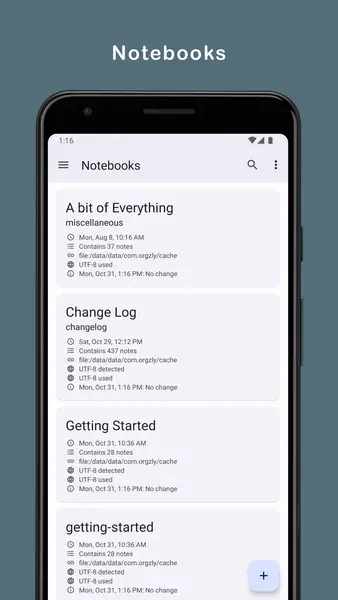
You can keep notebooks stored in plain-text and have them synchronized with a directory on your mobile device, SD card or over WebDAV.
Notebooks are saved in Org mode's file format. “Org mode is for keeping notes, maintaining TODO lists, planning projects, and authoring documents with a fast and effective plain-text system.” See orgmode.org for more information.
Features:
- Create, edit and delete notes and tasks
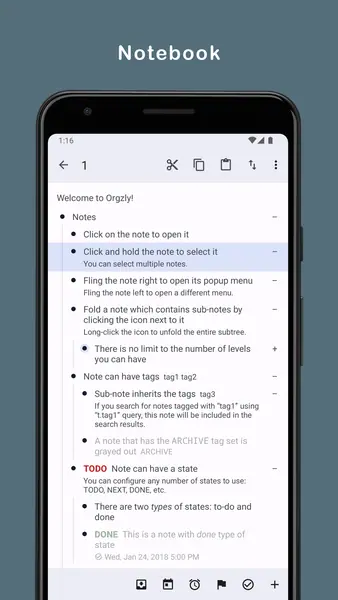
- Collapse and expand sub-notes
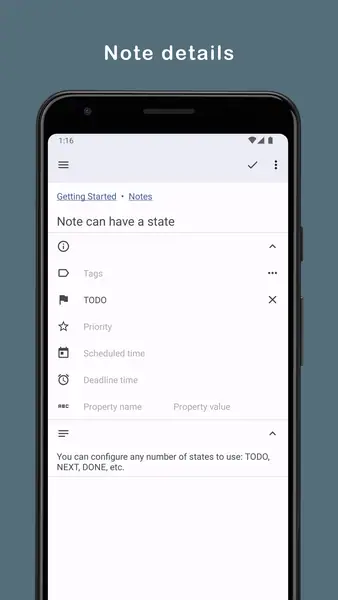
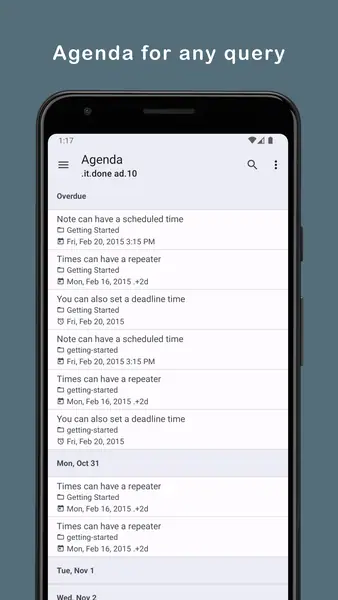
- Schedule tasks and set their deadlines
- Set priorities and tags for notes
- Fling notes left or right to open quick-menus
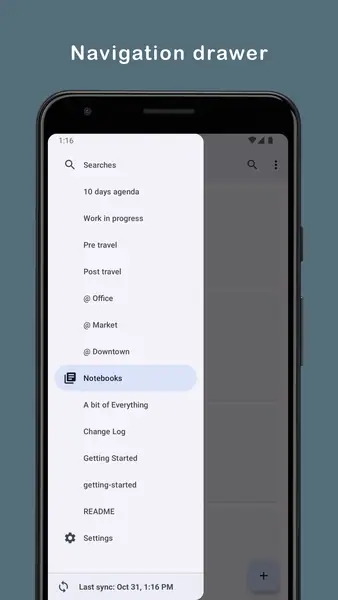
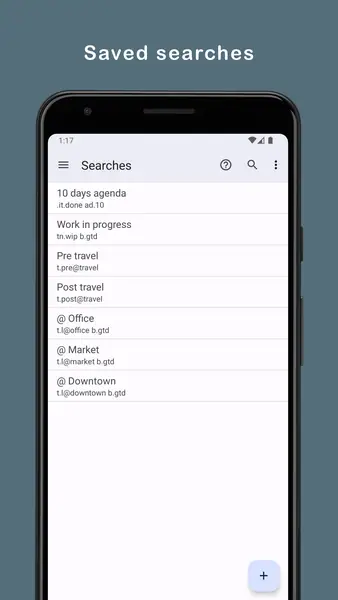
- Search notes by various properties
- Create and save searches for quick access
- Synchronize notebooks with one or more directories
Orgzly Revived is a community fork of the app Orgzly.
What's new in version 1.25.0
- Allow capture templates to set note properties.
- Honor basic per-file and per-note settings for DONE logging.
- Add setting for disabling DONE logging.
- Various bug fixes related to capture templates.
- Fix exported calendar disappearing randomly.
APK file information
| Package name | com.orgzlyrevived |
|---|---|
| Version | 1.25.0 (code 297) |
| Minimum Android | Android 6.0 · targets Android 16 |
| Architectures | arm64-v8a, armeabi-v7a, x86, x86_64 |
| SHA-256 | bde35e691ea445738f29ad6cf029a6386438e303c4f354daa930967b41927e36 |
| Signature | 6fc9c2e22d07d25ce77e2e963455053c38b8318a1a2491b3ed95d50cba85493d |
| Licence | GPL-3.0-or-later — copyleft free licence: the code is public and modified versions must stay free |
| Source code | github.com/orgzly-revived/orgzly-android-revived |
| Official website | orgzlyrevived.com/ |
Permissions
- Access all files sensitive
- Read photos
- Internet access
- View network status
- Show notifications
- Read storage
- Write to storage
- Start at boot
- Vibrate
- Keep the device awake
- Run in the background
- Read calendar sensitive
- Edit calendar sensitive
- Fingerprint / biometrics
- Fingerprint
2 other technical permission(s)
SCHEDULE_EXACT_ALARM REORDER_TASKS
Older versions
- Orgzly Revived 1.25.0November 13, 2026 · 8.4 MB
- Orgzly Revived 1.23.0August 15, 2026 · 8.4 MB
- Orgzly Revived 1.22.0July 10, 2026 · 8.4 MB
How to install Orgzly Revived APK
- Tap Download APK above, then open the file once the download has finished.
- If Android asks, allow your browser to install unknown apps.
- Tap Install. Orgzly Revived then appears with your other apps.
Having trouble? Read our guides how to install an APK on Android and "App not installed": how to fix it.
Frequently asked questions
Is Orgzly Revived free?
Yes. Orgzly Revived is distributed under the GPL-3.0-or-later licence: free, no subscription, and its source code is public.
Is this APK file safe?
The file is the one built and published by the F-Droid repository from the public source code. Its SHA-256 fingerprint is shown above, so you can compare it after downloading. How to check an APK.
Will Orgzly Revived work on my phone?
You need at least Android 6.0. The app also works without Google services, so it runs on recent Huawei phones too.