Parcel APK
Parcel - Pickup code
Extract the address and pickup code from SMS automatically
Download APK v1.0.71 · 21.4 MB- Version1.0.71
- Size21.4 MB
- RequiresAndroid 10
- Updated11/6/2026
- LicenceMIT
- PriceFree
About Parcel
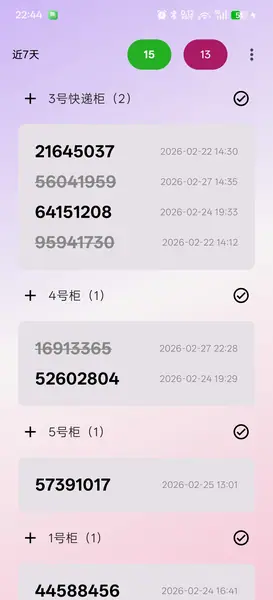
This is a free, open-source, ad-free, offline app that prioritizes simplicity and does not collect any personal information.
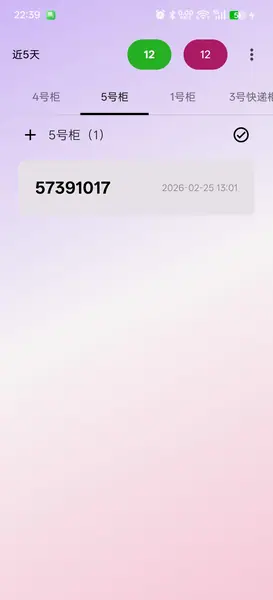
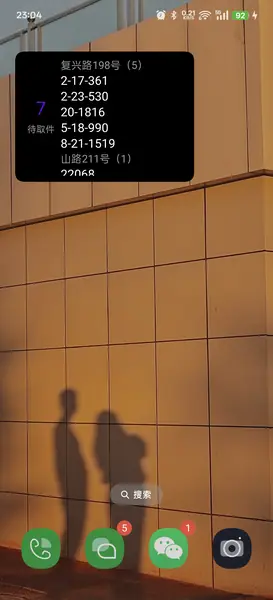
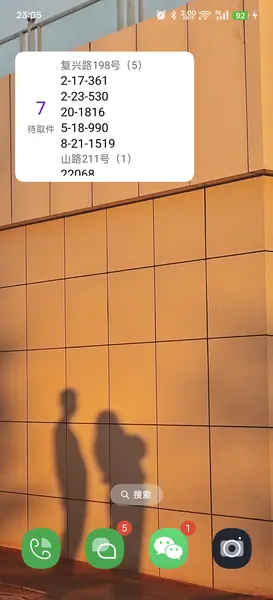
This app automatically parses received SMS messages and extracts the address and pickup code information, which can be displayed on a desktop card (dark mode supported).
You can add custom rules to improve the parsing effect.
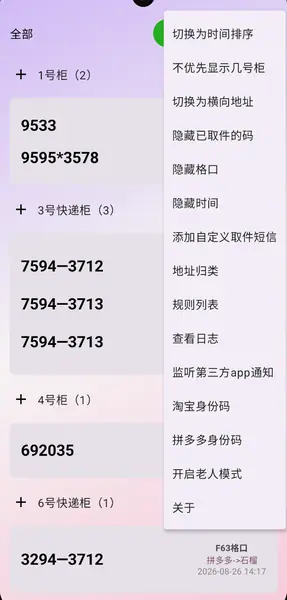
👆 Supports Long press the pickup code to add a note, or share.
✅ Supports Taobao and Pinduoduo identity codes.
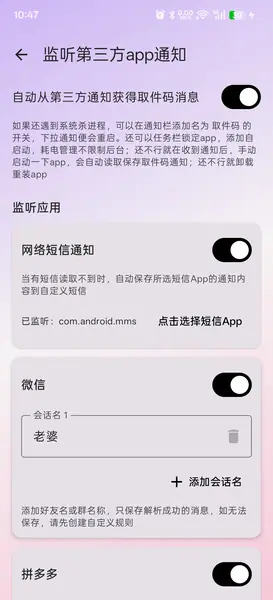
🔔 Supports monitoring third-party app notifications to automatically save pickup codes—making it much easier to help friends on WeChat pick up their packages.
⚡ Enabling notification access also helps keep the background process alive for real-time widget updates.
🏷️ Supports address categorization; group multiple addresses under one label for easier viewing.
👴 Supports Senior Mode with large fonts for better accessibility.
📱 Adding Home Screen Widgets: Usually found in the "All Widgets" section—look for "Plugins" or "Android Widgets" at the bottom.
Welcome to download and use! Please raise an issue if you have any questions or suggestions.
APK file information
| Package name | com.xxxx.parcel |
|---|---|
| Version | 1.0.71 (code 71) |
| Minimum Android | Android 10 · targets Android 15 |
| Architectures | arm64-v8a, armeabi-v7a, x86, x86_64 |
| SHA-256 | eec42f4a16693c07b70ccc60bb27f229797a0be118b9df741b1bf9fef7539baa |
| Signature | ed59aac29980639967bc8caf258fdc743187c07d0bd5f063e0be1bf8a7f40db5 |
| Licence | MIT — permissive free licence: the source code is public and reusable |
| Source code | github.com/shareven/parcel |
Permissions
- Receive SMS sensitive
- Read SMS sensitive
- Run in the background
- Show notifications
- Start at boot
- Read storage
- Write to storage
- Keep the device awake
- View network status
2 other technical permission(s)
REQUEST_IGNORE_BATTERY_OPTIMIZATIONS WRITE_SECURE_SETTINGS
Older versions
- Parcel 1.0.71November 6, 2026 · 21.4 MB
- Parcel 1.0.70October 14, 2026 · 21.4 MB
- Parcel 1.0.69October 12, 2026 · 21.4 MB
How to install Parcel APK
- Tap Download APK above, then open the file once the download has finished.
- If Android asks, allow your browser to install unknown apps.
- Tap Install. Parcel then appears with your other apps.
Having trouble? Read our guides how to install an APK on Android and "App not installed": how to fix it.
Frequently asked questions
Is Parcel free?
Yes. Parcel is distributed under the MIT licence: free, no subscription, and its source code is public.
Is this APK file safe?
The file is the one built and published by the F-Droid repository from the public source code. Its SHA-256 fingerprint is shown above, so you can compare it after downloading. How to check an APK.
Will Parcel work on my phone?
You need at least Android 10. The app also works without Google services, so it runs on recent Huawei phones too.