PeakNav APK
The mountains around you in 3D: peaks, paths, ski runs, GPX tracks and the sky
Download APK v1.3.3 · 42.7 MB- Version1.3.3
- Size42.7 MB
- RequiresAndroid 5.0
- Updated11/20/2026
- LicenceGPL-3.0-only
- PriceFree
About PeakNav
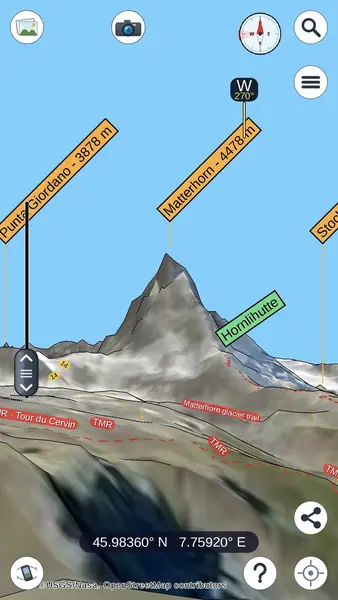
PeakNav draws the mountains of the whole world in 3D: the terrain around any point on Earth, with the names of the nearby peaks, the paths and roads projected onto the slopes, alpine huts, lakes, islands and mountain ranges.
What it does
- Shows the mountains around you, or around any place you search, from the ground or from the air; fly to a summit, or orbit around it.
- Names the peaks, huts, towns, lakes, islands and ranges in view, and draws paths and roads onto the terrain, coloured by difficulty and labelled with their names and numbers.
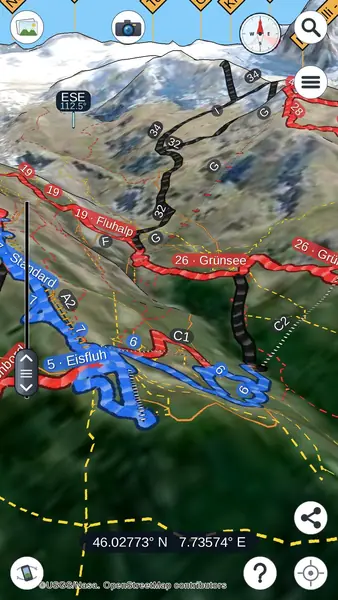
- Ski runs coloured blue, red and black and flowing downhill, and the lifts - cable cars, gondolas, chairlifts, drag lifts - with their cabins and chairs moving uphill, each named.
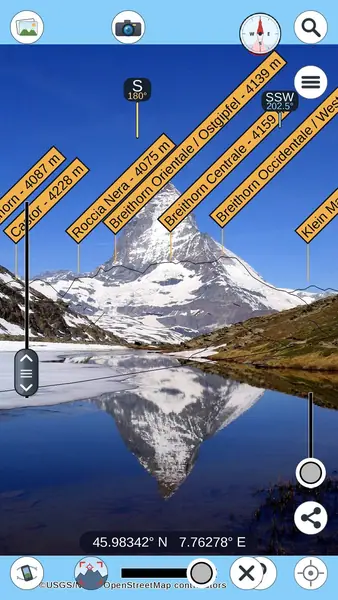
- Uses the GPS and the gyroscope to show what you are looking at: hold the phone up and the view turns with it.
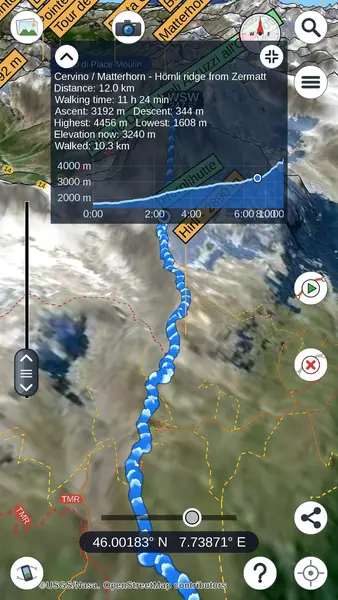
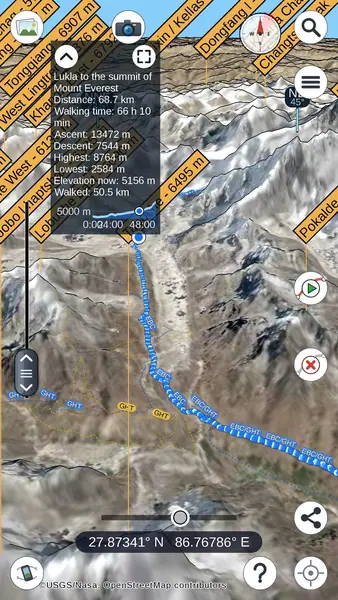
- Loads a GPX track and flies along it, with a panel showing the distance, the walking time, the ascent, and the elevation profile with the time along the way; "route to here" finds a walk along the mapped paths to any point you tap.
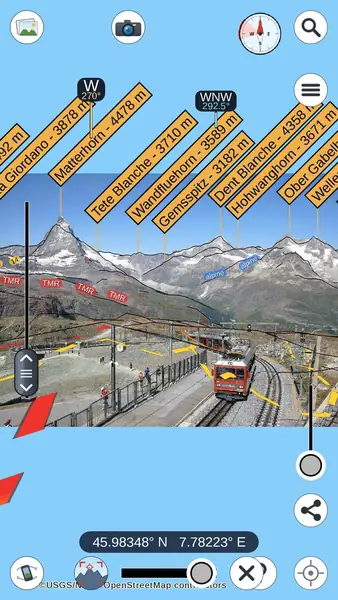
- Puts a photograph behind the terrain and matches its skyline to the mountains, to work out where the camera pointed and name the peaks in the picture.
- Draws the sky as it really is: sun, moon and stars at their true positions for your place and time, constellations, the moon's phase.
- Satellite imagery and sun shading as optional layers; metric or imperial units.
- Works offline once an area has been downloaded: elevation and map data are fetched per area and kept on the device.
Data Terrain from the ASTER GDEM (METI/NASA); paths, roads, ski pistes, lifts, huts and names from OpenStreetMap (ski data via OpenSnowMap); place names from GeoNames and Wikidata; imagery from NASA GIBS and the USGS. The datasets are published openly on Hugging Face, and other imagery sources can be added in the options.
Privacy The app collects no personal data. Your position, searches and photos stay on the device; the only network traffic is the download of map data and imagery from the providers above, and, when you search for a place, a query to OpenStreetMap's Nominatim.
About this build Place search in this build is online only: the offline place-name index of the other builds is generated from the GeoNames dumps and is not part of the F-Droid build.
Free software under the GPL v3. Source code and desktop versions (Windows, macOS, Linux) at https://github.com/Upabjojr/PeakNavApp
Photo in the picture-overlay screenshot: "GGB 3051 Gornergrat Bahnhof 1 2021-08-21" by Herbert Ortner (CC BY 4.0), on Wikimedia Commons.
What's new in version 1.3.3
- Place search works: Search or Enter asks OpenStreetMap's Nominatim
- Search: pasted text searches; coordinates in any common form
- Downloads go on in the background, with a Stop button and a notification
- Settings show how much storage the downloads take, and free it
- Photo overlay: fine nudge, turn and stretch buttons
- Place names in their own script
- Many fixes for crashes, memory and labels
APK file information
| Package name | com.peaknav.fdroid |
|---|---|
| Version | 1.3.3 (code 173) |
| Minimum Android | Android 5.0 · targets Android 16 |
| Architectures | arm64-v8a, armeabi-v7a, x86, x86_64 |
| SHA-256 | fd4fa53d7a7a135656eb1f531bb137eaaaa660b59801e4e4cb8ceef495bafc50 |
| Signature | 75e301dde3907ebbab1543a99578004953060089009078954da3c9d967b25af5 |
| Licence | GPL-3.0-only — copyleft free licence: the code is public and modified versions must stay free |
| Source code | github.com/Upabjojr/PeakNavApp |
| Official website | peaknav.com |
Permissions
- Precise location (GPS) sensitive
- Approximate location sensitive
- Internet access
- View network status
- Run in the background
- Keep the device awake
- Show notifications
- Camera sensitive
1 other technical permission(s)
ACCESS_MEDIA_LOCATION
How to install PeakNav APK
- Tap Download APK above, then open the file once the download has finished.
- If Android asks, allow your browser to install unknown apps.
- Tap Install. PeakNav then appears with your other apps.
Having trouble? Read our guides how to install an APK on Android and "App not installed": how to fix it.
Frequently asked questions
Is PeakNav free?
Yes. PeakNav is distributed under the GPL-3.0-only licence: free, no subscription, and its source code is public.
Is this APK file safe?
The file is the one built and published by the F-Droid repository from the public source code. Its SHA-256 fingerprint is shown above, so you can compare it after downloading. How to check an APK.
Will PeakNav work on my phone?
You need at least Android 5.0. The app also works without Google services, so it runs on recent Huawei phones too.