
Privacy Cell APK
Verify that a phone is using the most secure cell protocols.
Download APK v1.12.2 · 2.3 MB- Version1.12.2
- Size2.3 MB
- RequiresAndroid 11
- Updated4/4/2026
- LicenceGPL-3.0-or-later
- PriceFree
About Privacy Cell
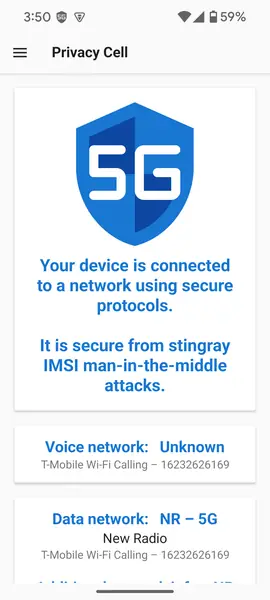
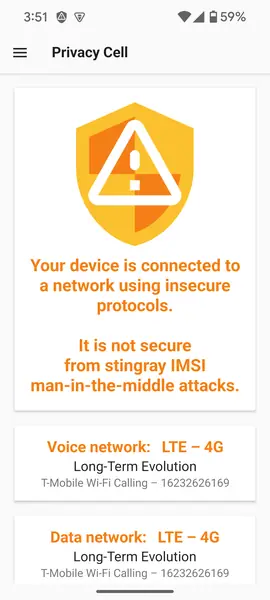
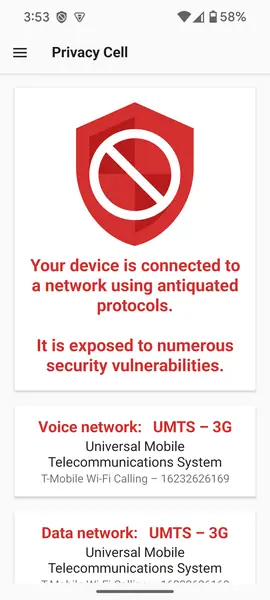
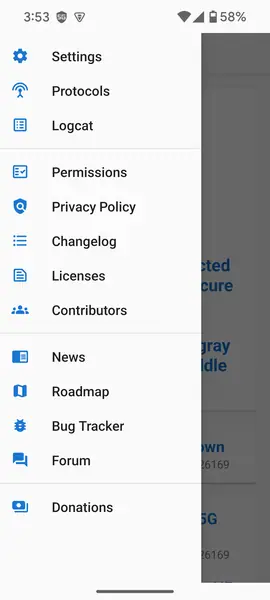
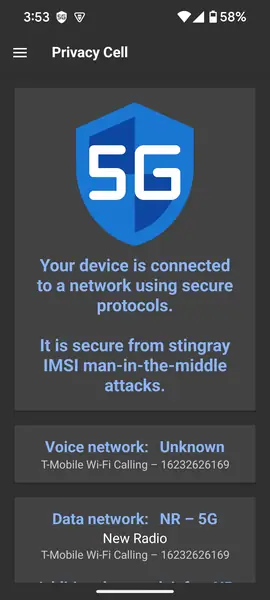
Privacy Cell is a small app that displays the cell phone protocol information.
At the time of this writing, many cell phone networks are switching from 4G (4th Generation) to 5G networks. The 5G network protocols were specifically designed to protect against some of the known insecurities of the older protocols, including those that allowed stingrays (IMSI catchers) to perform man-in-the-middle attacks on cell phone networks. To ease deployment and backwards compatibility, 4G and 5G networks can run together in what is known as 5G NR (New Radio) NSA (Non-Standalone) mode. This uses the 4G network for the control channel and the 5G network for the data communication. However, 5G NR NSA does not provide protection against stingrays. Android has access to all the information it needs to know if it is connected to a 5G NR NSA or a 5G NR SA (Standalone) network, but it doesn’t display that information to the user. The purpose of Privacy Cell is to make that information easy to access.
Privacy Cell can also warn you when you are connected to antiquated 2G and 3G networks.
What's new in version 1.12.2
- Fix the F-Droid builds by using the default Java version.
APK file information
| Package name | com.stoutner.privacycell |
|---|---|
| Version | 1.12.2 (code 16) |
| Minimum Android | Android 11 · targets Android 16 |
| Architectures | All (universal) |
| SHA-256 | 9944f5280af964708375854ba13220788eca68981c631755222863997cdf2cc5 |
| Signature | d7285959d2601f13ea75b9db23661de4a7ce04180987e89c7ccb2368be0855ae |
| Licence | GPL-3.0-or-later — copyleft free licence: the code is public and modified versions must stay free |
| Source code | gitweb.stoutner.com/?p=PrivacyCell.git;a=summary |
| Official website | www.stoutner.com/privacy-cell/ |
Permissions
- Phone status sensitive
- Show notifications
- Start at boot
- Run in the background
1 other technical permission(s)
READ_PHONE_NUMBERS
Older versions
- Privacy Cell 1.12.2April 4, 2026 · 2.3 MB
- Privacy Cell 1.12December 23, 2025 · 2.9 MB
- Privacy Cell 1.11May 6, 2025 · 2.7 MB
How to install Privacy Cell APK
- Tap Download APK above, then open the file once the download has finished.
- If Android asks, allow your browser to install unknown apps.
- Tap Install. Privacy Cell then appears with your other apps.
Having trouble? Read our guides how to install an APK on Android and "App not installed": how to fix it.
Frequently asked questions
Is Privacy Cell free?
Yes. Privacy Cell is distributed under the GPL-3.0-or-later licence: free, no subscription, and its source code is public.
Is this APK file safe?
The file is the one built and published by the F-Droid repository from the public source code. Its SHA-256 fingerprint is shown above, so you can compare it after downloading. How to check an APK.
Will Privacy Cell work on my phone?
You need at least Android 11. The app also works without Google services, so it runs on recent Huawei phones too.